Adding and Replacing Parts 123
Coin-Cell Battery
CAUTION: Before performing the following procedures, follow the safety instructions in your
Product
Information Guide
.
NOTICE: To avoid electrostatic discharge, ground yourself by using a wrist grounding strap or by periodically
touching a connector on the back panel of the computer.
NOTICE: To avoid damaging the system board, you must remove the main battery before you begin working inside
the computer.
1
Follow the procedures in "Before You Begin" on page 103.
2
Remove the hinge cover (see "Hinge Cover" on page 108).
3
Remove the keyboard (see "Keyboard" on page 109).
4
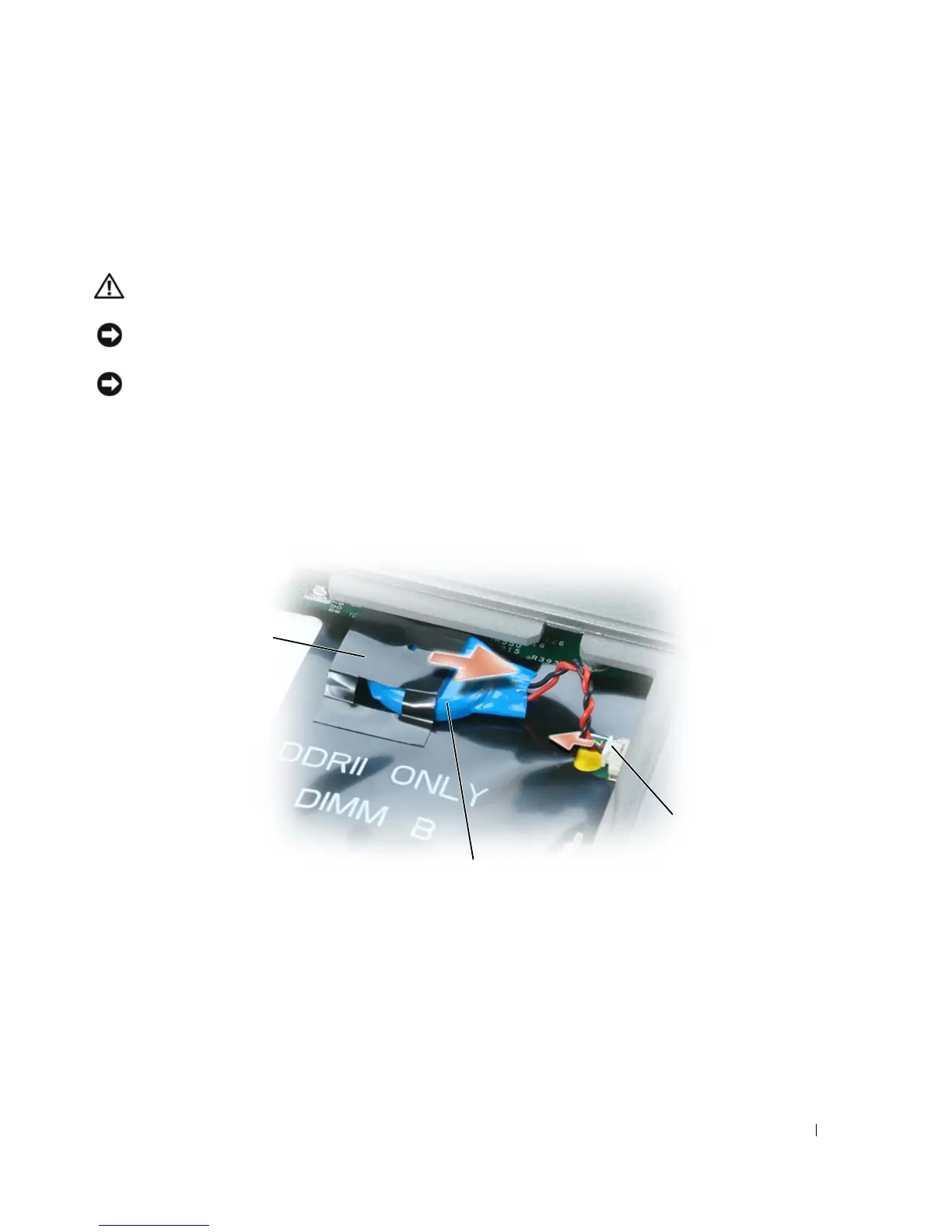
Remove the battery cable connector from the connector on the system board.
5
Being careful not to break the plastic, slightly raise the corner of the mylar above the battery.
6
While holding the mylar, grasp the battery and pull it out of the battery compartment.
1 card 2 card connector 3 cable connector
1 mylar 2 coin-cell battery 3 battery cable connector
3
1
2















 To Next Page