122 Adding and Replacing Parts
NOTICE: Be careful when removing the card to avoid damaging the card, card cable, or surrounding components.
3
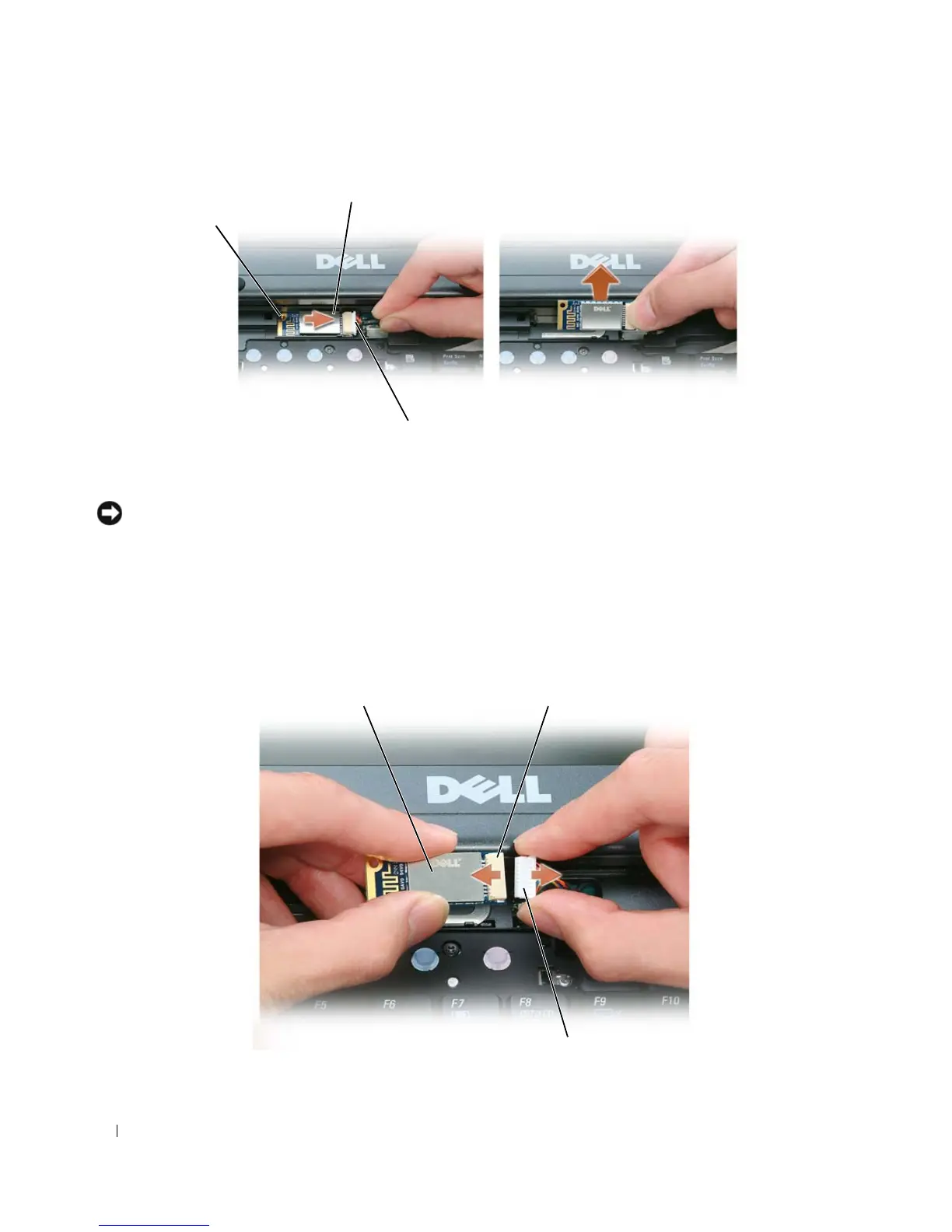
Remove the card from its compartment in the computer.
a
With the front of the computer facing you, slide the card to the right.
b
Rotate the card toward the front of the computer.
c
Lift the card out of the computer.
4
Disconnect the card from the cable connector.
1 metal tab 2 card 3 cable connector
3
2
1
3
21















 To Next Page