Adding and Replacing Parts 115
To confirm the amount of memory installed in the computer, click Start or
→
Help and Support
→
Computer Information.
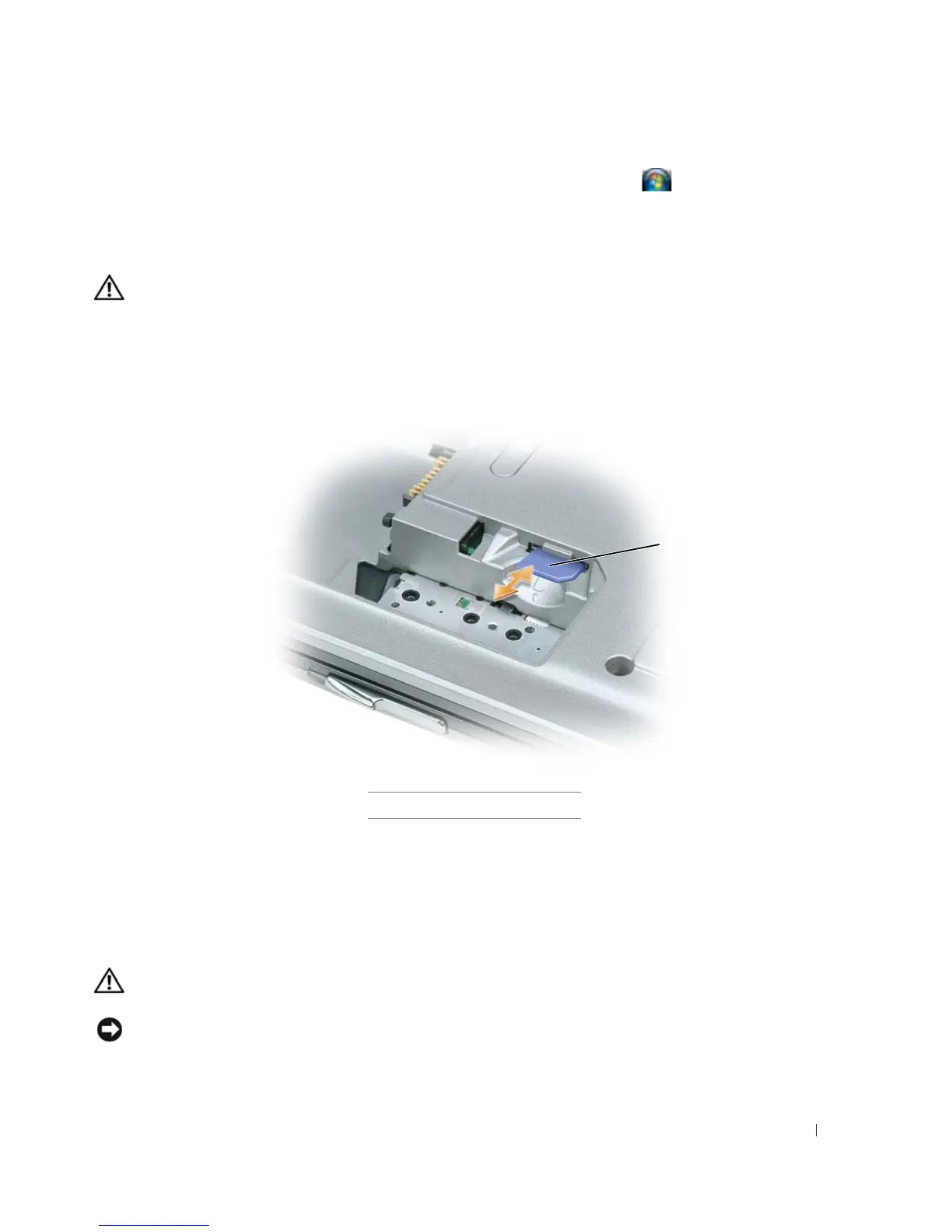
Subscriber Identity Module (SIM) Card
CAUTION: Before you begin any of the procedures in this section, follow the safety instructions in the
Product
Information Guide
.
1
Follow the procedures in "Before You Begin" on page 103.
2
Remove the battery (see "Replacing the Battery" on page 33).
3
Slide the SIM card into the compartment with the cut-off corner of the card facing away from the
compartment.
Wireless Cards
If you ordered a wireless LAN or WAN card with your computer, the card is already installed.
CAUTION: Before you begin any of the procedures in this section, follow the safety instructions in the
Product
Information Guide
.
NOTICE: To avoid damaging the system board, you must remove the main battery before you begin working inside
the computer.
1 SIM card
1















 To Next Page