16 About Your Computer
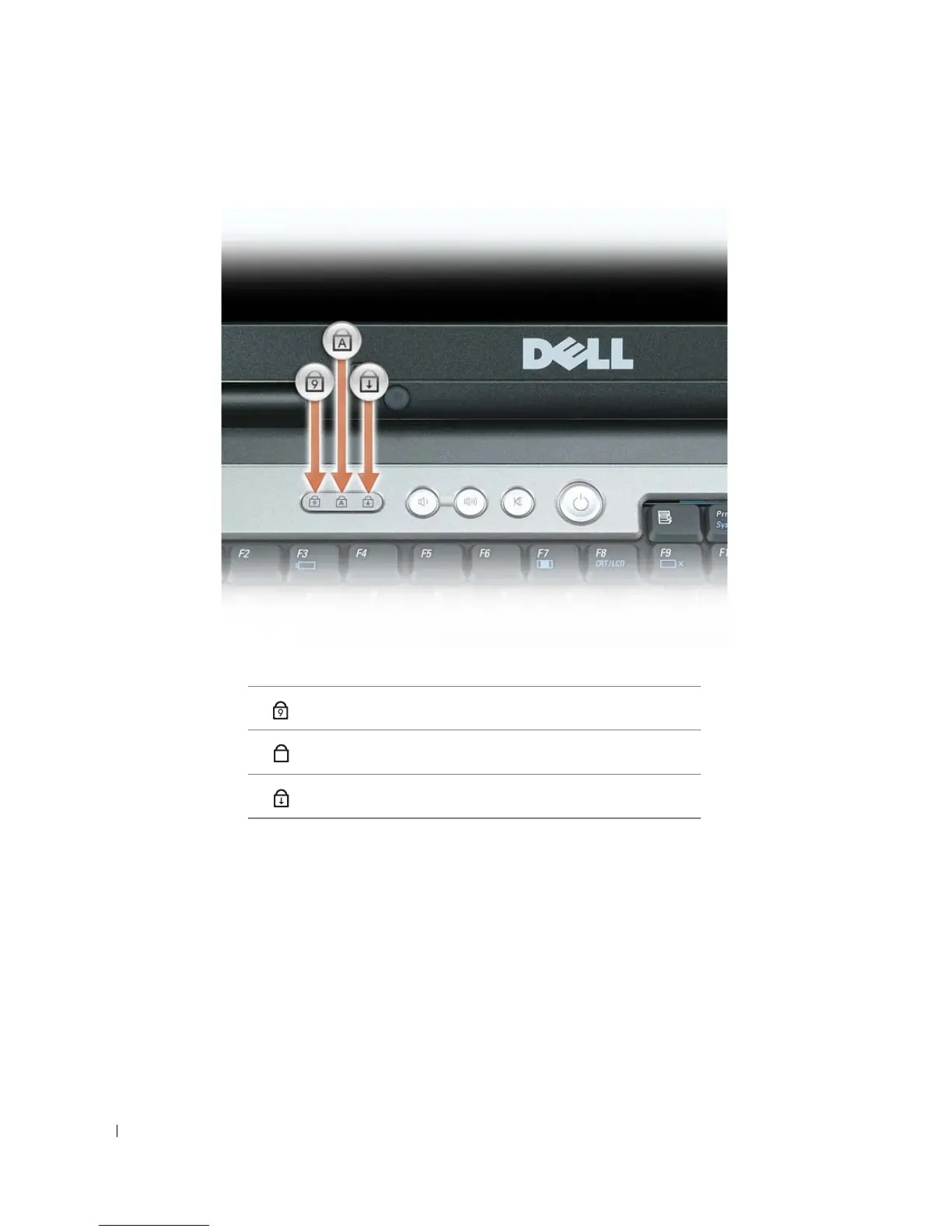
KEYBOARD STATUS LIGHTS
The green lights located above the keyboard indicate the following:
VOLUME CONTROL BUTTONS — Press these buttons to adjust the speaker volume.
MUTE BUTTON — Press this button to turn off the speakers.
AMBIENT LIGHT SENSOR — Helps to control display brightness. For more information, see "Using the Ambient
Light Sensor" on page 48.
Turns on when the numeric keypad is enabled.
Turns on when the uppercase letter function is enabled.
Turns on when the scroll lock function is enabled.
9
A















 To Next Page