18 About Your Computer
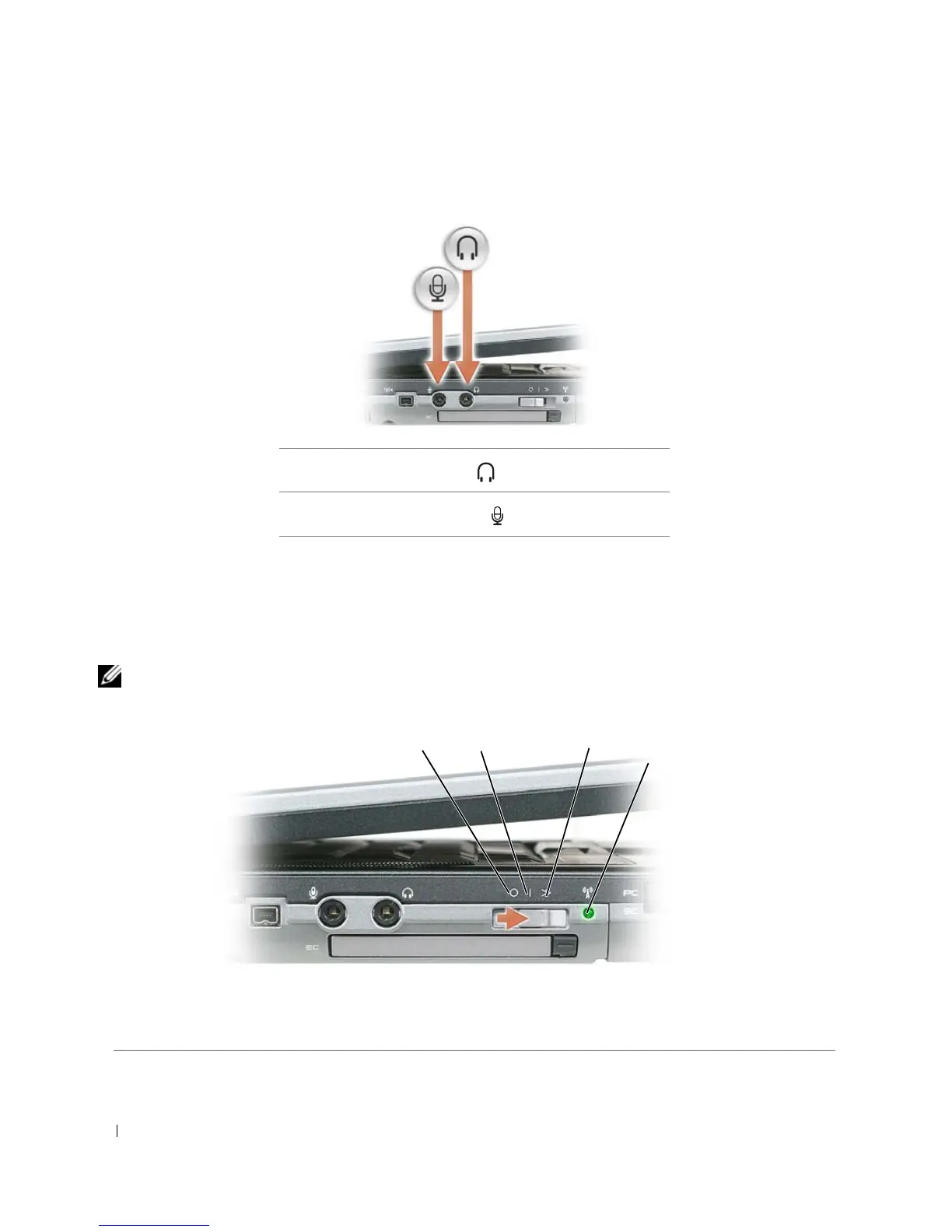
AUDIO CONNECTORS
EXPRESSCARD SLOT — Supports 34- and 54-mm PCI ExpressCards or USB-based ExpressCards (see "Using Cards"
on page 59).
WIRELESS SWITCH — Turns on/off wireless devices such as WiFi and internal cards with Bluetooth wireless
technology and scans for WiFi networks. For more information about scanning for wireless networks, see "Dell™ Wi-
Fi Catcher™ Network Locator" on page 58.
NOTE: The wireless switch does not detect Mobile Broadband networks or networks that use internal cards with
Bluetooth technology.
Attach headphones to the connector.
Attach a microphone to the connector.
1 "off" position 2 "on" position 3 "momentary" position
4 Wi-Fi Catcher light
1
2
3
4















 To Next Page