Installing the Micro Subscriber Identity Module (SIM) Card
1. Push in the micro SIM card into its slot.
2. Install the battery.
3. Follow the procedures in
After Working Inside Your Computer
.
Removing the Keyboard Trim
1. Follow the procedures in
Before Working Inside Your Computer
.
2. Remove the battery.
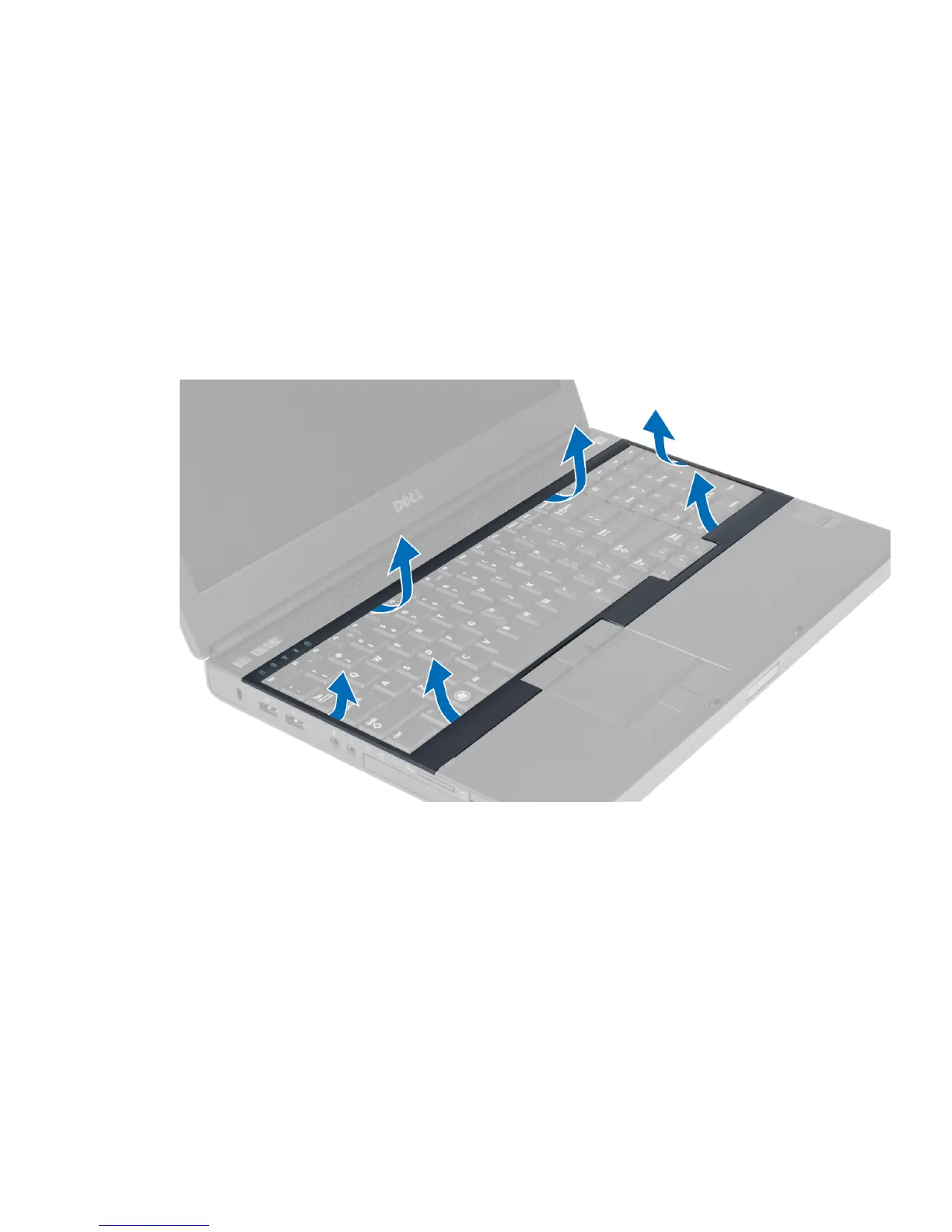
3. Pry up the keyboard trim starting from the bottom and work your way along the top edge. Remove the keyboard
trim.
Installing the Keyboard Trim
1. Slide in the keyboard trim from the front and align it to its original position on the computer. Ensure that the hard-
tab on the left corner snaps into place.
15















 To Next Page