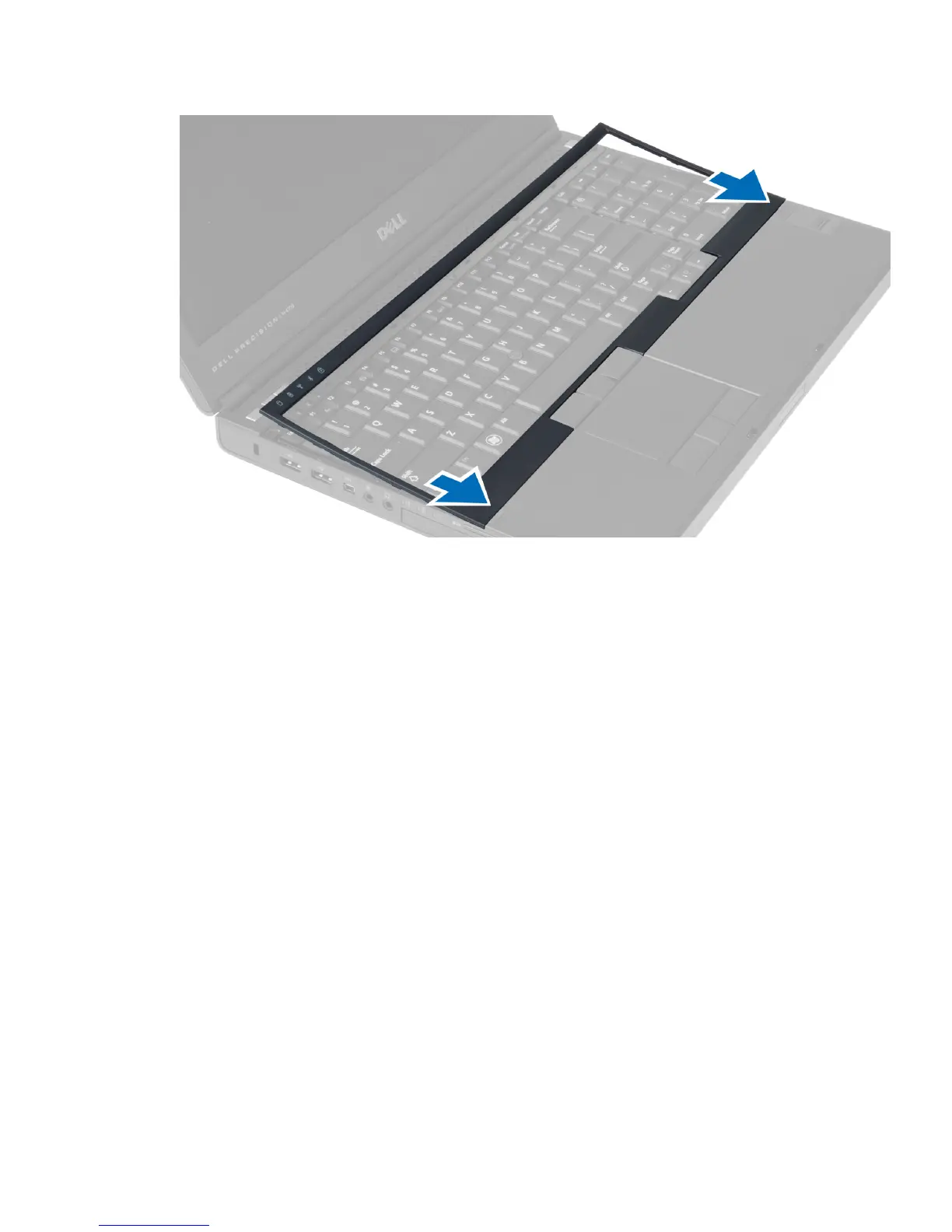
2. Press along the sides of the keyboard trim until it snaps in place.
3. Install the battery.
4. Follow the procedures in
After Working Inside Your Computer
.
Removing the Keyboard
1. Follow the procedures in
Before Working Inside Your Computer
.
2. Remove the:
a) battery
b) keyboard trim
3. Remove the screws that secure the keyboard to the computer.
16















 To Next Page