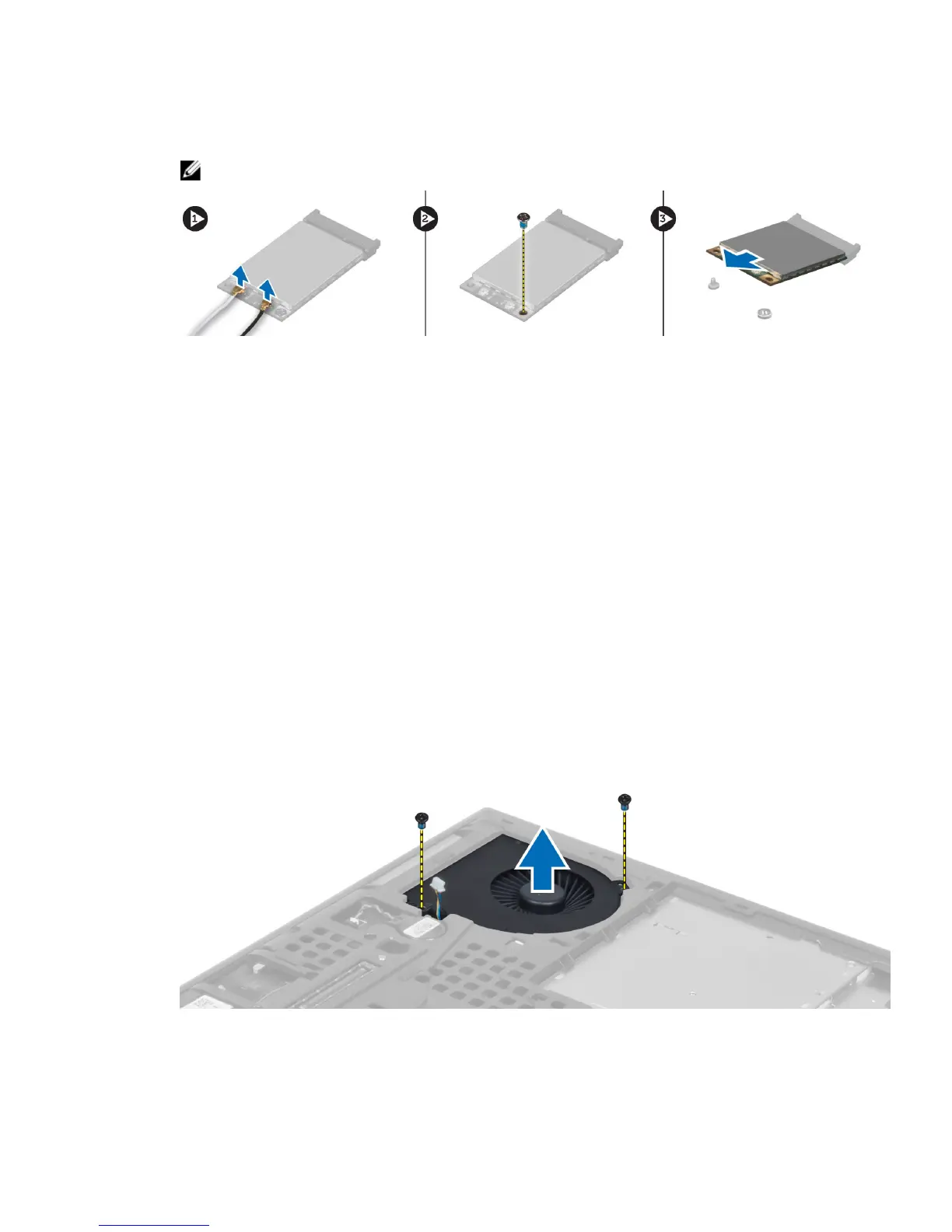
b) Remove the screw that secures the WWAN card to the computer.
c) Remove the WWAN card from the computer.
NOTE: The location of the WWAN card may vary from what is displayed in the illustrations.
Installing the Wireless Wide Area Network (WWAN) Card
(Optional)
1. Slide the WWAN card in the WWAN card slot.
2. Press down the WWAN card and tighten the screw to secure the WWAN card to the computer.
3. Route the antenna cables through the routing channels and connect them to the WWAN card.
4. Install the:
a) base cover
b) battery
5. Follow the procedures in
After Working Inside Your Computer.
Removing the Processor Fan
1. Follow the procedures in
Before Working Inside Your Computer
.
2. Remove the:
a) battery
b) base cover
3. Remove the screws that secure the processor fan to the computer. Remove the processor fan from the computer.
4. Disconnect the processor-fan cable.
26















 To Next Page