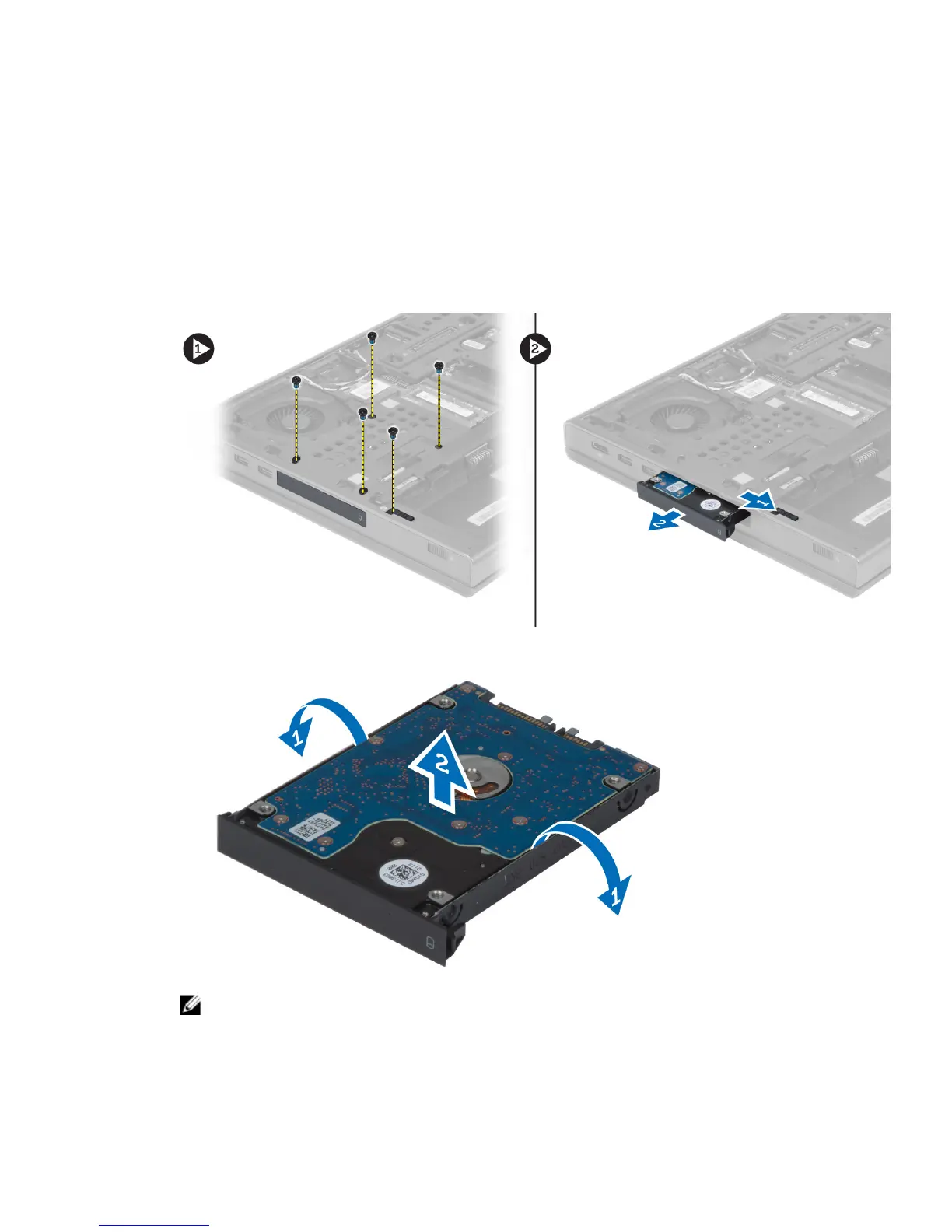
Removing the Hard Drive
1. Follow the procedures in
Before Working Inside Your Computer
.
2. Remove the:
a) battery
b) base cover
3. Remove the screws that secure the hard drive to the computer. Slide the hard -drive latch to the unlock position
and pull out the hard drive from the computer.
4. Flex the hard-drive bracket outward and pull out the hard drive from the bracket.
NOTE: A rubber filler is installed to the hard-drive bracket for 7 mm hard drives. It is designed to prevent
vibrations and for correct installation of the 7 mm hard drives. 9 mm hard drives do not require the filler when
installed into the hard-drive bracket.
24















 To Next Page