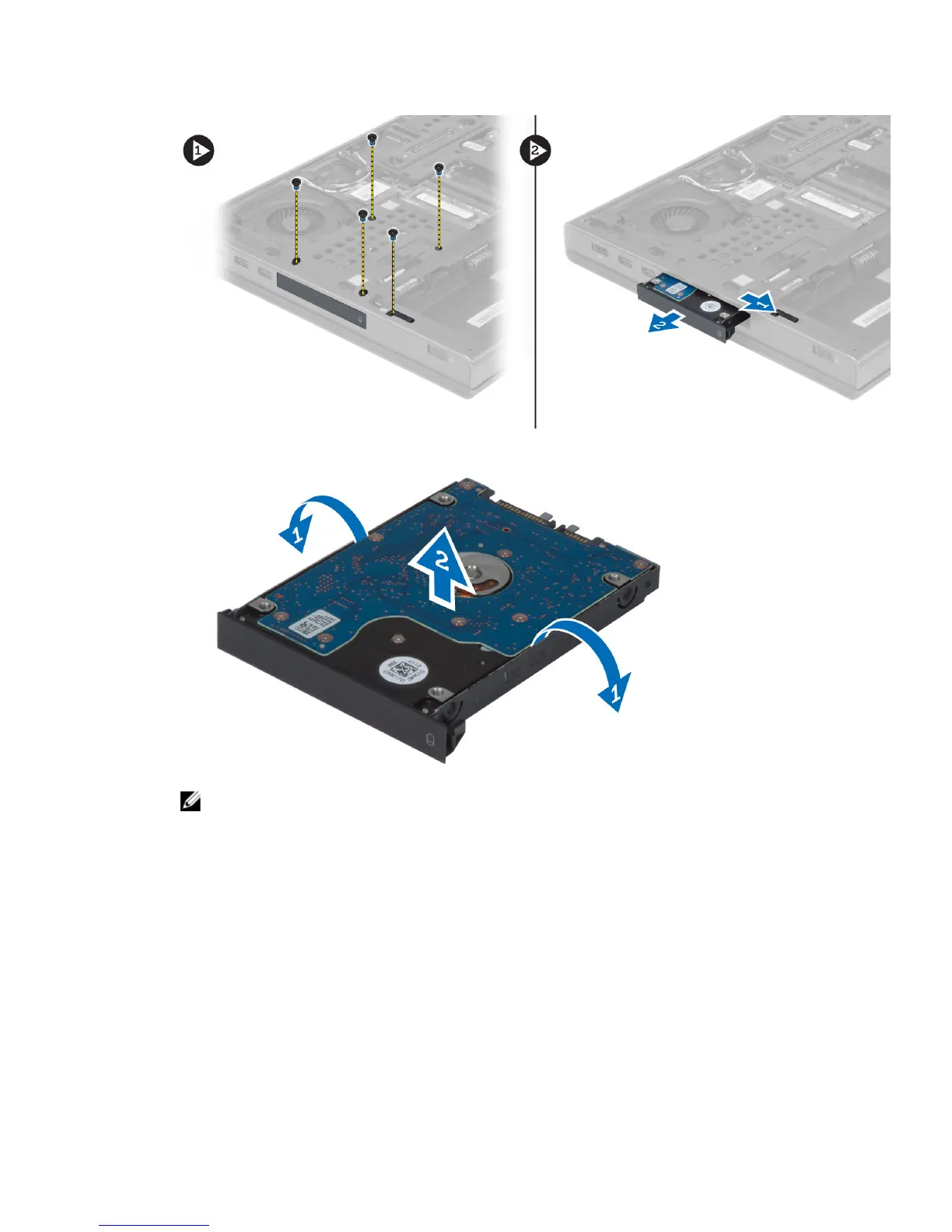
4. Flex the hard-drive bracket outward and pull out the hard drive from the bracket.
NOTE: A rubber filler is installed to the hard-drive bracket for 7 mm hard drives. It is designed to prevent
vibrations and for correct installation of the 7 mm hard drives. 9 mm hard drives do not require the filler when
installed into the hard-drive bracket.
Installing the Primary Hard Drive
1. Engage the primary hard -drive bracket to the primary hard drive.
2. Insert the primary hard drive into its slot in the computer till it clicks in place.
3. Tighten the screws to secure the primary hard drive to the computer.
4. Install the:
a) base cover
b) battery
5. Follow the procedures in
After Working Inside Your Computer.
20















 To Next Page