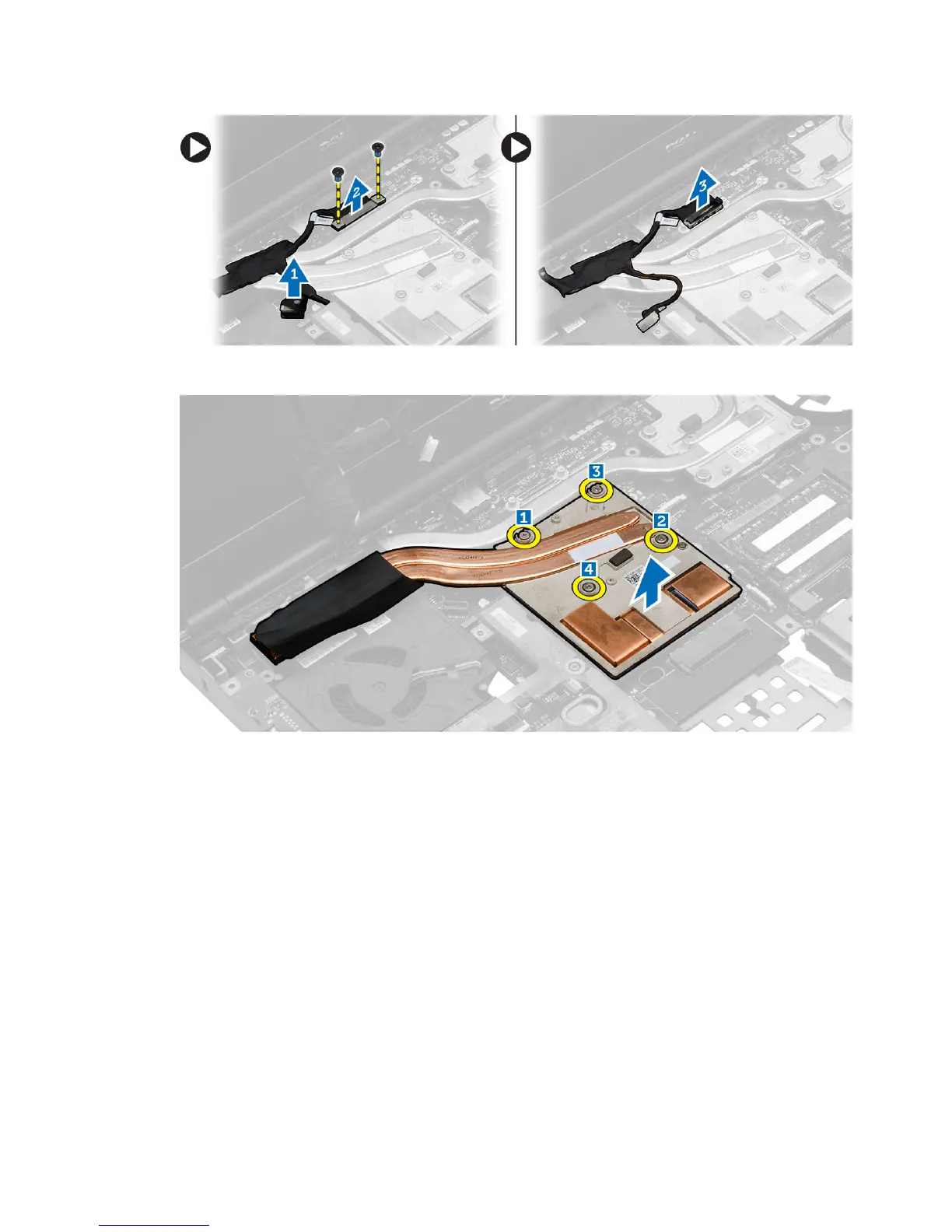
4. Loosen the captive screws that secure the video-card heatsink to the computer [1, 2, 3, 4]. Remove the video-card
heatsink from the computer.
Installing the Video-Card Heat Sink
1. Replace the video-card heat sink in its slot.
2. Tighten the captive screws to secure the video-card heat sink to the computer.
3. Connect and route the LVDS cable.
4. Tighten the screws to secure the LVDS cable bracket to the computer.
5. Install the:
a) heat sink
b) heat-sink fan
c) palm rest
d) primary and secondary hard drive
e) optical drive
f) keyboard
g) keyboard trim
h) base cover
46















 To Next Page