Installing the Keyboard
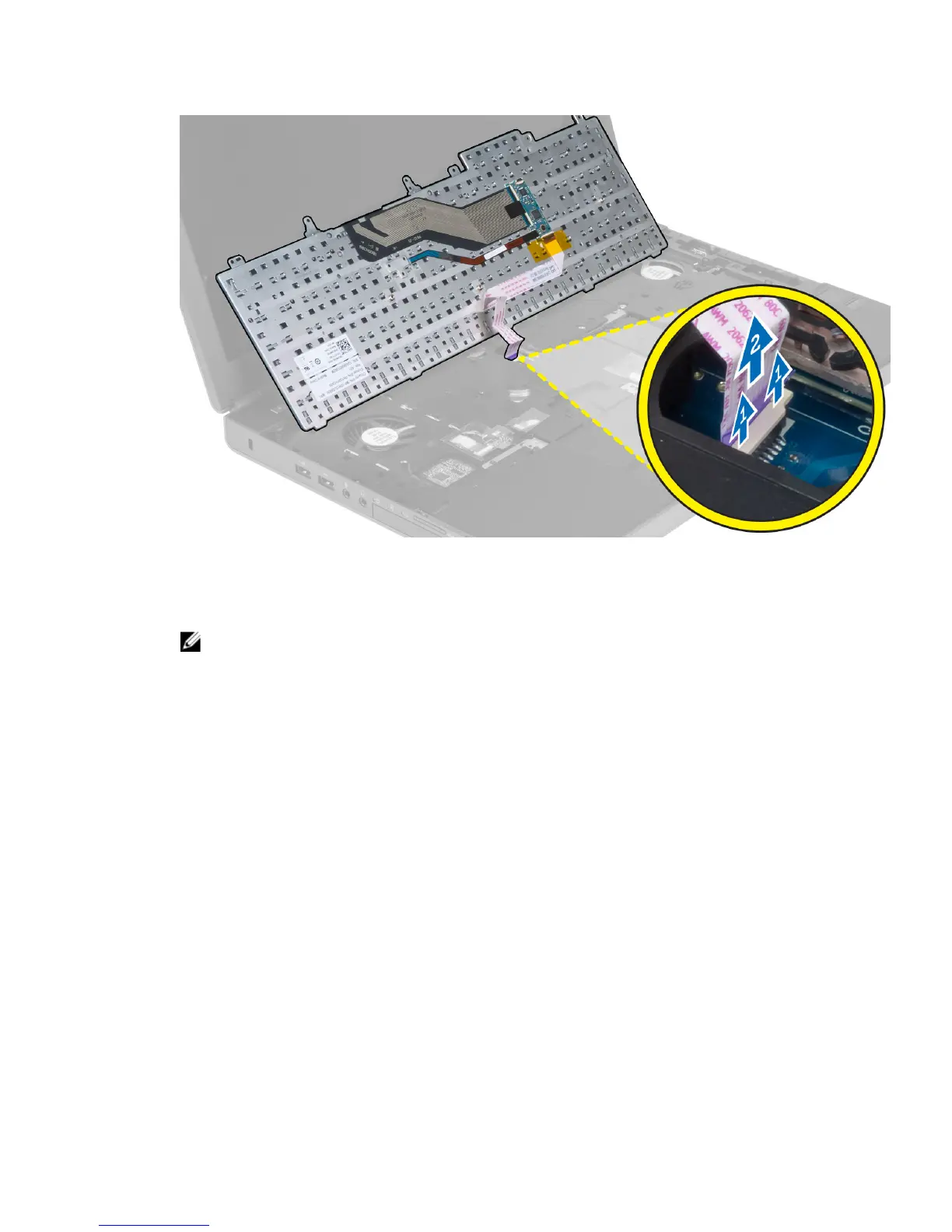
1. Connect the keyboard-data cable to the system board.
NOTE: Ensure that you fold the keyboard-data cable in perfect alignment.
2. Press and align the keyboard to its compartment.
3. Tighten the screws to secure the keyboard to the computer.
4. Press over the cross section of the following keys to secure the keyboard to the computer:
a) <R> , <T> , <F> and <G> keys
b) over the <9> key
c) NUMLOCK <9> key
28



 To Next Page