g) optical drive
h) primary and secondary hard drive
i) primary memory
j) secondary memory
k) video-card fan
l) palmrest
m) heatsink
n) processor
o) video-card heatsink
p) video card
q) I/O board
r) display assembly
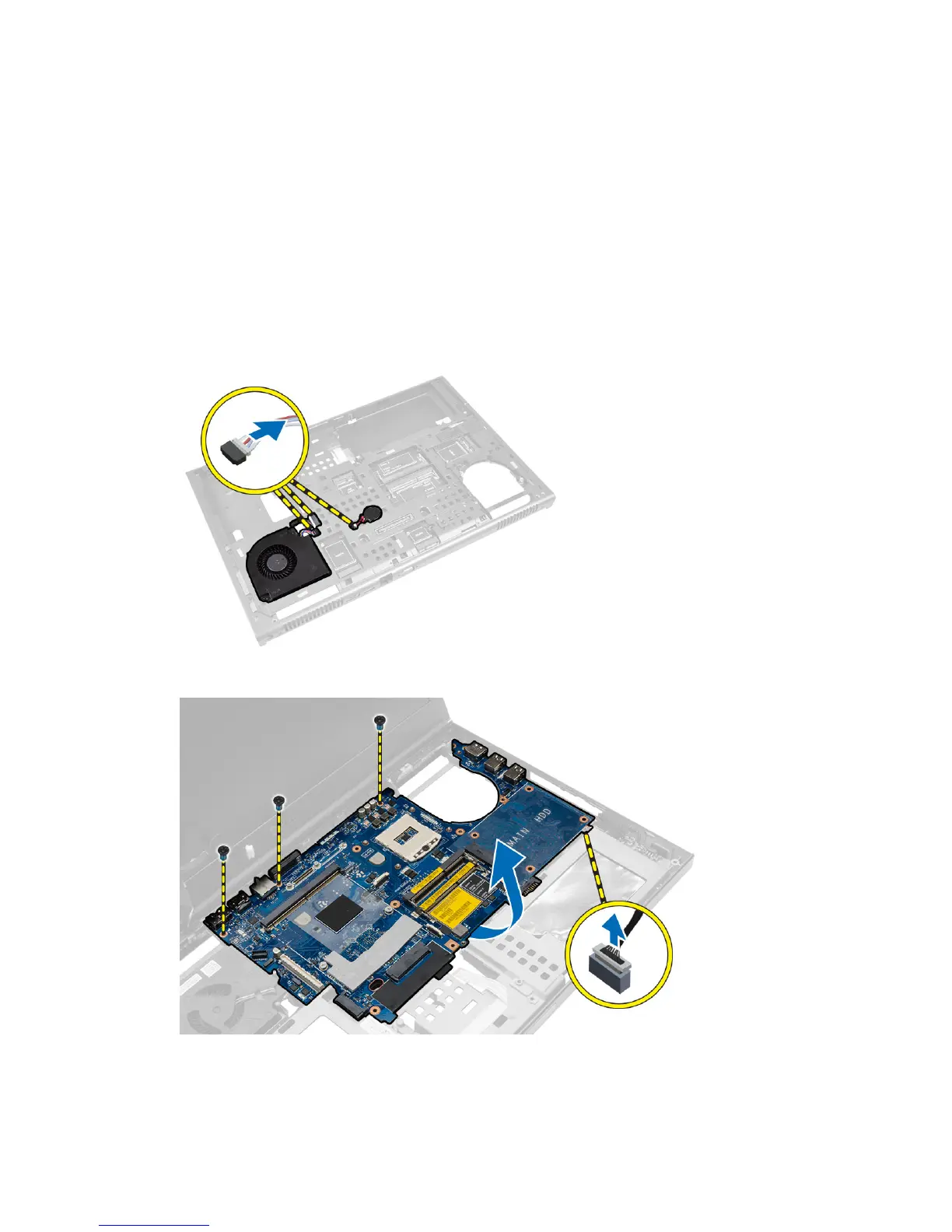
3. Disconnect the processor-fan cable, LVDS cable and the coin-cell battery cable from the system board.
4. Disconnect the power connector cable. Remove the screws that secure the system board to the computer and lift
the bottom edge of the system board at a 20–degree angle.
5. Remove the system board from the computer.
53















 To Next Page