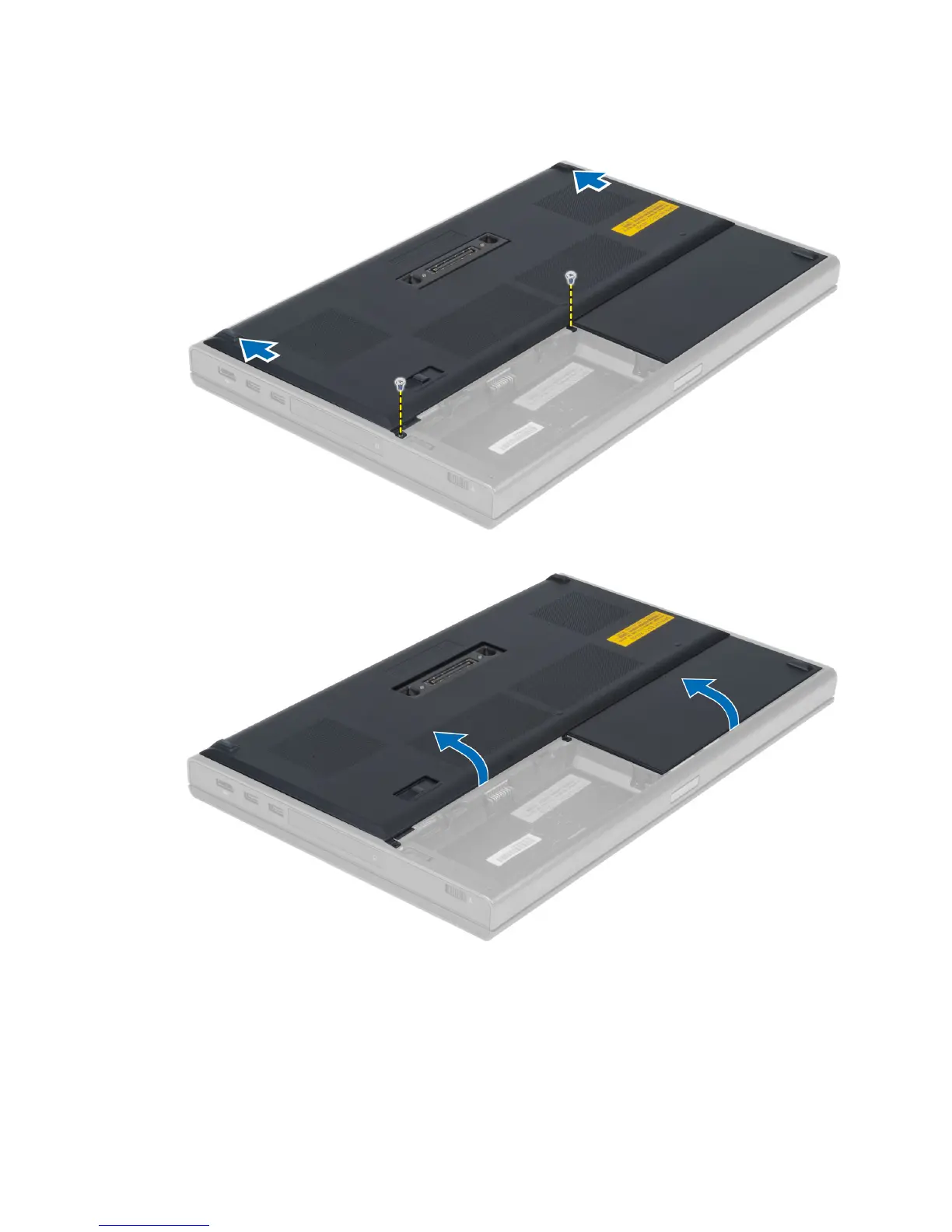
3. Remove the screws that secure the base cover to the computer. Press the rubber tabs towards the rear of the
computer to disengage the base cover.
4. Flip and remove the base cover from the computer.
Installing the Base Cover
1. Slide in and place the base cover to align with the screw holes correctly on the computer.
2. Tighten the screws to secure the base cover to the computer.
14



 To Next Page