4. Install the:
a) keyboard
b) keyboard trim
c) battery
5. Follow the procedures in
After Working Inside Your Computer
.
Removing the Display Bezel
1. Follow the procedures in
After Working Inside Your Computer
.
2. Remove the battery.
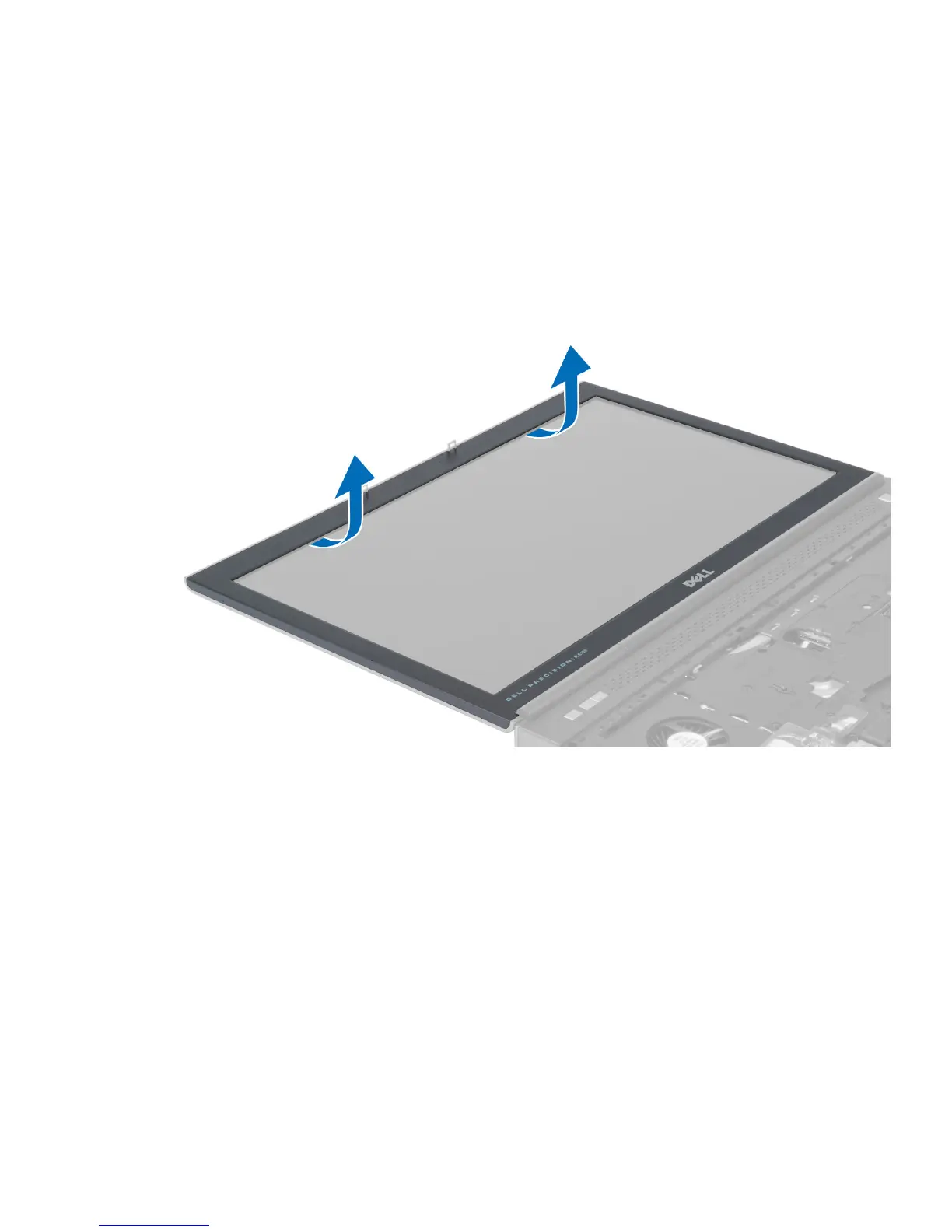
3. Pry up the bottom edge of the display bezel.
31



 To Next Page