8 | About your monitor
Identifying parts and controls
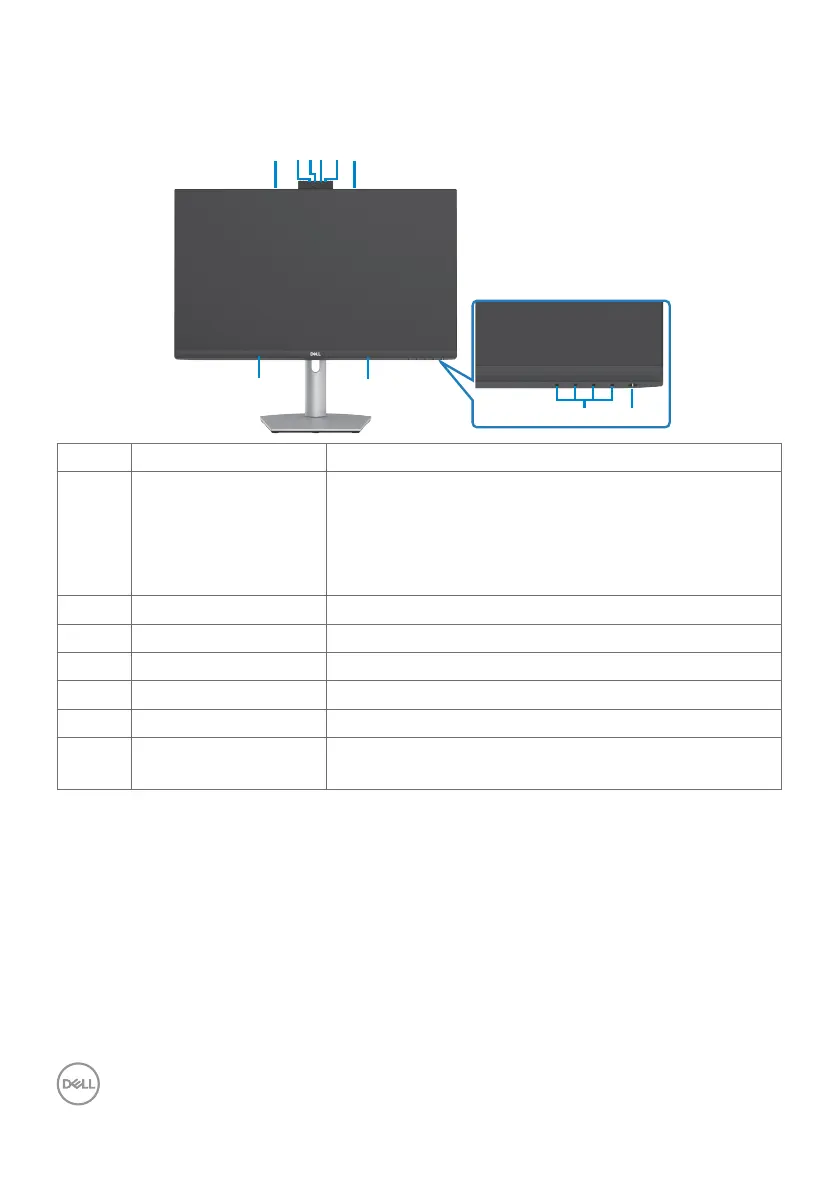
Front view
Label Description Use
1 RGB Webcam With image sensor capable of operating at up to
30 fps in 10 bits 5M resolution with complete user
control over image quality, formatting and output
data transfer.
Transmits your image in a video conference.
2 IR Webcam
Capture and Transmits image in dark light.
3 IR LED Indicator of IR.
4 Microphone Monitor microphones.
5 Built-in speakers To output the sound from audio input.
6 Function buttons For more information, see Operating the monitor.
7 Power on/off button
(with LED indicator)
To turn the monitor on or off.



 To Next Page