Setting up the monitor | 35
Organizing your cables
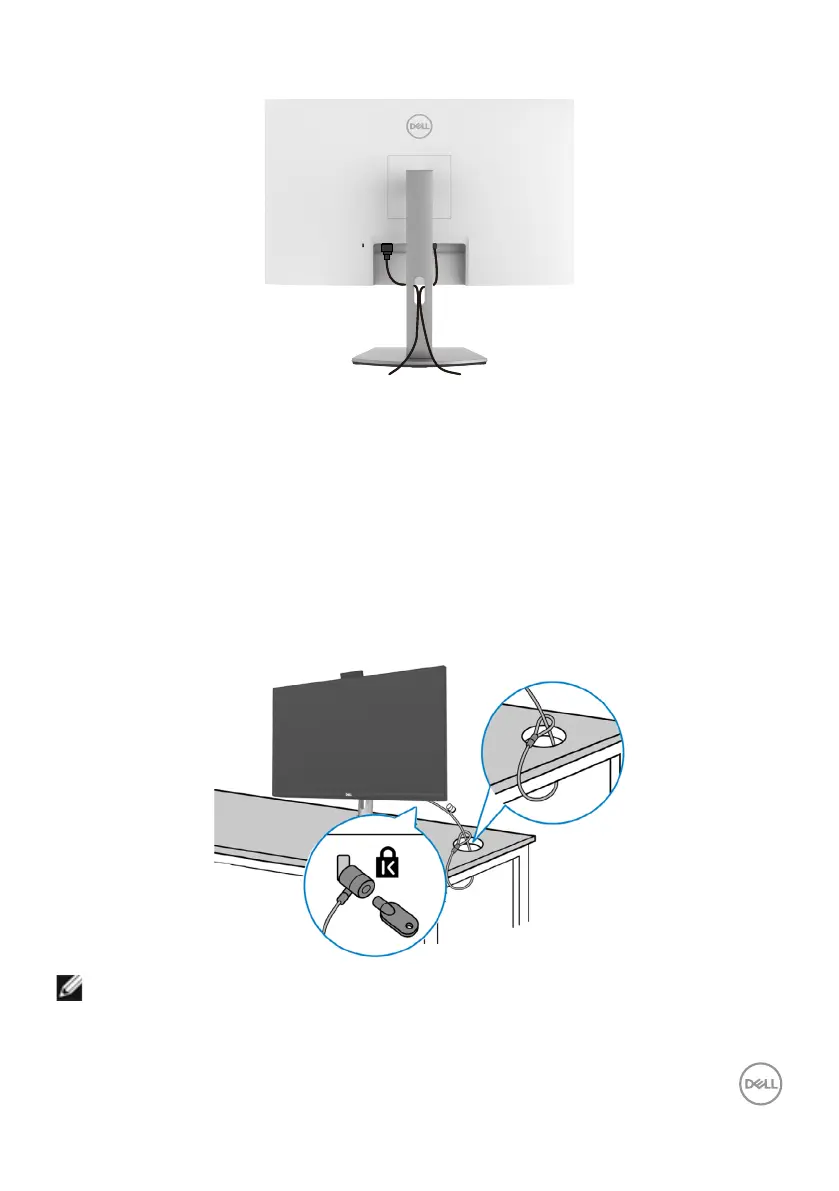
After attaching all necessary cables to your monitor and computer, organize all cables
as shown in the image. See Connecting your monitor for more information about
cable connections.
Securing your monitor using Kensington lock (optional)
The security lock slot is at the bottom of the monitor. For more information about the
location of the security lock slot, see Security lock slot.
For more information about using the Kensington lock (purchased separately), see the
documentation that is shipped with the lock.
Secure your monitor to a table using the Kensington security lock.
NOTE: The image is for illustration purpose only. Appearance of the lock
may vary.



 To Next Page