20 | Preparing Printer Hardware
Preparing Printer Hardware
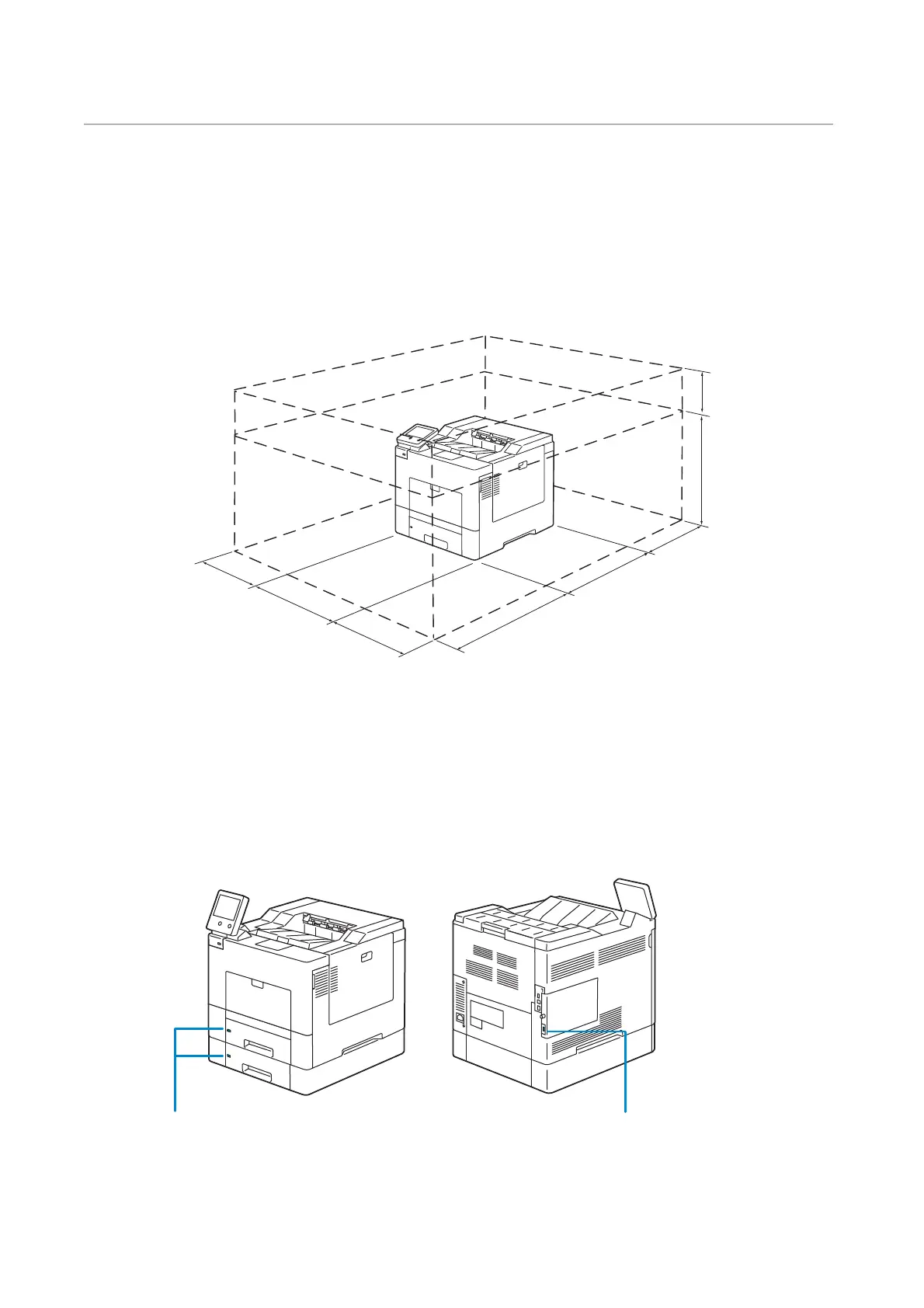
Space Requirements
Provide enough room to open the printer trays, covers, and optional accessories, and for
proper ventilation.
Securing the Printer
To protect the printer from theft, you can use a Kensington lock.
Attach the Kensington lock to the security slot of the printer.
Refer to the operating instructions supplied with the Kensington lock.
200 mm/7.9 inches
75 mm/
3.0 inches
439 mm/
17.3 inches
400 mm/15.7 inches
485 mm/19.1 inches
600 mm/23.6 inches
454 mm/17.9 inches
400 mm/15.7 inches
Security Slot Security Slot














 To Next Page