Connecting and Setting Up Your Printer | 25
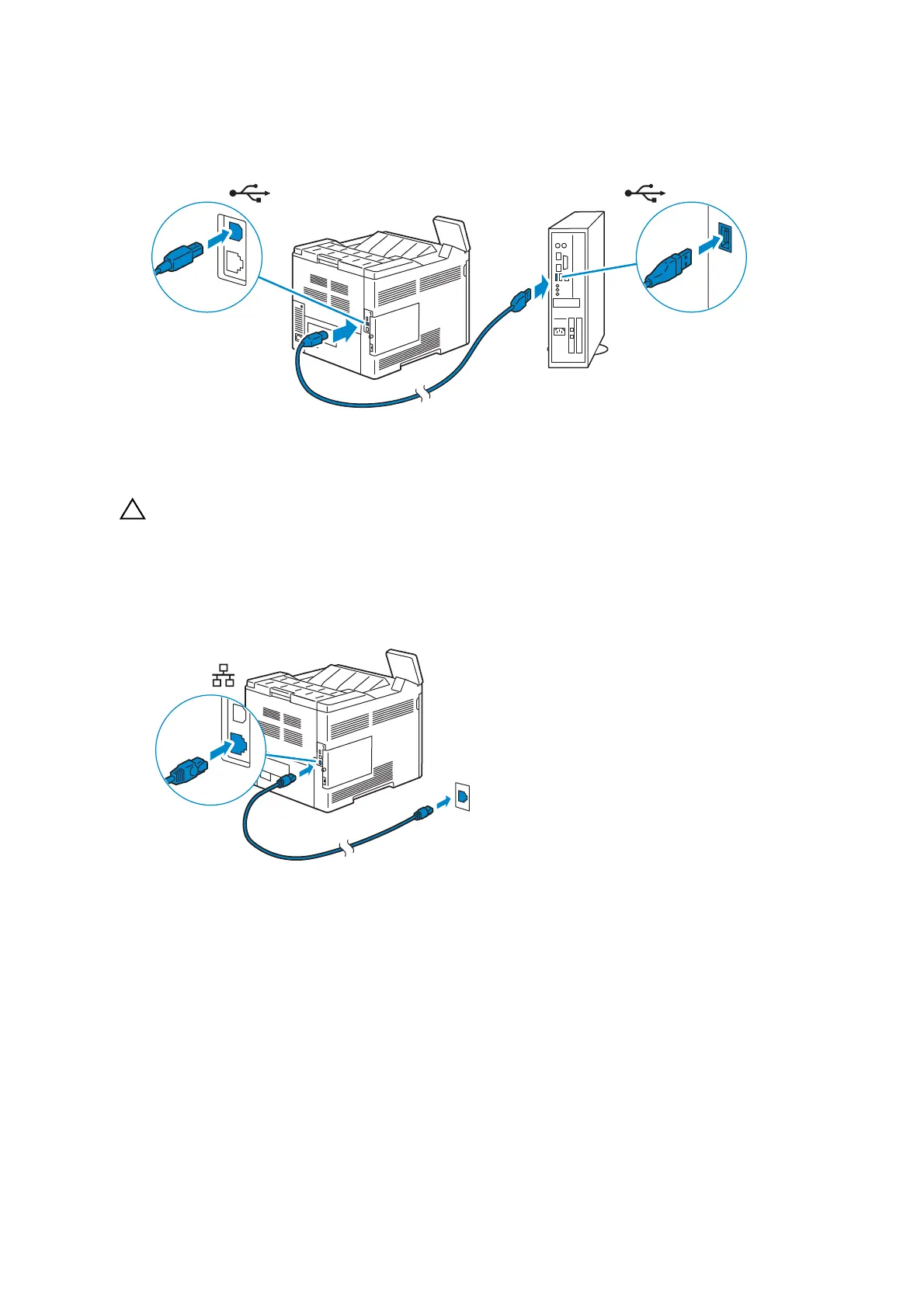
1 Connect the smaller USB connector into the USB port at the rear of the printer.
2 Connect the other end of the cable into a USB port of the computer.
• Do not connect the printer USB cable to a USB port located on the keyboard.
Connecting to a Network Using the Ethernet Cable
1 Connect the Ethernet cable.
To connect the printer to the network, connect one end of an Ethernet cable into the
Ethernet port on the rear of the printer, and the other end to a LAN drop or hub.
Connecting to a Wireless Network
See "Configuring the Wireless Settings".














 To Next Page