Applications 149
Clock
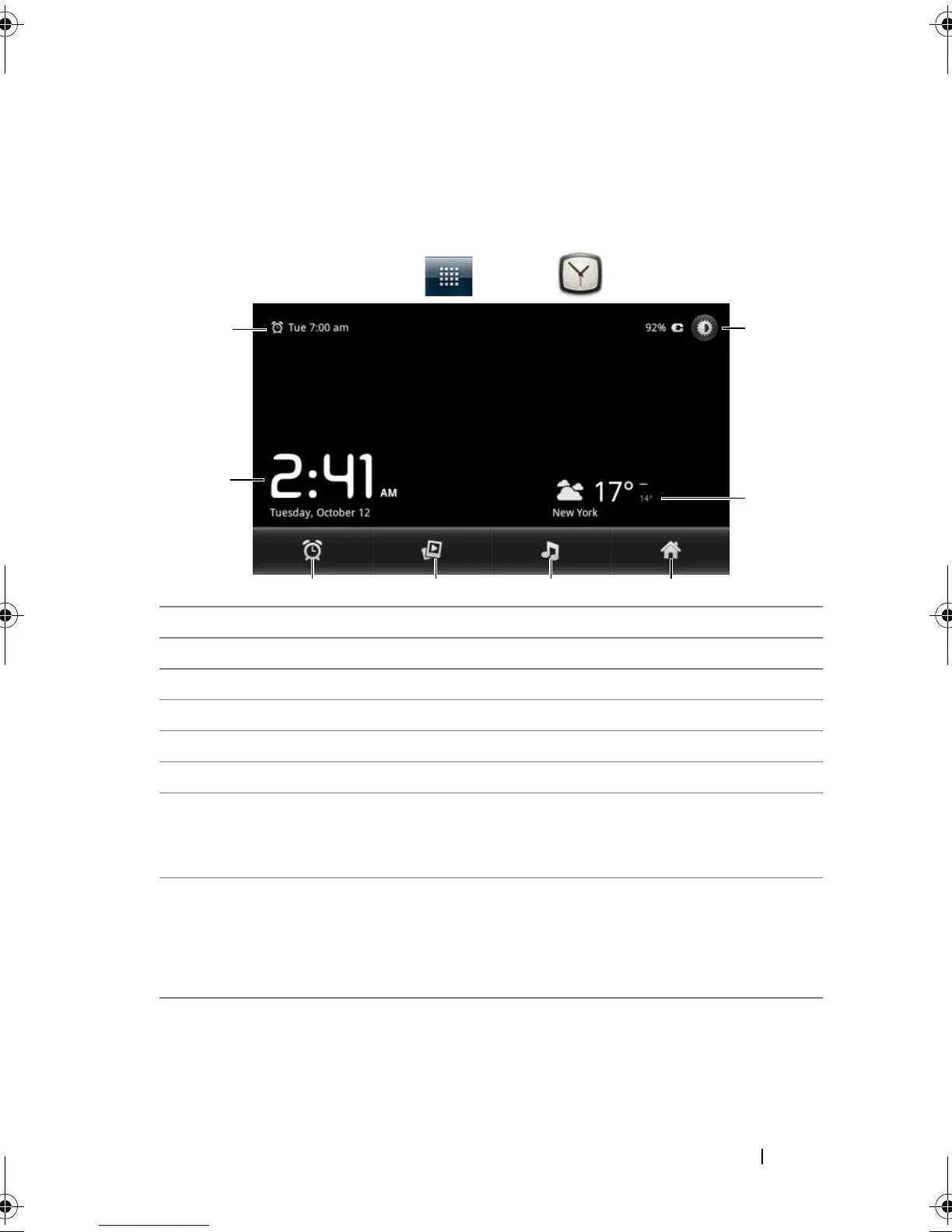
Your device can work as a desk alarm clock to display current time and
date, local weather, and play picture slideshow and music.
Touch the Launcher button → Clock .
1 Displays the first active alarm time.
2 The current time and date.
3 Touch to set the alarm.
4 Touch to play the slideshow of the pictures stored on your device.
5 Touch to start the Music application and choose the music to play.
6 Touch to return to the Home screen.
7 • Displays the local weather.
• Touch to start the News and Weather application to find more
weather updates.
8 Touch to turn the backlight down to the minimum level.
NOTE: After a period of inactivity, the screen turns off the backlight
automatically to only display the current time, date, and alarm time.
NOTE: To turn on the backlight, touch anywhere on the screen.
bk0.book Page 149 Friday, November 19, 2010 12:24 PM














 To Next Page