48 Using Your Dell™ Streak
Managing Contacts
To view and manage your contacts:
•Touch Contacts
•Touch →
Contacts
.
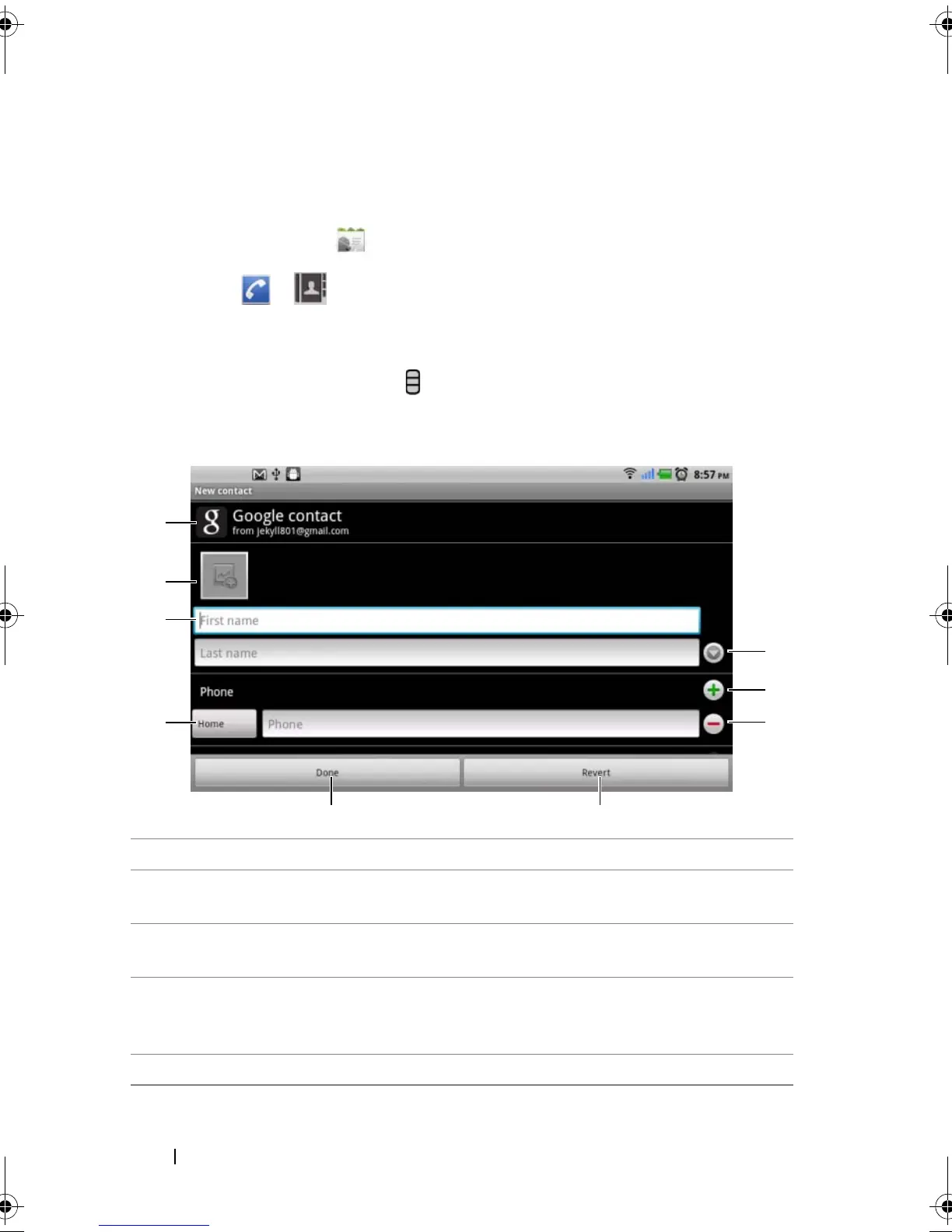
To add a new contact
1 Touch the Menu button → New contact.
2 Select the account where you want to add this contact, such as
your Gmail account.
1 This area shows the account in which the new contact is stored.
2 Touch to take a photo or select a photo from the Gallery application to
use as the contact’s visual caller ID.
3 Enter the contact information using the on-screen keyboard. Scroll the
screen to find more items to fill.
4 Touch to replace a default information label with another one that you
choose from the Select label list, for example from Mobile phone
number to Home phone number.
5 Touch Done to save the new contact to your Contacts list.
bk0.book Page 48 Friday, November 19, 2010 12:24 PM














 To Next Page