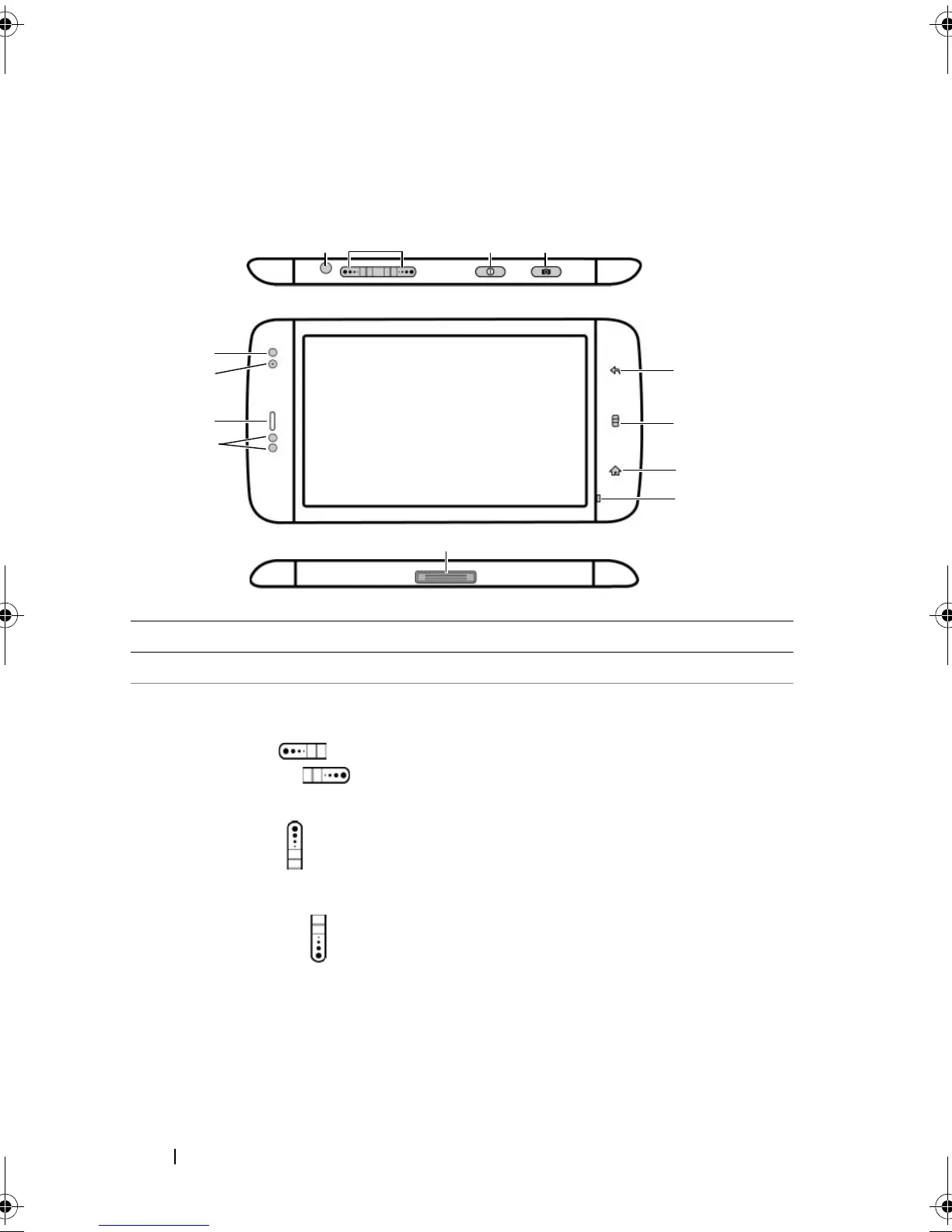
8 Dell™ Streak Features
Dell™ Streak Features
Buttons/Connectors/Parts Functionality
1 Headphone connector Connects to headphones.
2 Volume up/down button
Landscape mode:
Volume up button /
Volume down button
Portrait mode:
Volume up button
Volume down button
• While playing media such as music
tracks or video clips:
–Press to increase or decrease the
media volume by one level.
–Press and hold to continuously
increase or decrease the media
volume.
• Press either button to mute the
ringer while receiving a call.
• In all other situations:
–Press to increase or decrease the
ringer volume by one level.
–Press and hold to continuously
increase or decrease the ringer
volume.
bk0.book Page 8 Friday, November 19, 2010 12:24 PM














 To Next Page