Setting Up Your Dell™ Streak 15
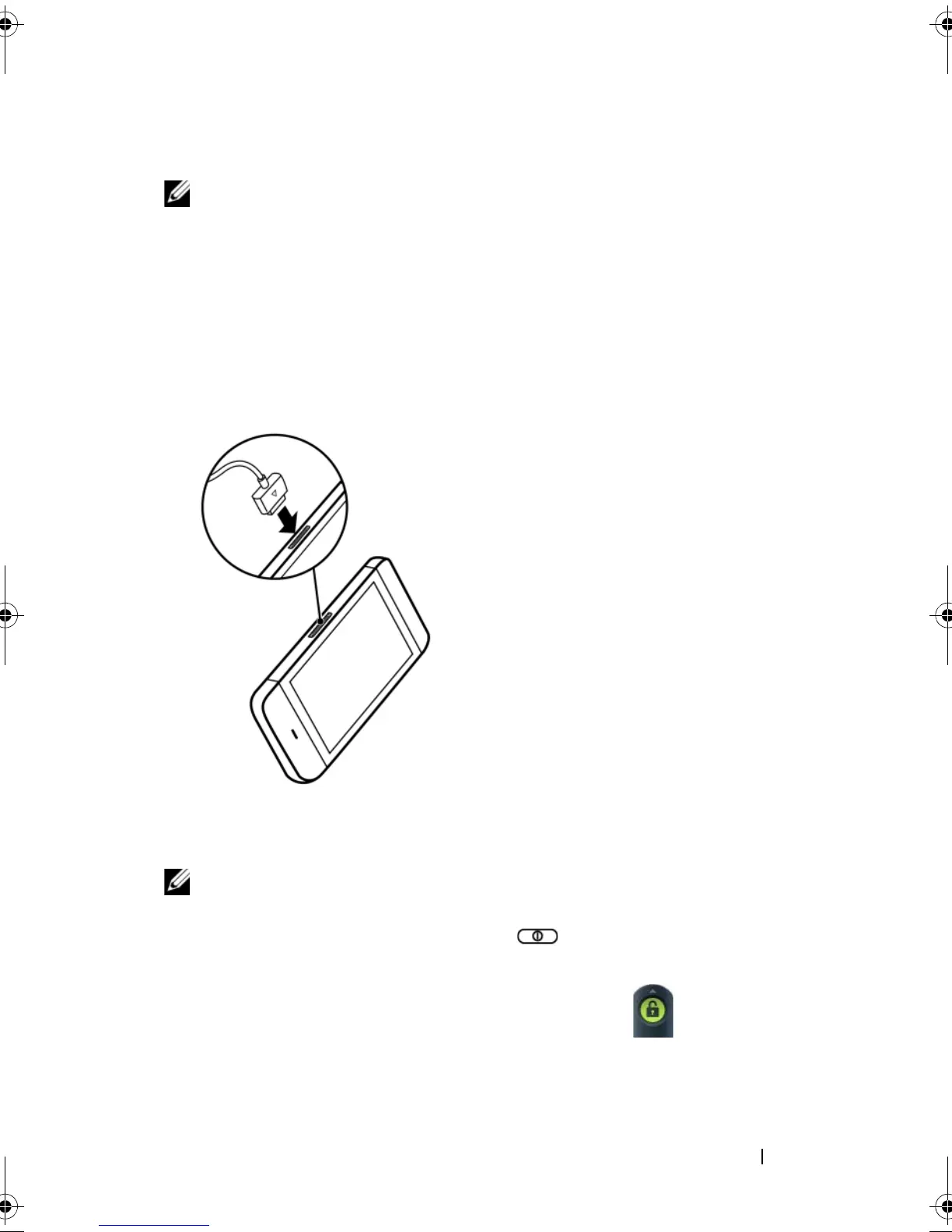
6 Charge the device
NOTE: Charge the battery in an environmental temperature between
0°C and 45°C.
Turning On Your Device
NOTE: Use this device in an environmental temperature between -10°C
and 55°C.
1 Press and hold the Power button to turn on your device. The
operating system starts up.
2 If the screen is locked automatically, flick the icon to unlock
the screen.
The battery is not fully charged when first unpacked.
a Plug the supplied USB cable's 30-pin connector into the 30-pin
connector on the device.
b Plug the cable's USB connector into the supplied USB wall charger
adaptor.
c Plug the USB wall charger adaptor into a power outlet and charge the
device till the battery is fully charged.
NOTE: The device is fully
charged within four hours from a
power outlet.
NOTE: To charge your device
using a computer, connect the
supplied USB cable's 30-pin
connector to the device, and the
cable's USB connector to a USB
port on the computer.
bk0.book Page 15 Friday, November 19, 2010 12:24 PM














 To Next Page