12 Setting Up Your Dell™ Streak
Setting Up Your Dell™ Streak
Getting Your Device Ready for Use
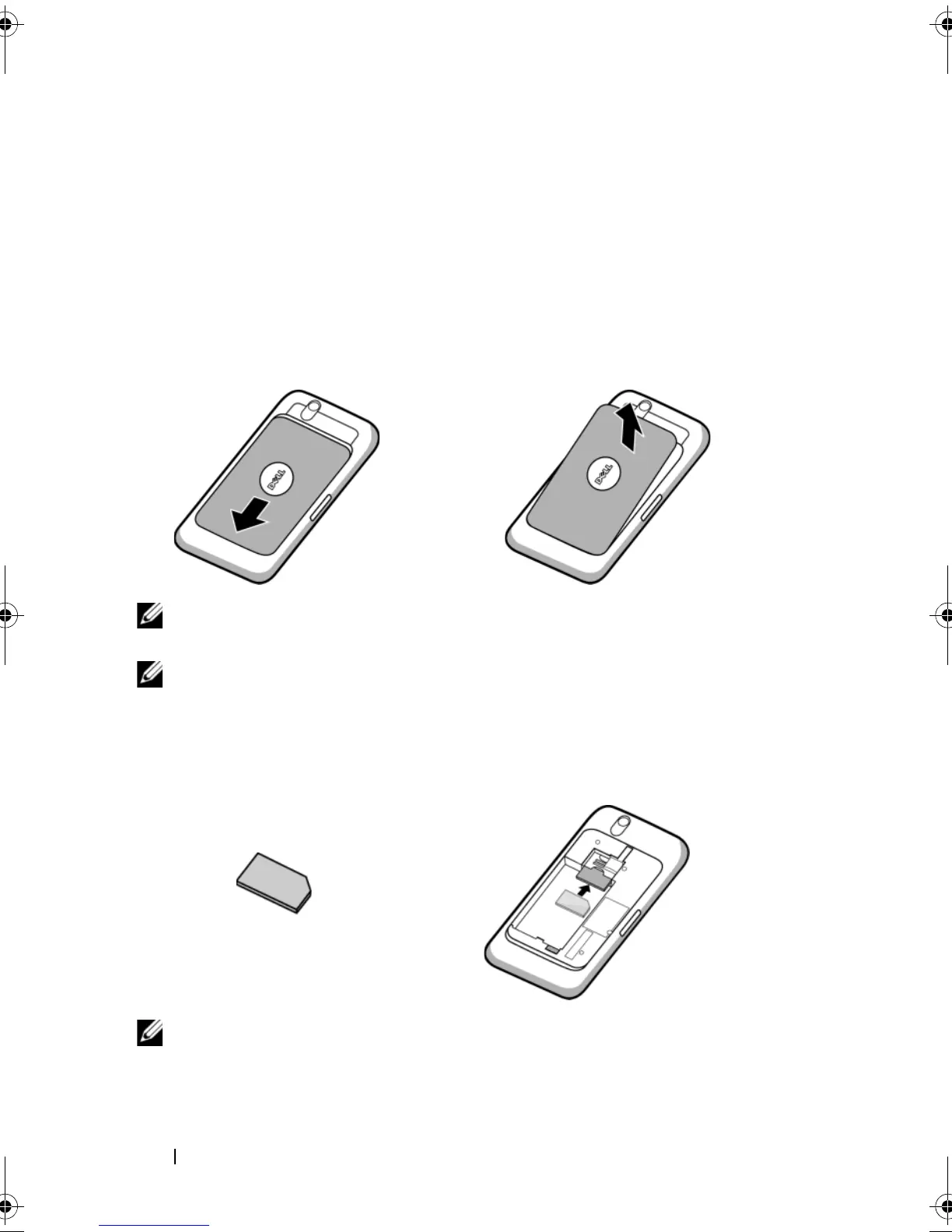
1 Remove the back cover
2 Insert the SIM card
a Slide the back cover downwards in the direction towards the end of the
device.
b Lift the back cover off the device.
NOTE: The device will shut down automatically if you remove the back
cover while the device is on.
NOTE: You cannot turn on the device if the back cover is removed.
Insert the SIM card in the illustrated direction under the metal plate that
covers the SIM card holder.
NOTE: If you have trouble inserting the card, ensure that you have
aligned the angled corner on the card with the corner of the card holder.
bk0.book Page 12 Friday, November 19, 2010 12:24 PM














 To Next Page