50 Using Your Dell™ Streak
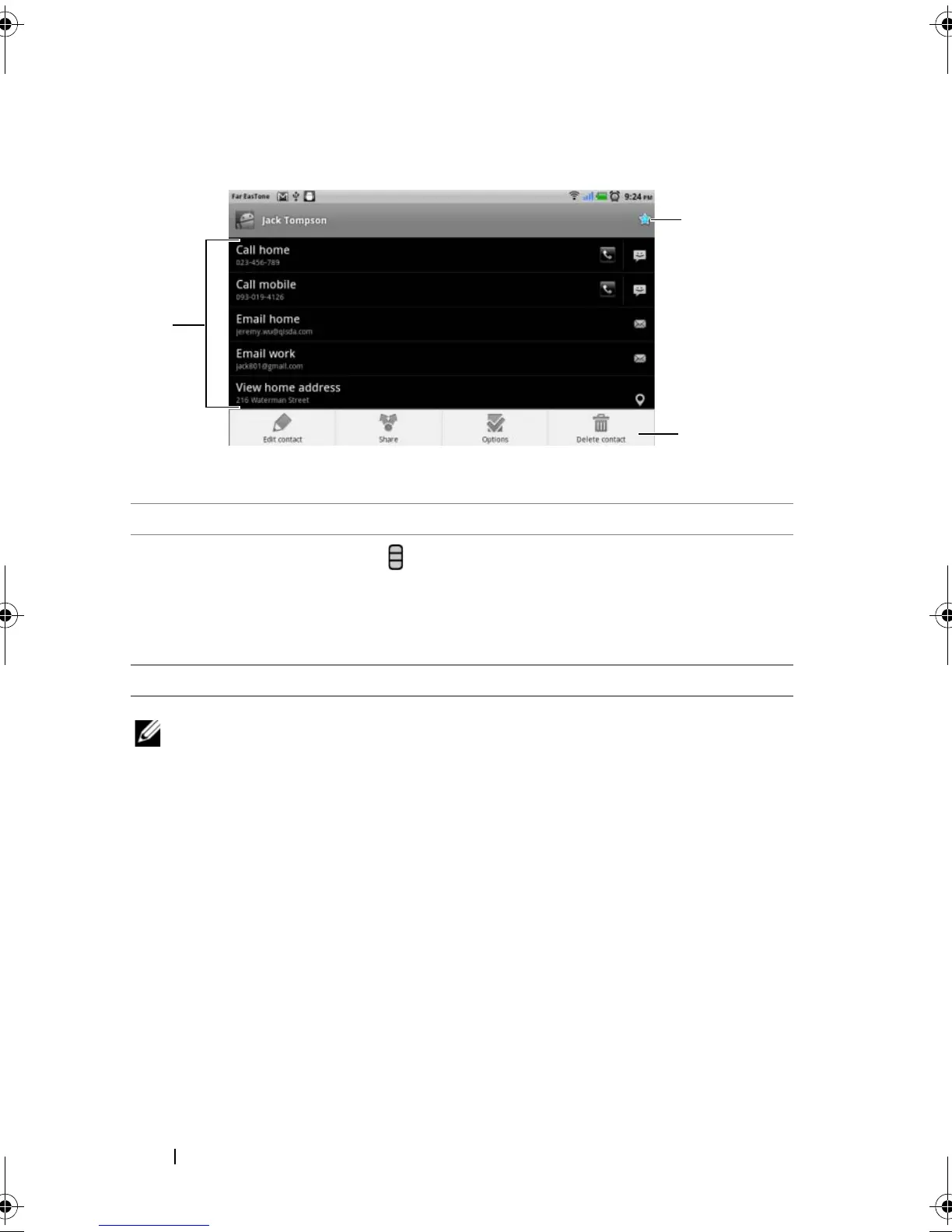
• When viewing the contact details.
NOTE: For information about composing and sending SMS and MMS,
see Messaging. For information about using the e-mail applications, see
Gmail and E-mail.
1 Touch an action you want to do with the contact.
2
Touch the Menu button to edit the contact details or share the
contact info with your friends through e-mail or Bluetooth. To designate
a ringtone for the contact’s incoming calls, or to let your device
automatically send the contact’s calls to your voicemail box, touch
Options.
3 Touch to add this contact to your Favorites list.
bk0.book Page 50 Friday, November 19, 2010 12:24 PM














 To Next Page