Internet 81
To view your e-mails
To select an account as default for sending e-mail
1 Touch an account→ Menu button → Account settings, or touch
and hold the account, then touch Account settings from the
context menu.
2 Touch Default account to select the check box.
To compose and send e-mail
1 Touch the Launcher button → Email .
2 Select an email account to use if you have set up more than one
account on your device.
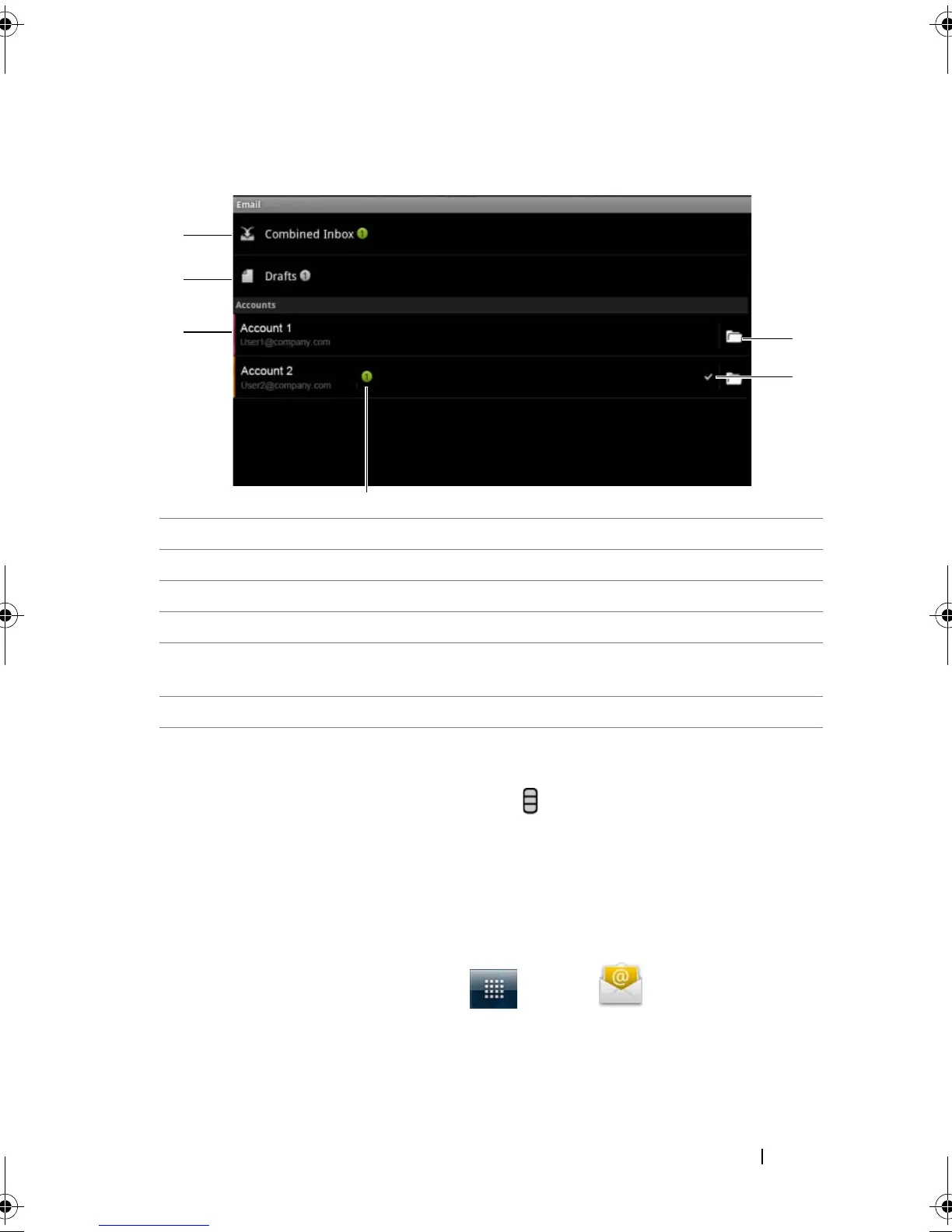
1 The Combined Inbox contains all e-mails received in all your accounts.
2 E-mail not sent and saved as drafts are stored in the Drafts folder.
3 Select an account to view e-mails received in the inbox of the account.
4 The number of new e-mails received in this account.
5 The check symbol indicates that this account is the default one for
sending e-mail.
6 Touch to view e-mails in the other folders of this account.
bk0.book Page 81 Friday, November 19, 2010 12:24 PM














 To Next Page