Internet 85
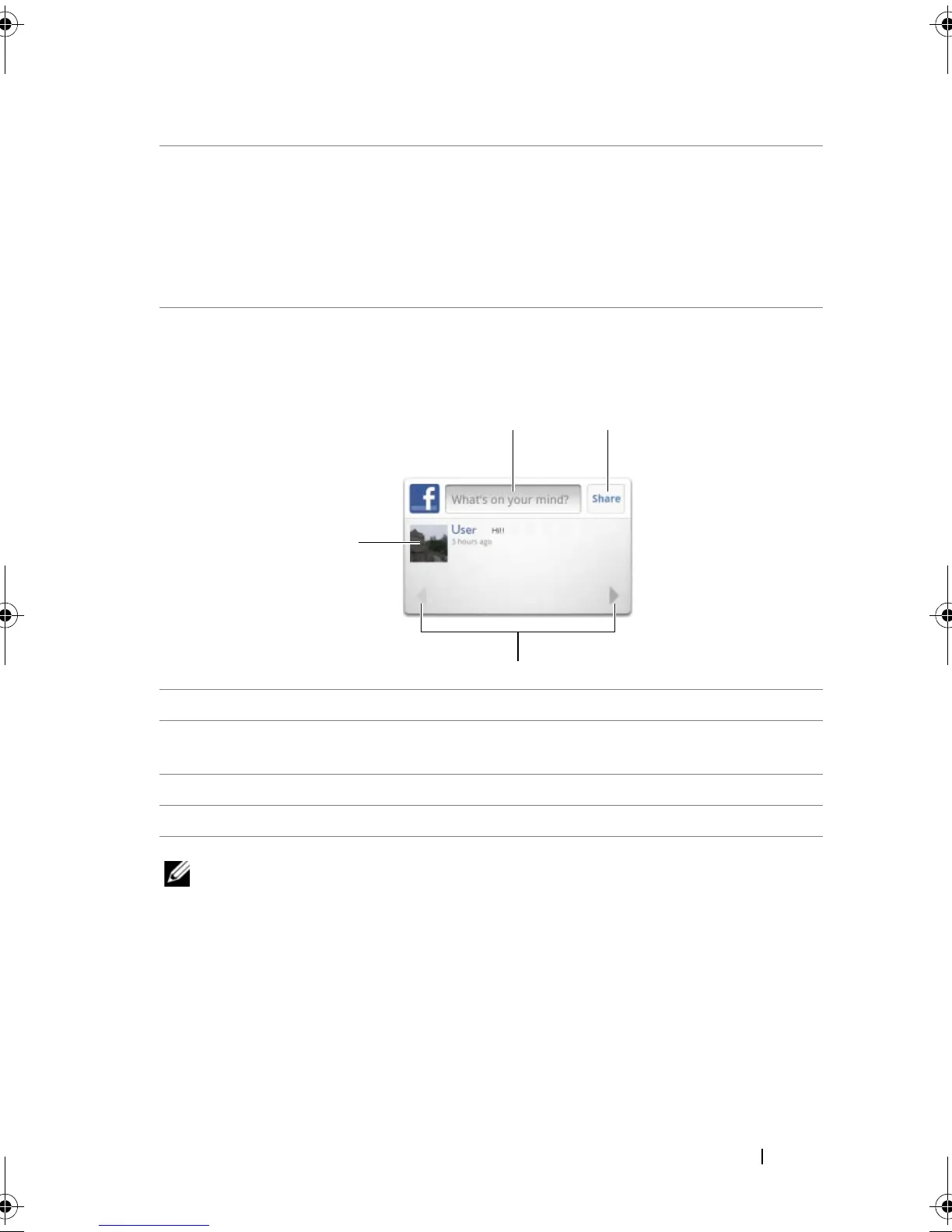
The Facebook widget
From the Facebook widget you created on the Home screen, you can
view your friends’ wall postings.
NOTE: For detailed information on using Facebook, visit
facebook.com/help.
6 Type the name of a friend you are looking for on Facebook, then touch
the name of the friend you found to:
• View the friend’s wall, info, and pictures on their profile page.
• On your friend’s Wall screen, type a message into the Write
something... text box, then touch Share to post your message on
their wall.
1 Touch to view a Facebook friend's wall postings.
2 To respond to this friend’s postings, touch the text box then type the
message you want to post on this friend’s wall.
3 Touch Share to post your message on this friend’s wall.
4 Touch the arrow buttons to scroll and view other friends’ postings.
bk0.book Page 85 Friday, November 19, 2010 12:24 PM














 To Next Page