11 Scanner base unit Lift to gain access to the ink cartridges.
12 ADF paper guide Helps the paper feed into the ADF properly.
13 Automatic Document
Feeder (ADF)
Feeds original documents into the printer.
Number: Part: Description:
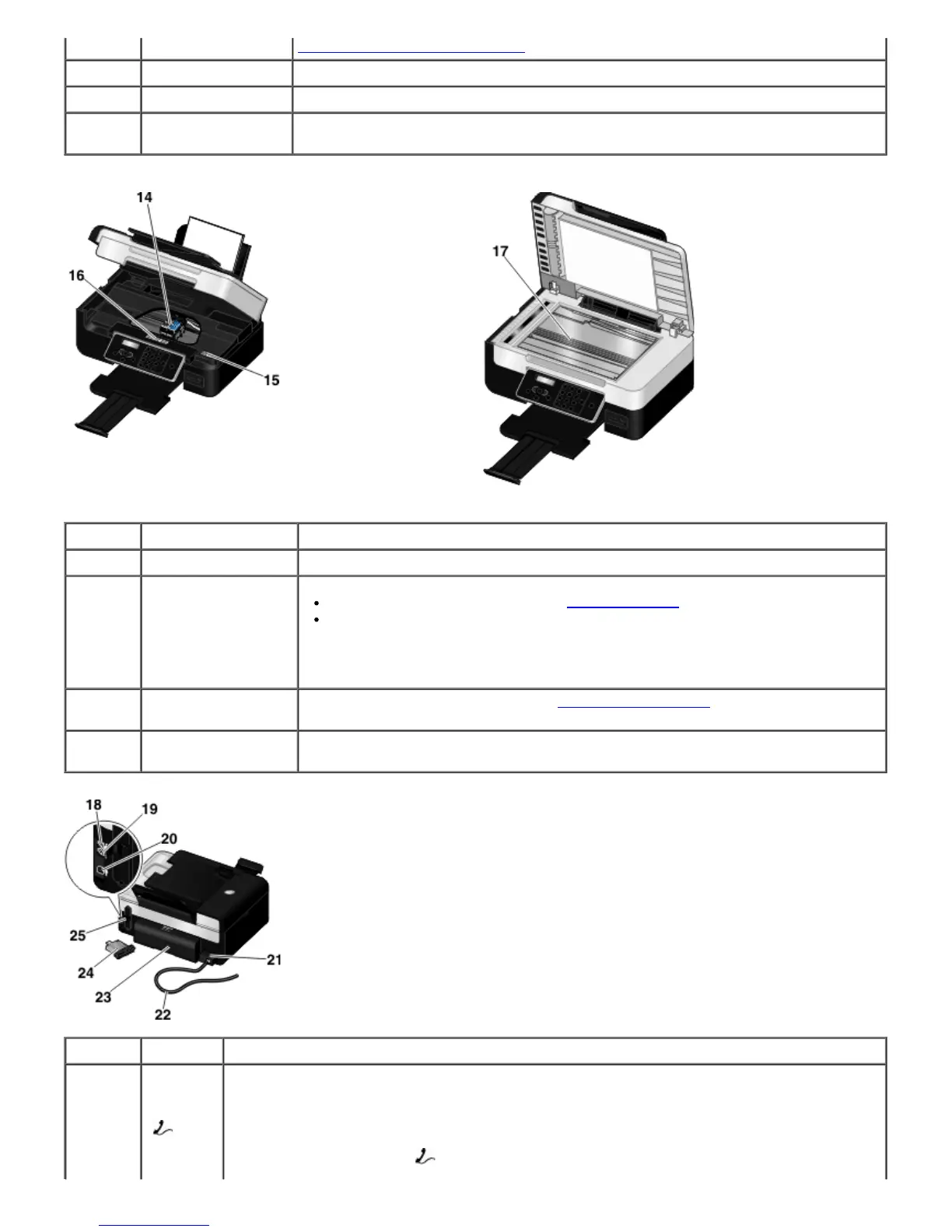
14 Ink cartridge carrier Holds two ink cartridges, one color ink and the other black or photo.
15 Express Service Code
Identify your printer when you use support.dell.com or contact technical support.
Enter the Express Service Code to direct your call when contacting technical
support.
NOTE: The Express Service Code is not available in all countries.
16 Supplies Reorder
Label
To order ink cartridges or paper, visit
www.dell.com/supplies.
17 Scanner glass Surface on which you place your document or photo face down to copy, scan, or fax
it.
Number: Part: Description:
18 PHONE
jack
connector
(
—
middle
connector)
Plugs additional devices, such as a data/fax modem, telephone, or answering machine. Remove
the blue plug before use.
NOTE: If the phone communication is serial in your country (such as Germany, Sweden,
Denmark, Austria, Belgium, Italy, France, and Switzerland), you must remove the blue plug from
the PHONE jack connector (
— upper connector), and then insert the supplied yellow














 To Next Page