142 Removing and Installing Parts
9
Replace the bezel (see "Replacing the Bezel" on page 125).
10
Replace the computer cover (see "Replacing the Computer Cover" on
page 166).
11
Connect your computer and devices to electrical outlets, and then turn
them on.
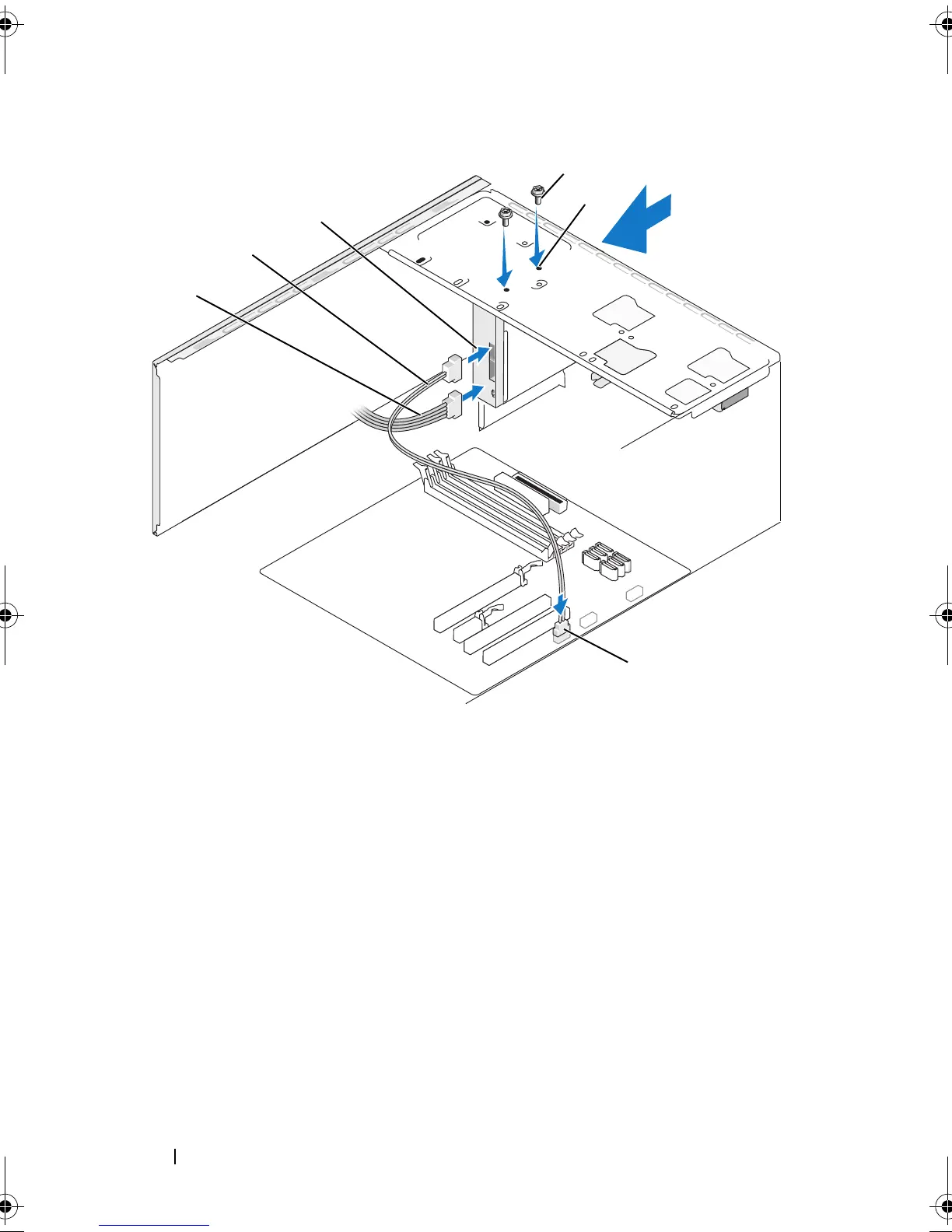
1 Media Card Reader 2 data cable 3 power cable
4 system board
connector
5 screws (2) 6 screw holes in the
FlexBay slot (2)
*1
*
Not present on all computers.
2
4
3
5
6
book.book Page 142 Thursday, June 14, 2007 6:23 PM



 To Next Page