Removing and Installing Parts 149
14
Connect your computer and devices to their electrical outlets, and turn
them on.
See the documentation that came with the drive for instructions on
installing any software required for drive operation.
15
Enter system setup (see "System Setup" on page 174) and select the
appropriate
Drive
option.
16
Verify that your computer works correctly by running the Dell Diagnostics
(see "Dell Diagnostics" on page 86).
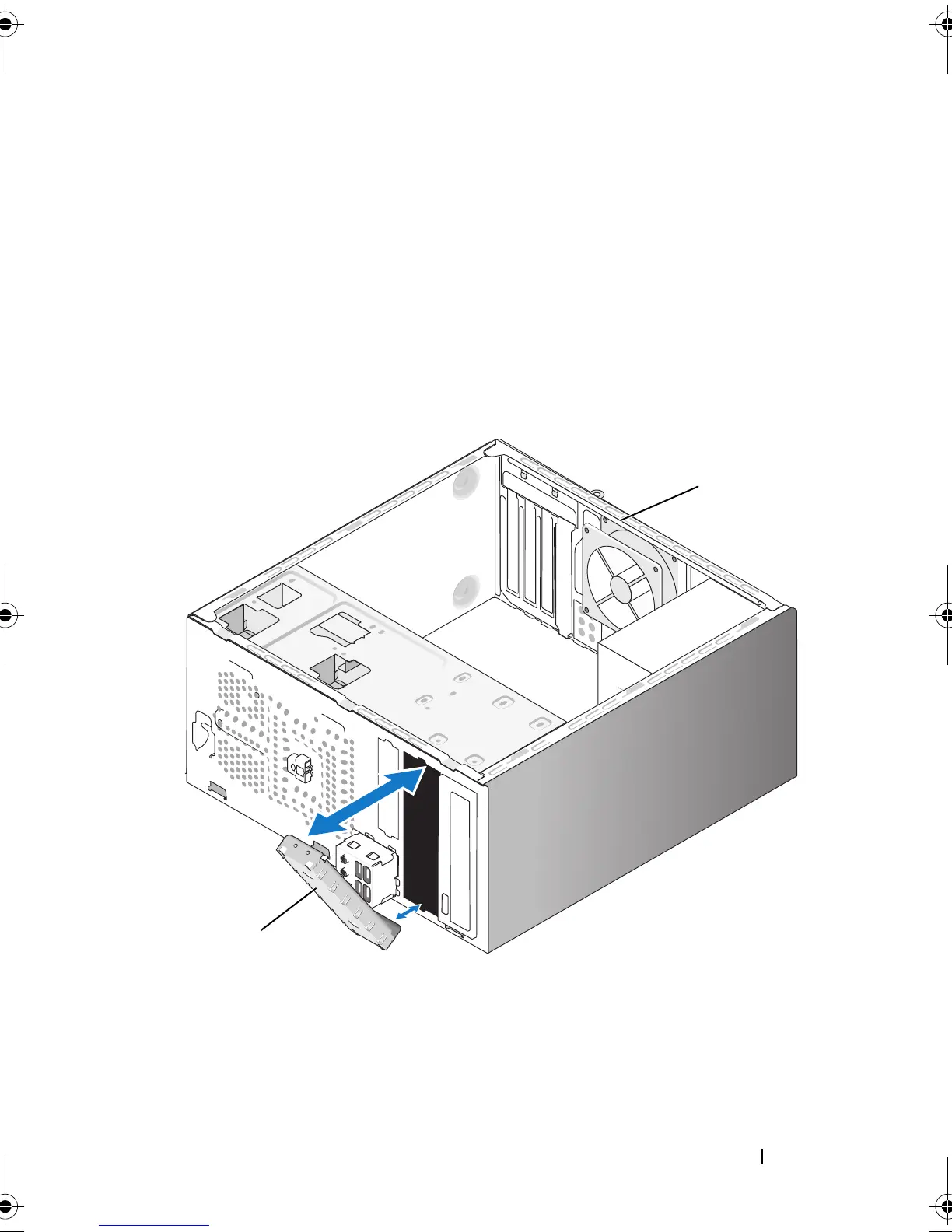
Replacing the Optical Drive Panel Insert
1 drive panel insert (optional) 2 back of the computer
2
1
book.book Page 149 Thursday, June 14, 2007 6:23 PM



 To Next Page