15. Hard drive data cable connector (SATA 0, boot drive)
16. M.2 2230/2280 solid state drive slot
17. PCIe x16 slot (SLOT 3)
18. Two PCIe x1 slots (SLOT 2)
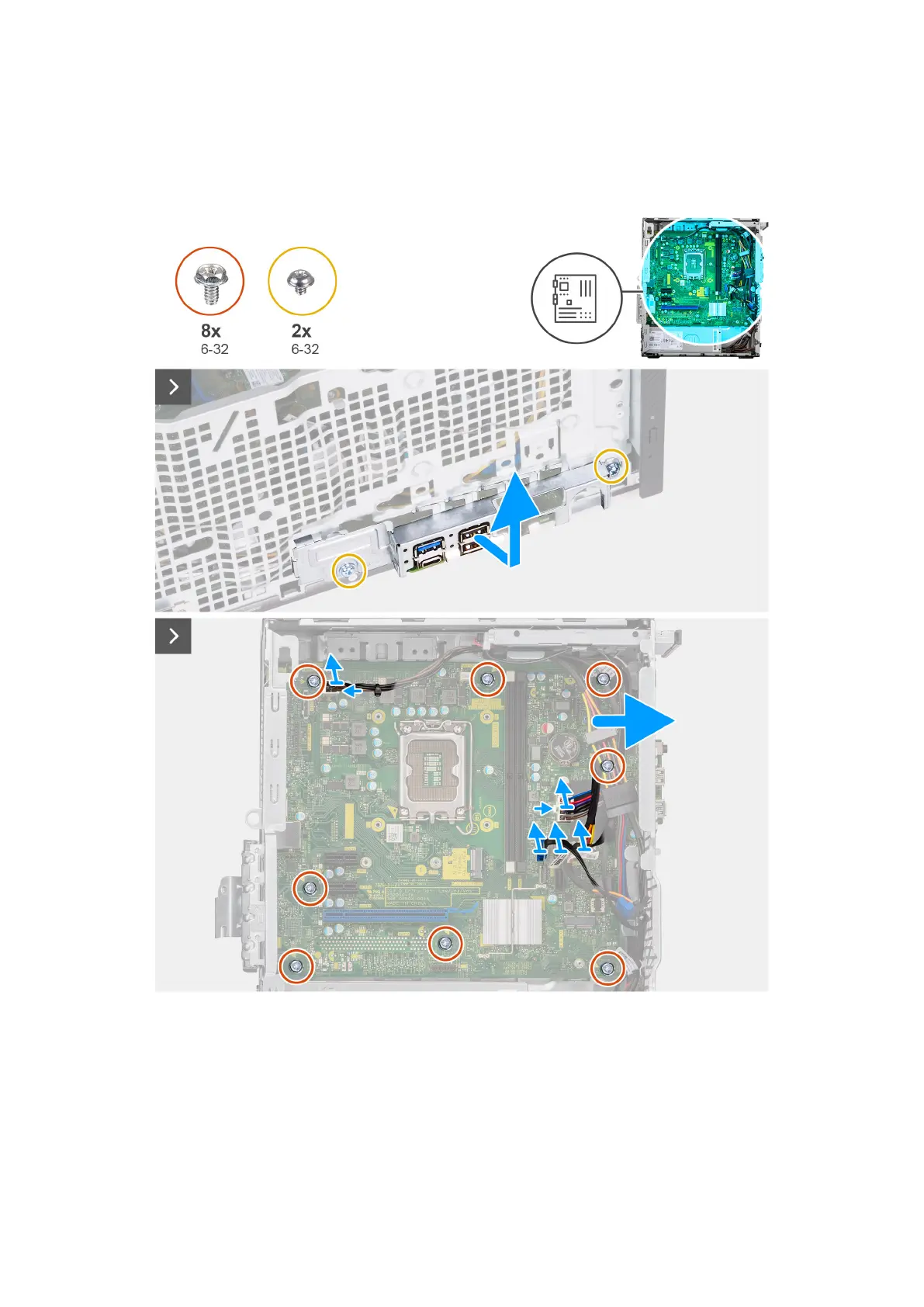
The following images indicate the location of the system board and provide a visual representation of the removal procedure.
Figure 49. Removing the system board
Removing and installing Field Replaceable Units (FRUs)
77












 To Next Page