Steps
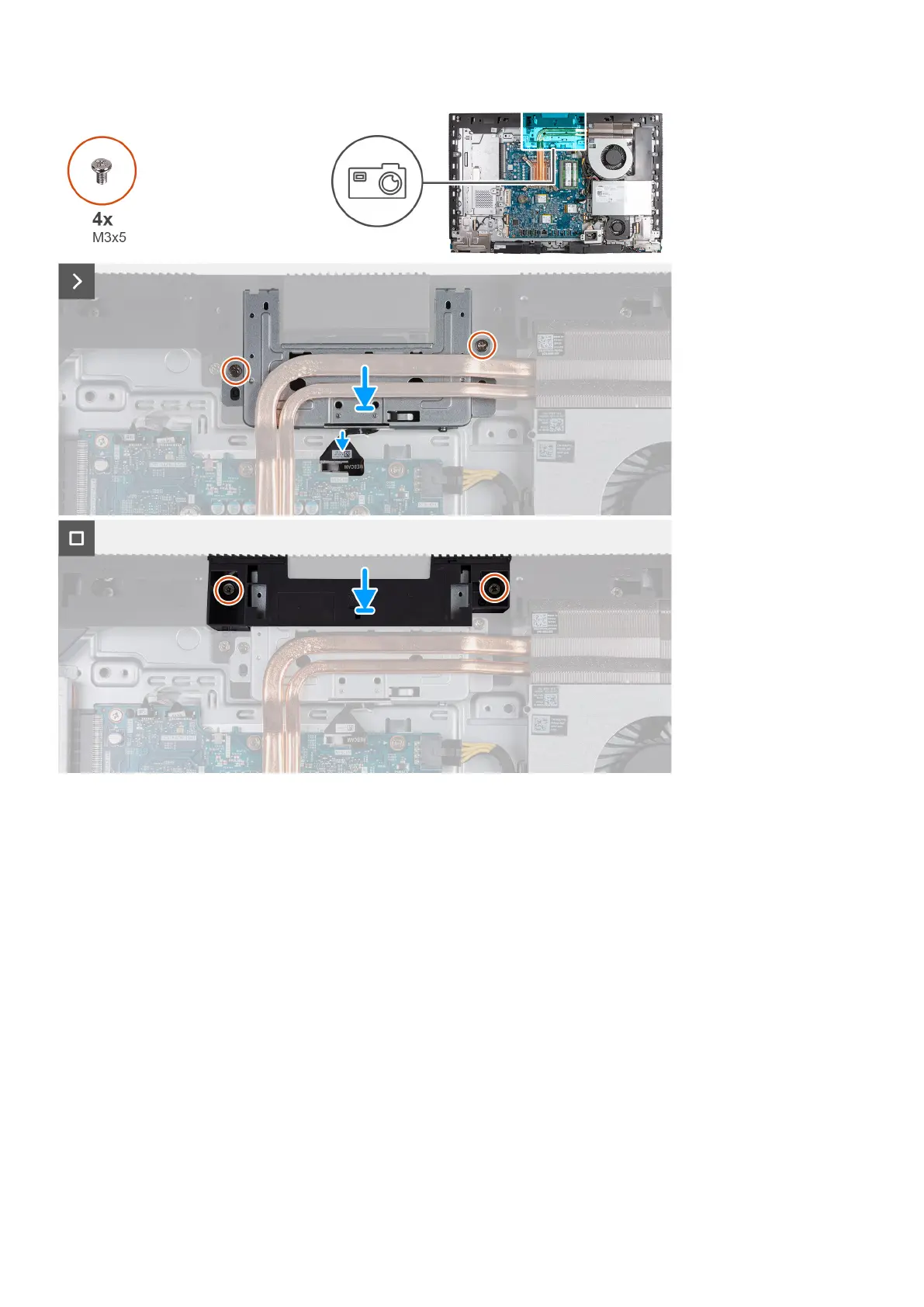
1. Slide the retractable-camera assembly under the heat sink into its slot on the display-assembly base.
2. Align the screw holes on the retractable-camera assembly with the screw holes on the display-assembly base.
3. Replace the two screws (M3x5) that secure the retractable-camera assembly to the display-assembly base.
4. Connect the camera cable (WEBCAM) to the system board.
5. Place the camera-assembly bracket over retractable-camera assembly.
6. Align the screw holes on the camera-assembly bracket with the screw holes on the display-assembly base.
7. Replace the two screws (M3x5) that secure the camera-assembly bracket to the display-assembly base.
Next steps
1. Install the system-board shield.
2. Install the back cover.
3. Install the stand.
4. Follow the procedure in After working inside your computer.
Removal and installation procedures for High Performance processors
71



 To Next Page