EasyManua.ls Logo

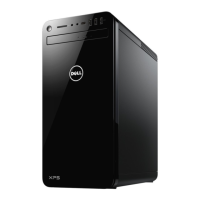
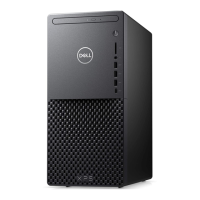
Dell XPS 8940 - User Manual

Dell XPS 8940
75 pages
Print Icon
To Next Page IconTo Next Page
Loading...
XPS 8940
Service Manual
Regulatory Model: D28M
Regulatory Type: D28M003
July 2020
Rev. A00

Table of Contents

Other manuals for Dell XPS 8940

Questions and Answers

  • A
    Amanda KingAug 31, 2025
    How to fix hard-disk drive configuration error on Dell Desktop?
    • M
      Matthew HobbsAug 31, 2025
      Shut down the computer, remove the hard drive, and boot the computer from an optical drive. Then, shut down the computer, reinstall the hard drive, and restart the computer. Run the Hard Disk Drive tests in Dell Diagnostics.
  • R
    Randy JonesSep 9, 2025
    How to fix coin-cell battery failure on Dell Desktop?
    • J
      Joshua RamirezSep 9, 2025
      Reset the CMOS battery connection. If the problem continues, replace the RTC battery.
  • T
    Trevor JacksonAug 29, 2025
    How to fix BIOS or Read-Only Memory (ROM) failure on Dell Desktop?
    • M
      mahoneybrandonAug 30, 2025
      Flash the latest BIOS version. If the problem continues, replace the system board.
  • R
    robert95Sep 23, 2025
    How to fix timer chip counter 2 failed on Dell XPS 8940?
    • T
      Tiffany RoblesSep 23, 2025
      Run the System Set tests in Dell Diagnostics.
  • M
    mariehollowaySep 12, 2025
    What to do if extended memory size has changed on Dell Desktop?
    • T
      thomasdamonSep 12, 2025
      Restart the computer.
  • D
    darrylsmithSep 14, 2025
    What to do if not enough memory or resources on Dell XPS 8940 Desktop?
    • L
      Luke TranSep 15, 2025
      Close all windows and open the program that you want to use.
  • S
    Samantha SpencerSep 23, 2025
    How to fix sector not found error on Dell XPS 8940 Desktop?
    • C
      Cheryl MackSep 23, 2025
      Run the Windows error-checking utility to check the file structure on the hard drive.
  • C
    Carolyn CarterAug 27, 2025
    What to do if invalid memory installed on Dell Desktop?
    • E
      edwardconnerAug 27, 2025
      Reset and swap memory modules among the slots. If the problem persists, replace the memory module.
  • J
    jrussellAug 26, 2025
    How to fix no boot device available on Dell XPS 8940?
    • E
      Erin PorterAug 26, 2025
      Ensure that the drive is installed, properly seated, and partitioned as a boot device.
  • O
    omillerAug 25, 2025
    How to fix memory failure on Dell XPS 8940 Desktop?
    • V
      Valerie WalkerAug 26, 2025
      Try resetting and swapping memory modules amongst the slots. If the problem continues, replace the memory module.

Summary

Working Inside Your Computer

Before Working Inside Your Computer

Instructions on preparing the computer before performing internal tasks.

Safety Instructions

Guidelines to protect the computer and ensure personal safety during service.

Electrostatic Discharge (ESD) Protection

Explains ESD risks and protective measures for sensitive components.

After Working Inside Your Computer

Steps to complete after performing internal computer maintenance.

Removing and Installing Components

Recommended Tools

Tools required for component removal and installation procedures.

Screw List

Details screws used for various components, including type and quantity.

Left-side Cover

Procedures for removing and installing the left-side computer cover.

Optical Drive (Optional)

Procedures for removing and installing the optional optical drive.

2.5-inch Hard Drive

Procedures for removing and installing a 2.5-inch hard drive.

3.5-inch Hard Drive

Procedures for removing and installing a 3.5-inch hard drive.

Memory Modules

Procedures for removing and installing memory modules.

Graphics Card

Procedures for removing and installing the graphics card.

Power-Supply Unit

Procedures for removing and installing the power-supply unit.

System Board

Procedures for removing and installing the system board.

System Setup

Entering BIOS Setup Program

Instructions on how to access the BIOS setup program.

System Setup Options

Details various configuration settings available in the BIOS setup.

System and Setup Password

Steps to set, change, or delete system and setup passwords.

Real Time Clock (RTC) Reset

Procedure to reset the Real Time Clock and BIOS defaults.

Troubleshooting

SupportAssist Diagnostics

Overview of the hardware diagnostic tool embedded in the BIOS.

Diagnostic Error Messages

List of common error messages and troubleshooting steps.

Enabling Intel Optane Memory

Steps to enable Intel Optane memory using Intel RST software.

Flashing the BIOS

General steps for updating the system BIOS.

Getting Help and Contacting Dell

Self-Help Resources

List of online and offline resources for Dell product information and support.

Contacting Dell

Information on how to contact Dell for sales, support, or service issues.

Dell XPS 8940 Specifications

General IconGeneral
MemoryUp to 128GB DDR4 2933MHz
Processor11th Generation Intel Core i5, i7, or i9
GraphicsNVIDIA GeForce GTX 1650, RTX 3060
Storage2TB M.2 PCIe NVMe SSD
Operating SystemWindows 10 Home, Windows 10 Pro
AudioRealtek ALC3861 with Waves MaxxAudio Pro
ConnectivityIntel Wi-Fi 6 AX201, Bluetooth 5.1
Power Supply360W or 500W (Configuration dependent)
Dimensions14.45 x 6.65 x 12.13 inches

Related product manuals