Removing and Installing Parts 103
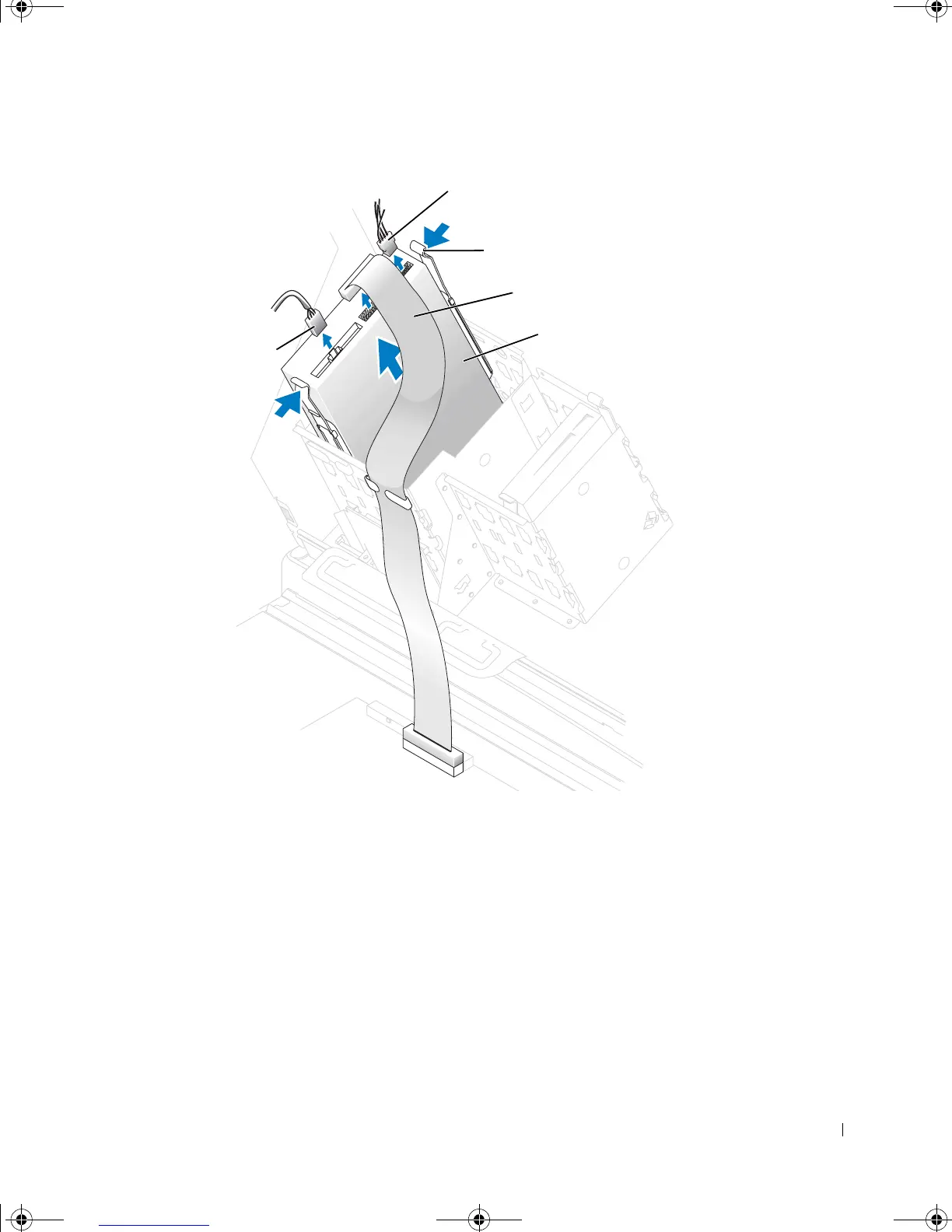
4 Press inward on the two tabs on the sides of the drive, and then slide the drive upward
and remove it from the drive bay.
Installing a CD/DVD Drive
1 Follow the instructions in "Before You Begin" on page 80.
2 Open the computer cover (see page 82).
3 If you are installing a new drive, unpack the drive and prepare it for installation.
Check the documentation that accompanied the drive to verify that the drive is
configured for your computer. If you are installing an IDE drive, configure the drive for
the cable select setting.
power cable
CD/DVD drive cable
tabs (2)
CD/DVD drive
audio cable*
* Some drives do not
have this cable.
G0550bk1.book Page 103 Thursday, July 10, 2003 1:55 PM








 To Next Page