Removing the touchpad
1. Follow the procedure in Before working inside your computer.
2. Remove the:
a. back cover
b. battery
c. WLAN card
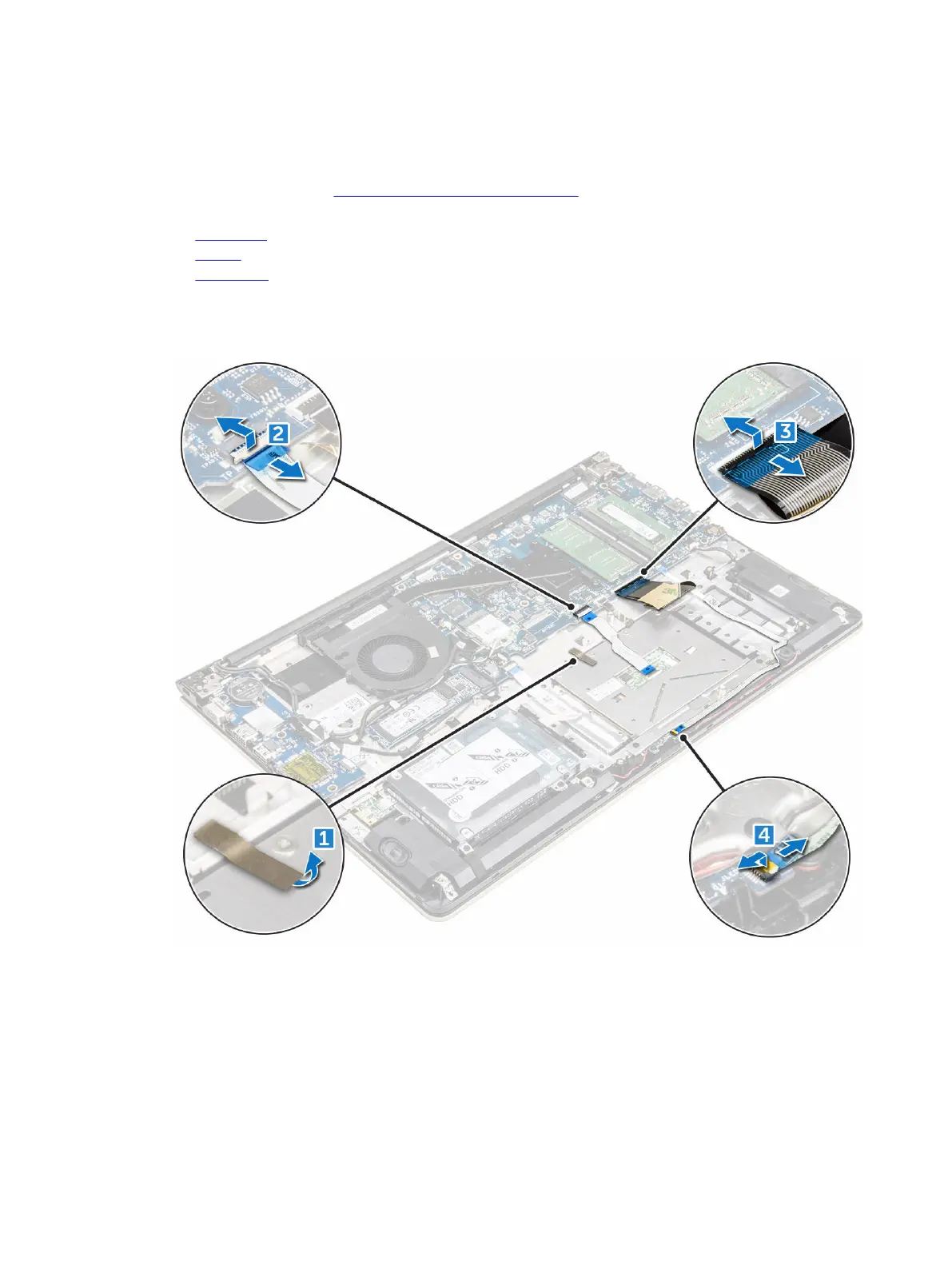
3. To release the touchpad:
a. Peel away the adhesive tape [1].
b. Disconnect the connector cables from the system board as indicated [2] [3] [4. ]
4. To remove the metal bracket above the touchpad:
a. Remove the screws that secure the metal bracket to the touchpad. [1]
b. Lift the metal bracket away from the touchpad. [2]
23



 To Next Page