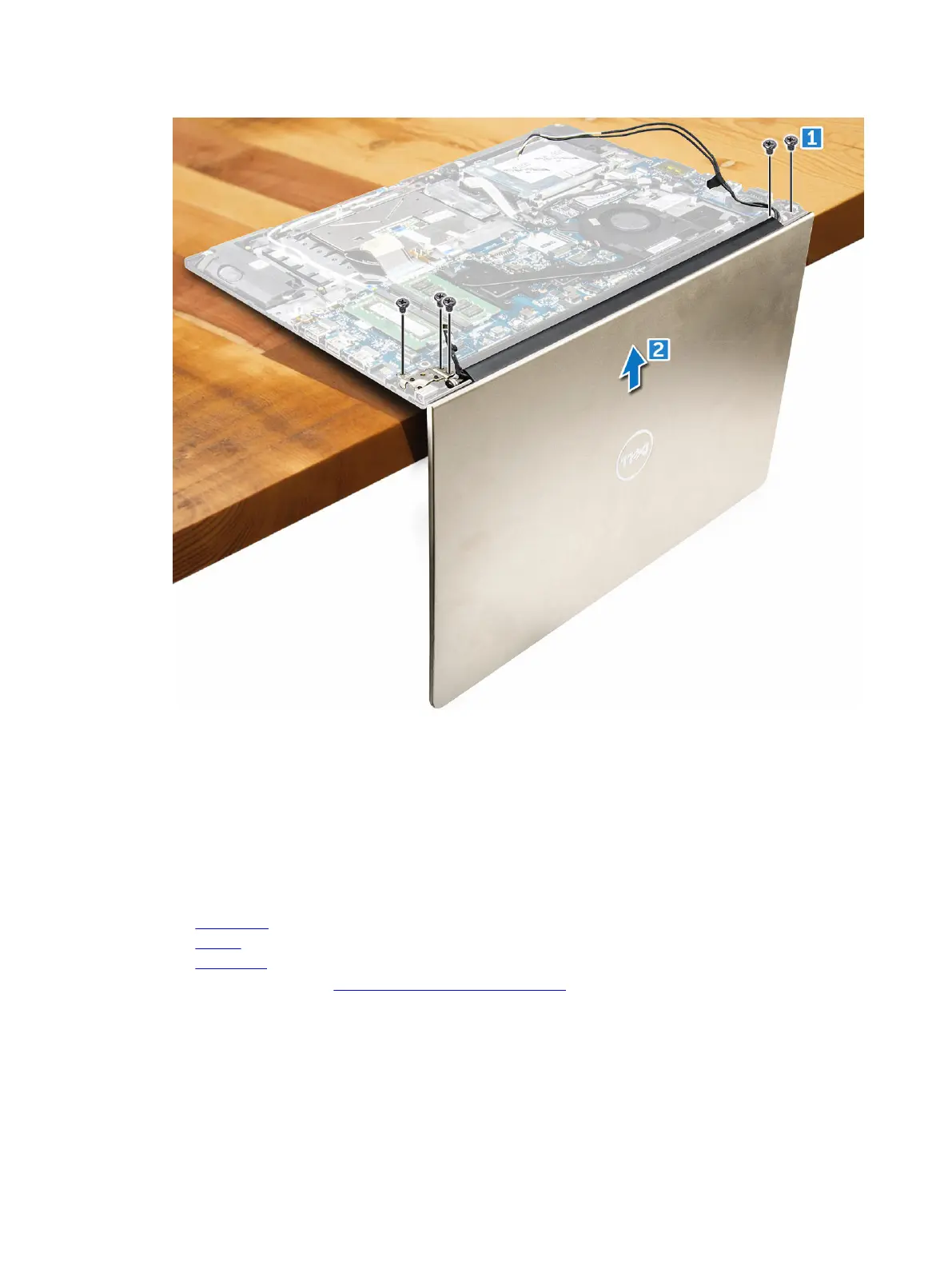
Installing the display assembly
1. Align the display assembly with the display hinges of the computer chassis.
2. Tighten the screws that secure the display hinges.
3. Connect the display cables to the connector on the system board.
4. Affix the tape to attach the display cable to the computer.
5. Route the display cables along the system fan module on the chassis.
6. Install the:
a. WLAN card
b. battery
c. back cover
7. Follow the procedure in After working inside your computer
39



 To Next Page