4. Install the:
a. battery
b. back cover
5. Follow the procedure in After working inside your computer
Removing the speakers
1. Follow the procedure in Before working inside your computer.
2. Remove the:
a. back cover
b. battery
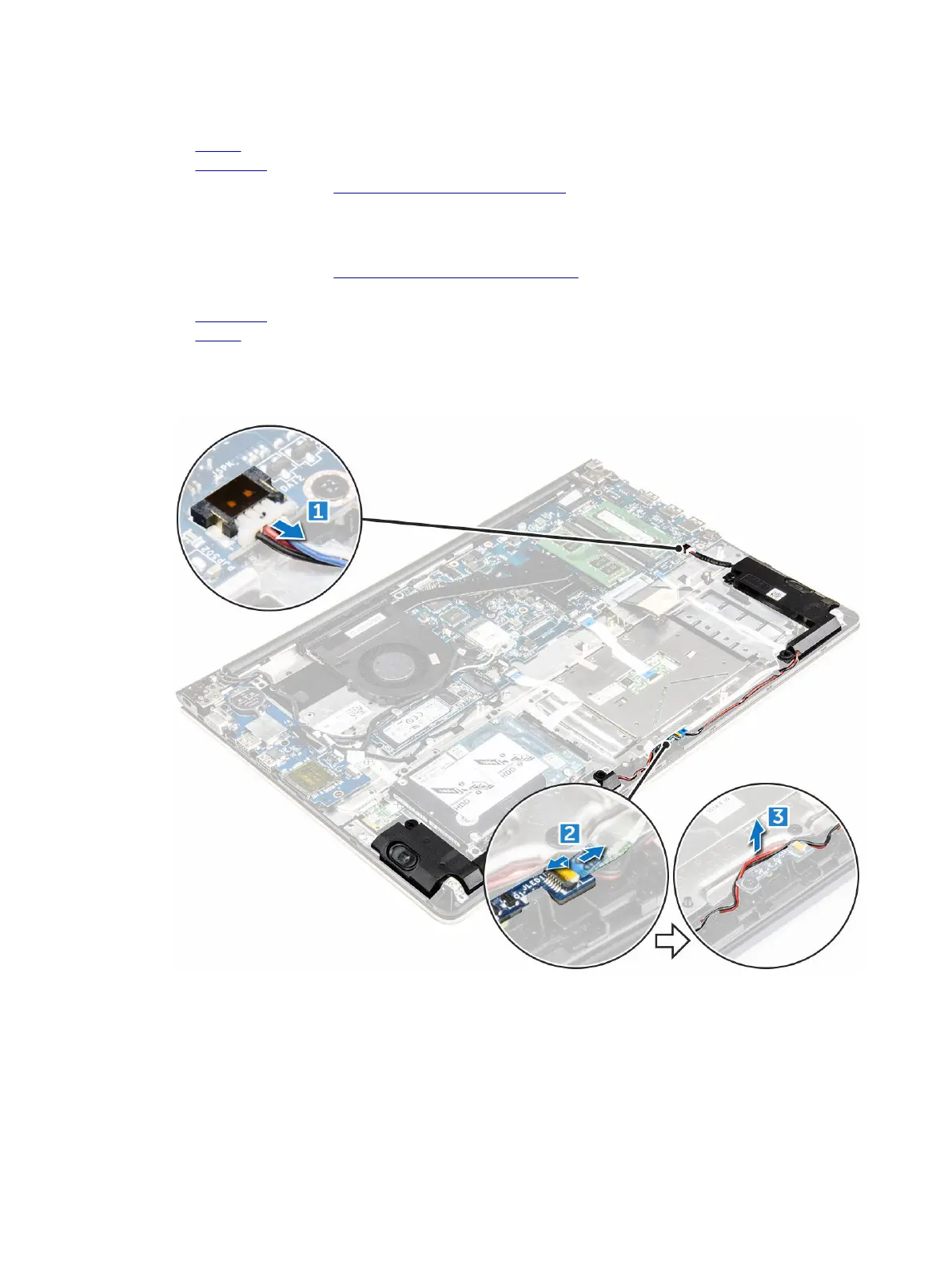
3. To remove the speaker cables:
a. Disconnect the speaker connector cables from the system board and the LED board. [1] [2].
b. Unroute the speaker cable from around the LED board [3].
4. To remove the speakers:
a. Unroute the cables along the routing channels.
b. Lift and remove the speakers from the computer.
32



 To Next Page