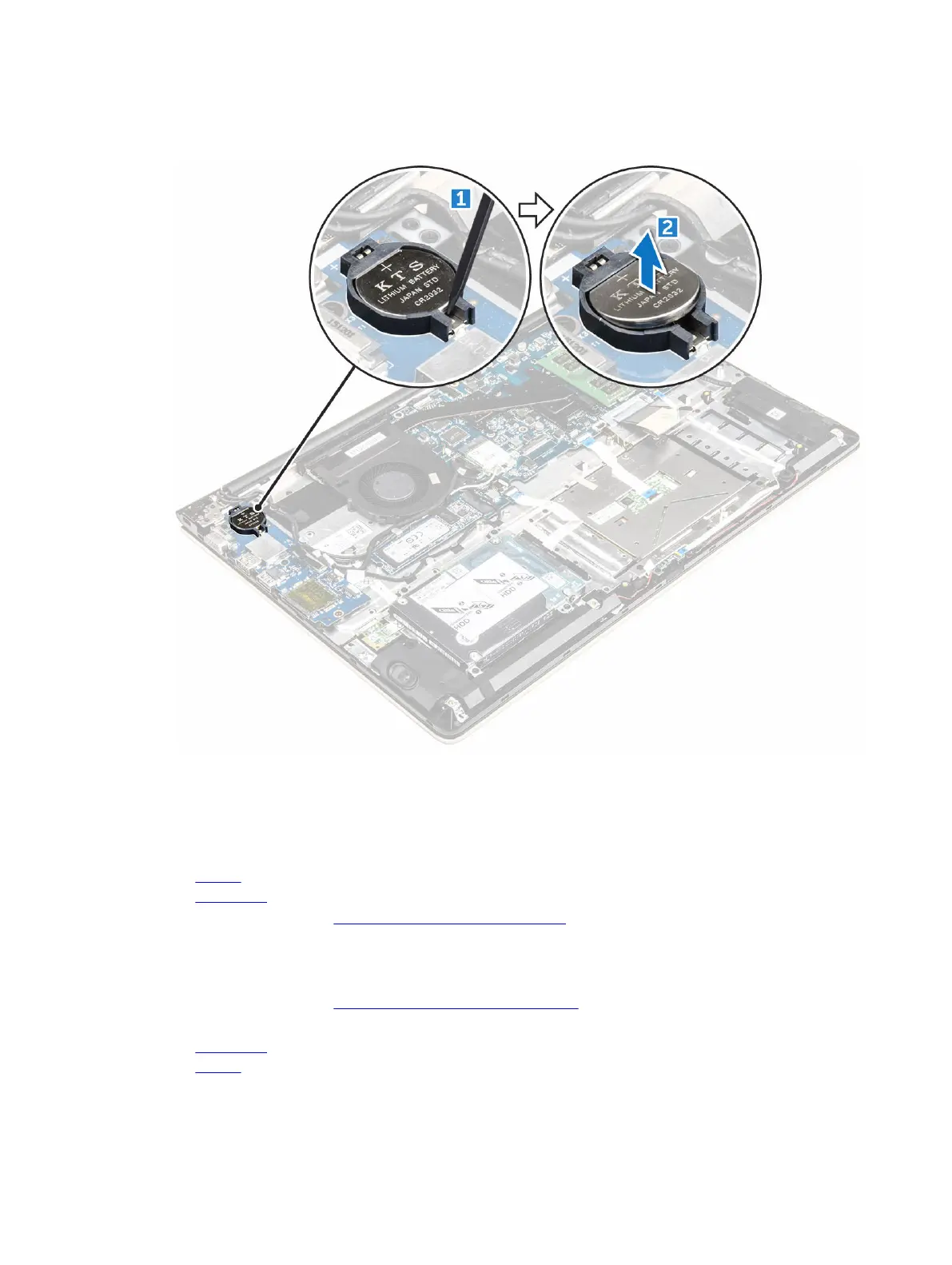
a. Pry the coin cell battery upwards from its slot using a scribe [1] .
b. Lift and remove the coin cell battery [2].
Installing the coin cell battery
1. Insert the coin cell battery into the slot on the computer.
2. Install the :
a. battery
b. back cover
3. Follow the procedure in After working inside your computer
Removing the Input/Output (I/O) board
1. Follow the procedure in Before working inside your computer.
2. Remove the:
a. back cover
b. battery
26



 To Next Page