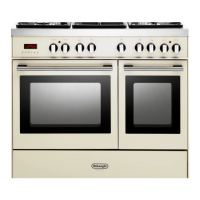
Storage compartment
– The storage compartment is accessible through the pivoting panel.
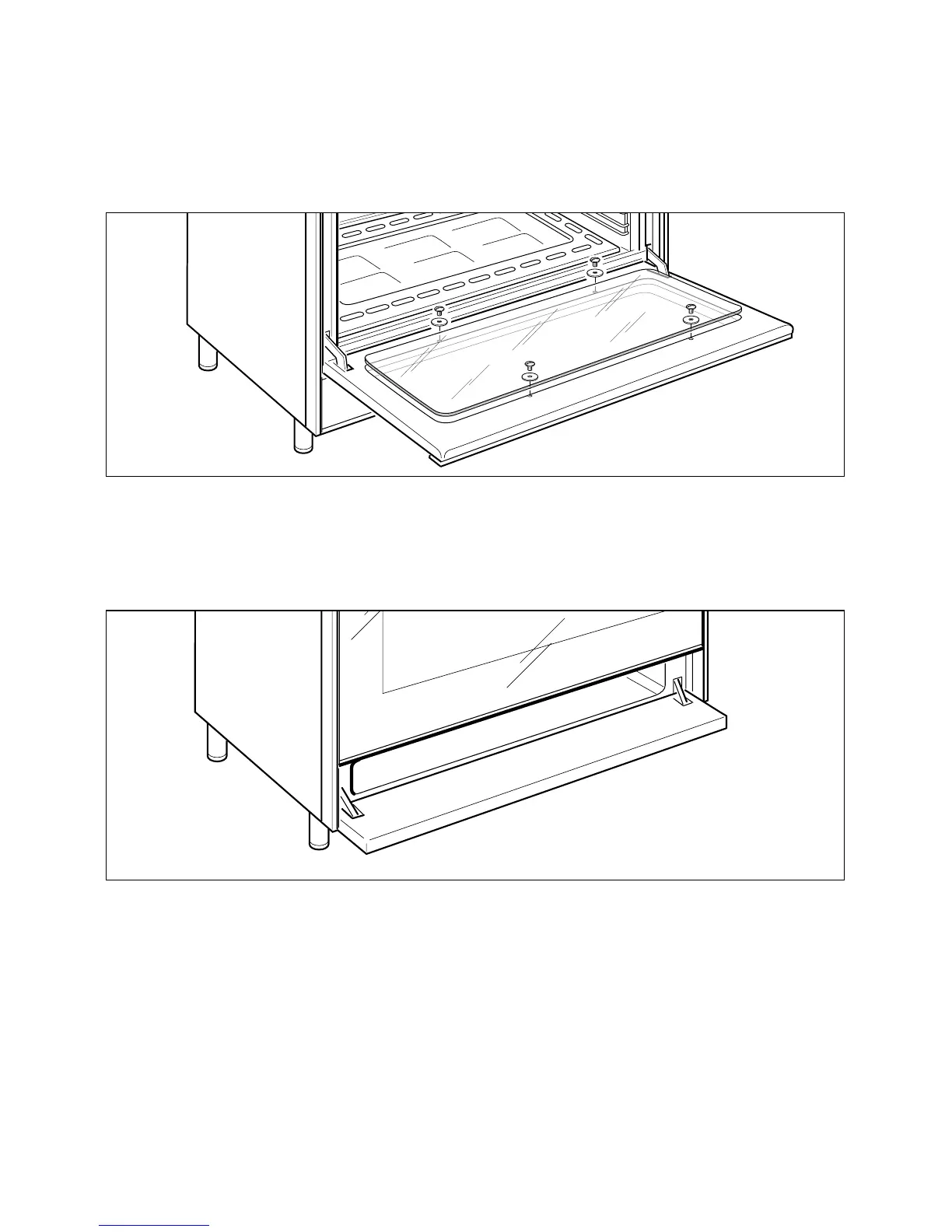
Fig. 12
Fig. 13
Removal of the inner glass door panel
– The inner glass door panel can easily be removed for cleaning by unscrewing
the four screws (fig. 12).
– When re-assembly ensure that the inner glass is correctly positioned and do not
over tighten the screws.
Changing the oven light
1. Disconnect the electrical power supply (for example, by switching off the main
power switch).
2. Unscrew the light cover
3. Fit a new bulb.
4. Refit the cover.
Note:
Use only bulbs designed to resist up to 300°C with the following characteristics: 15 W,
230 V, type E-14.
Spare bulbs can be ordered from Accessories direct telephone 0870 6052020.
20



 To Next Page