23
Configuration Options for Trigno System
Accessing Configuration Options
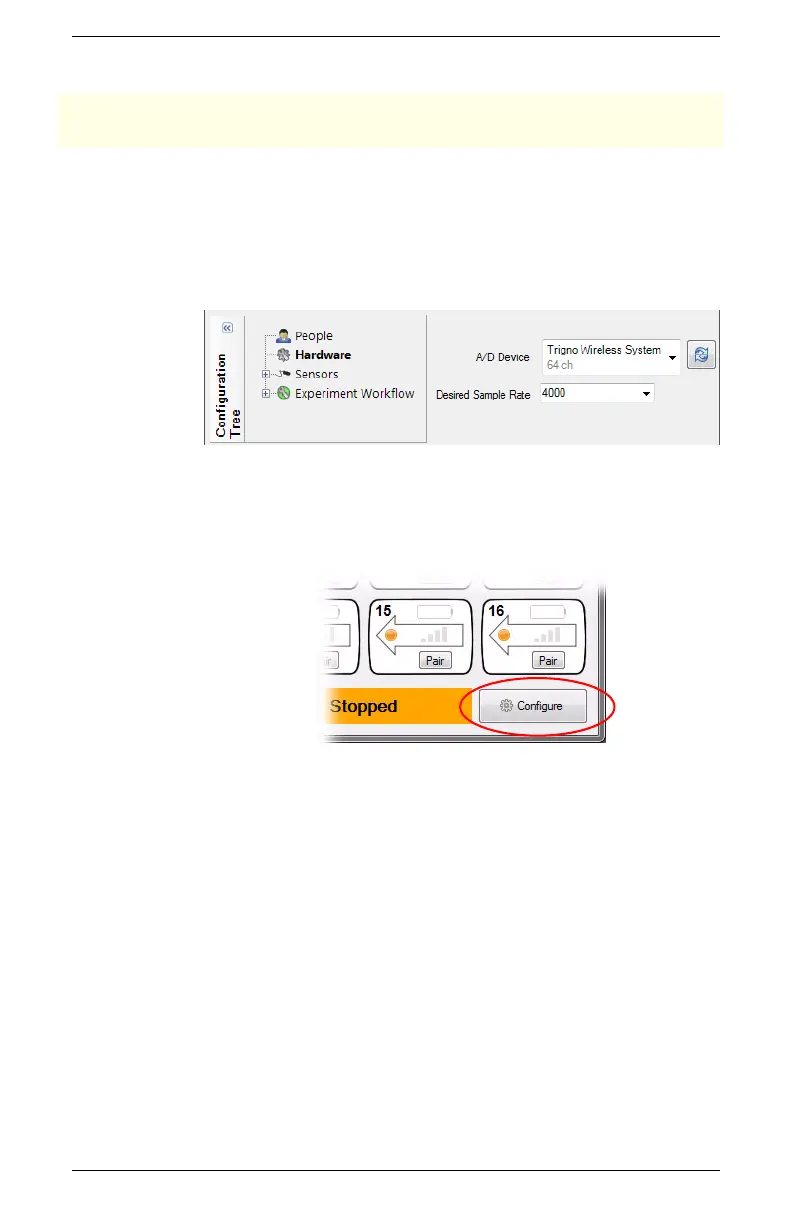
When editing a configuration in EMGworks, the hardware options
for the base station can be set in the Hardware node of the
Configuration Tree when the Trigno Wireless System is selected as
the primary A/D device.
Figure 14. Selecting the Trigno system as the primary A/D device in the
Hardware node of the Configuration Tree in EMGworks.
When using the Trigno Control Utility, these options can be set by
clicking the Configure button.
Figure 15. Configure button in Trigno Control Utility


 To Next Page