EasyManua.ls Logo

Delta 1KVA - User Manual

Delta 1KVA
25 pages
Print Icon
To Next Page IconTo Next Page
Loading...
R-SERIES
ON LINE

Questions and Answers

Summary

Important Safety Instructions

General Safety Precautions

General safety precautions for operating the UPS, emphasizing potential hazards and qualified personnel.

EC Conformity Declaration

Declaration of compliance with EU guidelines and relevant standards for electromagnetic compatibility and safety.

Introduction

Theory of Operation

Explains the UPS topology, including bypass path, converters, inverter, charger, and control circuits, with a block diagram.

Key Features

Highlights key features like on-line design, pure sine wave output, surge protection, EMI/RFI filtering, and intelligent design.

Symbols and Annotations

Explains important symbols and annotations used in the manual for guidance and warnings.

Front Panel Overview

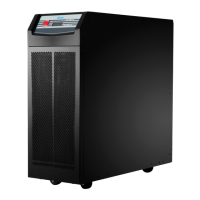
Details the layout and components of the front panel of the 1KVA, 2KVA, and 3KVA UPS models.

Operation Panel Details

Describes the buttons (ON/TEST, OFF) and LED displays (ON Line, Line, Bypass, Fault, Load, Battery status) on the operation panel.

Rear Panel Layout

Explains the components and connectors on the rear panel, including I/P BREAKER, INPUT SOCKET, OUTPUT RECEPTACLES, SNMP SLOT, etc.

Installation

Unpacking the UPS

Instructions on how to unpack the UPS unit, check for damage, and notes about qualified personnel for operation.

Pre-Installation Guidelines

Guidelines for positioning the UPS, ensuring proper ventilation, and maintaining a clean, dry environment for installation.

Installation Procedures

Notes on AC output requirements, power cord length, terminal connector torque, and battery servicing precautions.

Connecting to Utility Power

Steps for connecting the UPS power cord to the utility, turning on the input breaker, and initial startup indications.

Battery Charging

Details on automatic battery charging and the recommendation to charge for at least 6 hours before initial operation.

Connecting External Battery Banks

Instructions for connecting external battery banks, including safety warnings and specific safety requirements.

Connecting the Load

Guidance on connecting equipment to the UPS output, calculating power consumption, and warnings about laser printers and generators.

RS-232 Communication Setup

Instructions for connecting the RS-232 communication cable between the UPS and a computer for management.

Operation

Cold Start Procedure

Procedure to turn on the UPS using the 'ON TEST' button when utility power is absent, initiating 'ON-BATTERY mode'.

Turning the UPS On

Steps to turn on the UPS when utility power is acceptable, resulting in 'ON-LINE mode' operation.

Turning the UPS Off

Procedure to turn off the UPS using the 'OFF' button and advice on fully powering down by unplugging.

UPS Self-Test Function

How to initiate a self-test from 'ON-LINE mode' to check battery condition, returning to 'ON-LINE mode' if successful.

Buzzer Silence Function

Method to toggle the buzzer on or off using the 'ON TEST' button while the UPS is in 'ON-BATTERY mode'.

Abnormal Conditions Overview

Introduces various abnormal conditions, including ON-BATTERY mode alerts and Overload indications.

Overload Warning

Indicates when UPS load exceeds rating, triggering overload LED and continuous buzzer, requiring load reduction.

Battery Replacement Alert

Alerts the user to replace batteries due to fault or end of life, signaled by specific beeps and LED indicators.

Battery Low Indicator

Informs the user about the remaining battery capacity reaching a low level, signaled by periodic beeping.

Short Circuit Protection

Describes UPS shutdown and fault indicators upon detecting a short circuit on output or bypass modes.

UPS Internal Faults

Details internal UPS faults like overheating (OTP), under/over voltage (UVP/OVP), and bus voltage issues.

Derating Power Function

Explains how UPS load capacity decreases in the 80-175Vac range, providing a wider operating voltage range.

Maintenance

Battery Maintenance

Information on normal battery life, replacement by qualified personnel, and charging for unused UPS units.

Cleaning and Handling Precautions

Guidance on cleaning the UPS casing, unplugging for long periods, and careful handling during movement.

Placement

UPS Placement Options

Describes setting the UPS on a rack or using supporting stands for stable installation of 1, 2, & 3kVA models.

Troubleshooting

Communication Interface

RS-232 Communication

Details the RS-232 port pin assignment, functions for monitoring and control, and communication parameters.

Technical specifications

Summary

Important Safety Instructions

General Safety Precautions

General safety precautions for operating the UPS, emphasizing potential hazards and qualified personnel.

EC Conformity Declaration

Declaration of compliance with EU guidelines and relevant standards for electromagnetic compatibility and safety.

Introduction

Theory of Operation

Explains the UPS topology, including bypass path, converters, inverter, charger, and control circuits, with a block diagram.

Key Features

Highlights key features like on-line design, pure sine wave output, surge protection, EMI/RFI filtering, and intelligent design.

Symbols and Annotations

Explains important symbols and annotations used in the manual for guidance and warnings.

Front Panel Overview

Details the layout and components of the front panel of the 1KVA, 2KVA, and 3KVA UPS models.

Operation Panel Details

Describes the buttons (ON/TEST, OFF) and LED displays (ON Line, Line, Bypass, Fault, Load, Battery status) on the operation panel.

Rear Panel Layout

Explains the components and connectors on the rear panel, including I/P BREAKER, INPUT SOCKET, OUTPUT RECEPTACLES, SNMP SLOT, etc.

Installation

Unpacking the UPS

Instructions on how to unpack the UPS unit, check for damage, and notes about qualified personnel for operation.

Pre-Installation Guidelines

Guidelines for positioning the UPS, ensuring proper ventilation, and maintaining a clean, dry environment for installation.

Installation Procedures

Notes on AC output requirements, power cord length, terminal connector torque, and battery servicing precautions.

Connecting to Utility Power

Steps for connecting the UPS power cord to the utility, turning on the input breaker, and initial startup indications.

Battery Charging

Details on automatic battery charging and the recommendation to charge for at least 6 hours before initial operation.

Connecting External Battery Banks

Instructions for connecting external battery banks, including safety warnings and specific safety requirements.

Connecting the Load

Guidance on connecting equipment to the UPS output, calculating power consumption, and warnings about laser printers and generators.

RS-232 Communication Setup

Instructions for connecting the RS-232 communication cable between the UPS and a computer for management.

Operation

Cold Start Procedure

Procedure to turn on the UPS using the 'ON TEST' button when utility power is absent, initiating 'ON-BATTERY mode'.

Turning the UPS On

Steps to turn on the UPS when utility power is acceptable, resulting in 'ON-LINE mode' operation.

Turning the UPS Off

Procedure to turn off the UPS using the 'OFF' button and advice on fully powering down by unplugging.

UPS Self-Test Function

How to initiate a self-test from 'ON-LINE mode' to check battery condition, returning to 'ON-LINE mode' if successful.

Buzzer Silence Function

Method to toggle the buzzer on or off using the 'ON TEST' button while the UPS is in 'ON-BATTERY mode'.

Abnormal Conditions Overview

Introduces various abnormal conditions, including ON-BATTERY mode alerts and Overload indications.

Overload Warning

Indicates when UPS load exceeds rating, triggering overload LED and continuous buzzer, requiring load reduction.

Battery Replacement Alert

Alerts the user to replace batteries due to fault or end of life, signaled by specific beeps and LED indicators.

Battery Low Indicator

Informs the user about the remaining battery capacity reaching a low level, signaled by periodic beeping.

Short Circuit Protection

Describes UPS shutdown and fault indicators upon detecting a short circuit on output or bypass modes.

UPS Internal Faults

Details internal UPS faults like overheating (OTP), under/over voltage (UVP/OVP), and bus voltage issues.

Derating Power Function

Explains how UPS load capacity decreases in the 80-175Vac range, providing a wider operating voltage range.

Maintenance

Battery Maintenance

Information on normal battery life, replacement by qualified personnel, and charging for unused UPS units.

Cleaning and Handling Precautions

Guidance on cleaning the UPS casing, unplugging for long periods, and careful handling during movement.

Placement

UPS Placement Options

Describes setting the UPS on a rack or using supporting stands for stable installation of 1, 2, & 3kVA models.

Troubleshooting

Communication Interface

RS-232 Communication

Details the RS-232 port pin assignment, functions for monitoring and control, and communication parameters.

Technical specifications

Delta 1KVA Specifications

General IconGeneral
WaveformSimulated Sine Wave
TopologyLine Interactive
Operating Temperature0-40 °C
Power800W
Output Voltage230 VAC
Output Frequency50/60Hz
Communication InterfaceUSB/RS232

Related product manuals