10
1. Connecting to utility power
- Connect the IEC plug of power cord to the IEC 320 connector on the
UPS.
- Plug the other end of the power cord into a two-pole, three-wire,
grounding receptacle only. Avoid using extension cords and adapter plug.
- Turn on the input breaker (if the breaker can be turned on) on the rear
panel of UPS.
- After that, the fan (in rear panel) will run and all LEDs will light for about
2-3 sec. Meanwhile the CPU inside the UPS setups the initial parameters.
User also can check whether all LEDs are normal or not. The UPS is set
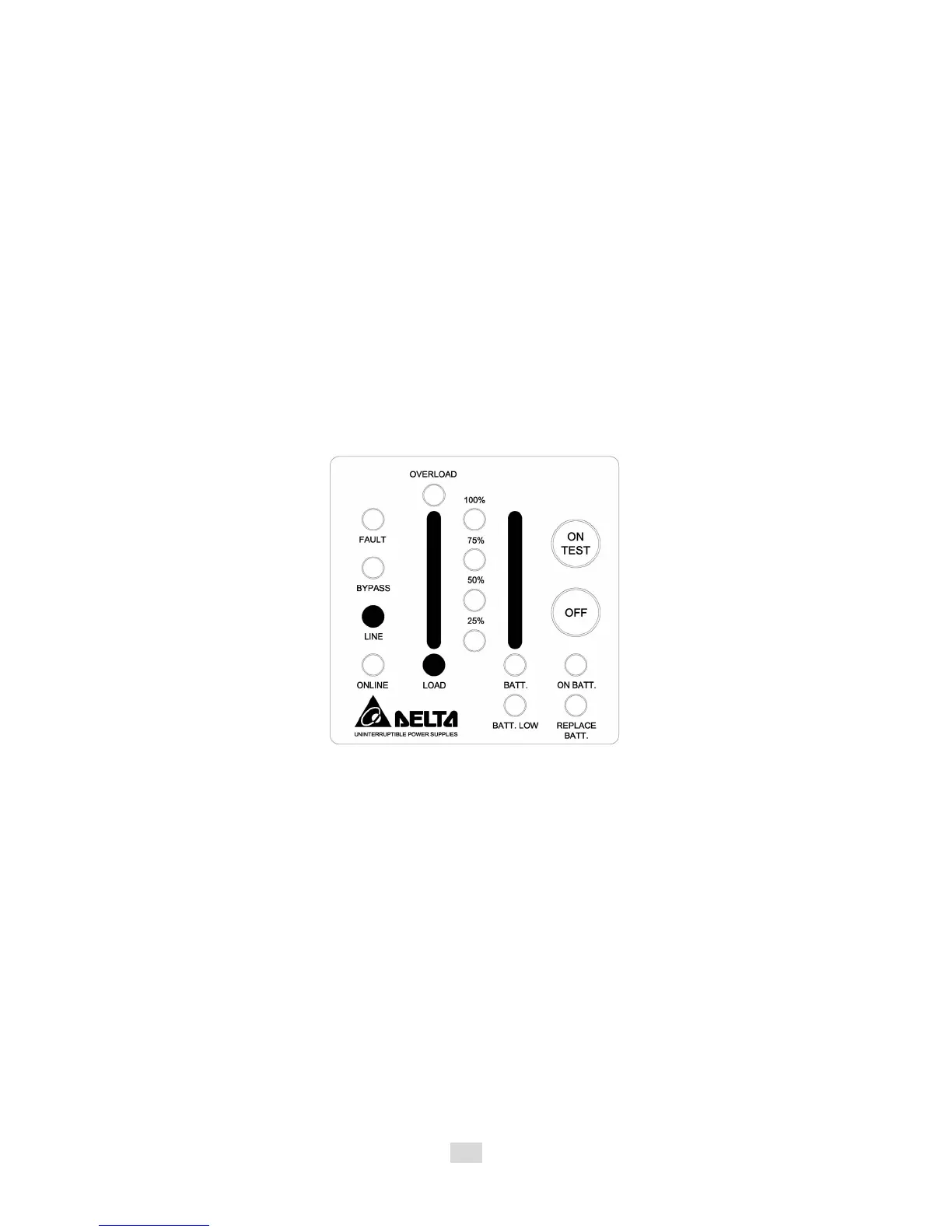
in “STANDBY mode” initially, after a ‘bee’ is heard, the load LED lights on
and the line LED shows AC utility status. Shown as fig 3-1.
Fig 3-1 Stand-By Mode
2. Charging the battery
- The battery charger of the UPS automatically charges the battery
whenever the power cord of UPS is connected to a acceptable utility
power.
- When UPS is running for the first time, charge the UPS for at least 6
hours to ensure batteries inside are fully charged before operation.
- You may immediately use the UPS without having to wait for the batteries
to be fully charged. However, it is advisable not to do this as UPS will
have a shorter back-up time than expected if such action is taken.












 To Next Page