8
OPERATING CONTROLS
AND ADJUSTMENTS
Starting And Stopping Saw
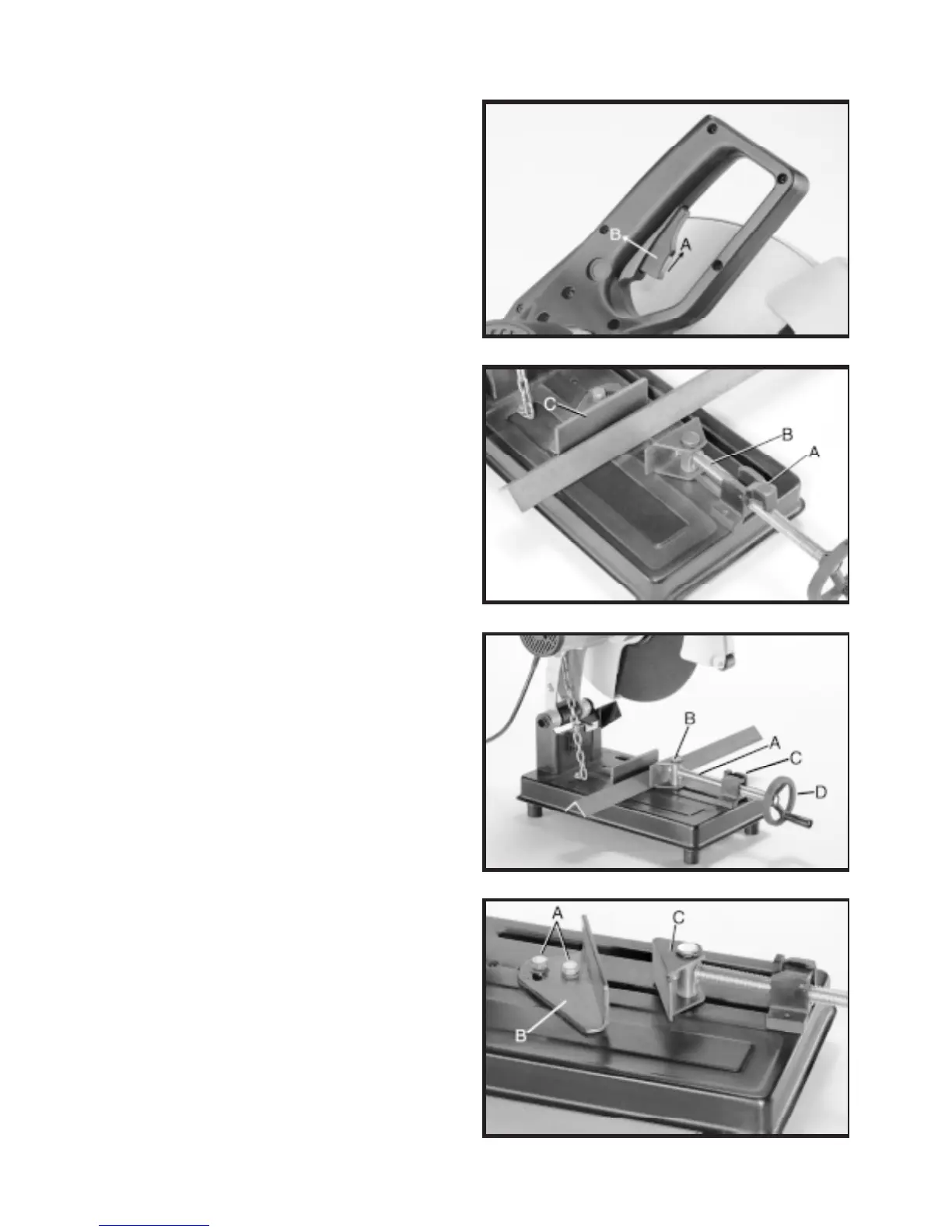
Fig. 6
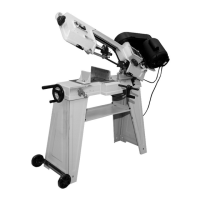
Fig. 7
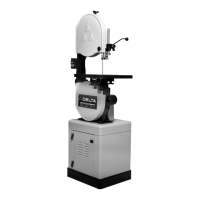
Fig. 8
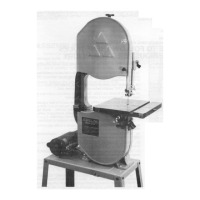
Fig. 9
Vise
Figure 6
Your 14” Abrasive Cut-Off Saw is equipped with
a two stage safety on/off switch. To turn the saw
ON, slide safety lock (A) to the rear, then de-
press switch trigger (B). To turn the saw OFF,
release switch trigger (B).
Figure 7
Lift half-nut (A) off screw (B). Pull screw far
enough away from rear vise clamp (C) to
accomodate workpiece.
Figure 8
Slide in screw (A) until front vise clamp (B)
contacts workpiece. Flip half-nut (C) over to
engage screw (A). Tighten screw handle (D) to
securely clamp workpiece in the vise.
Figure 9
Using supplied wrench, loosen two screws (A)
and rotate rear vise clamp (B) to the desired
angle. Tighten the two screws. The front vise
clamp (C) pivots on its post and will self-align
with the workpiece.
Angle Cutting
Clamping the workpiece can be accomplished
quickly and easily.
NOTE: With the half-nut raised, the screw can
be easily slid in or out.


 To Next Page