19
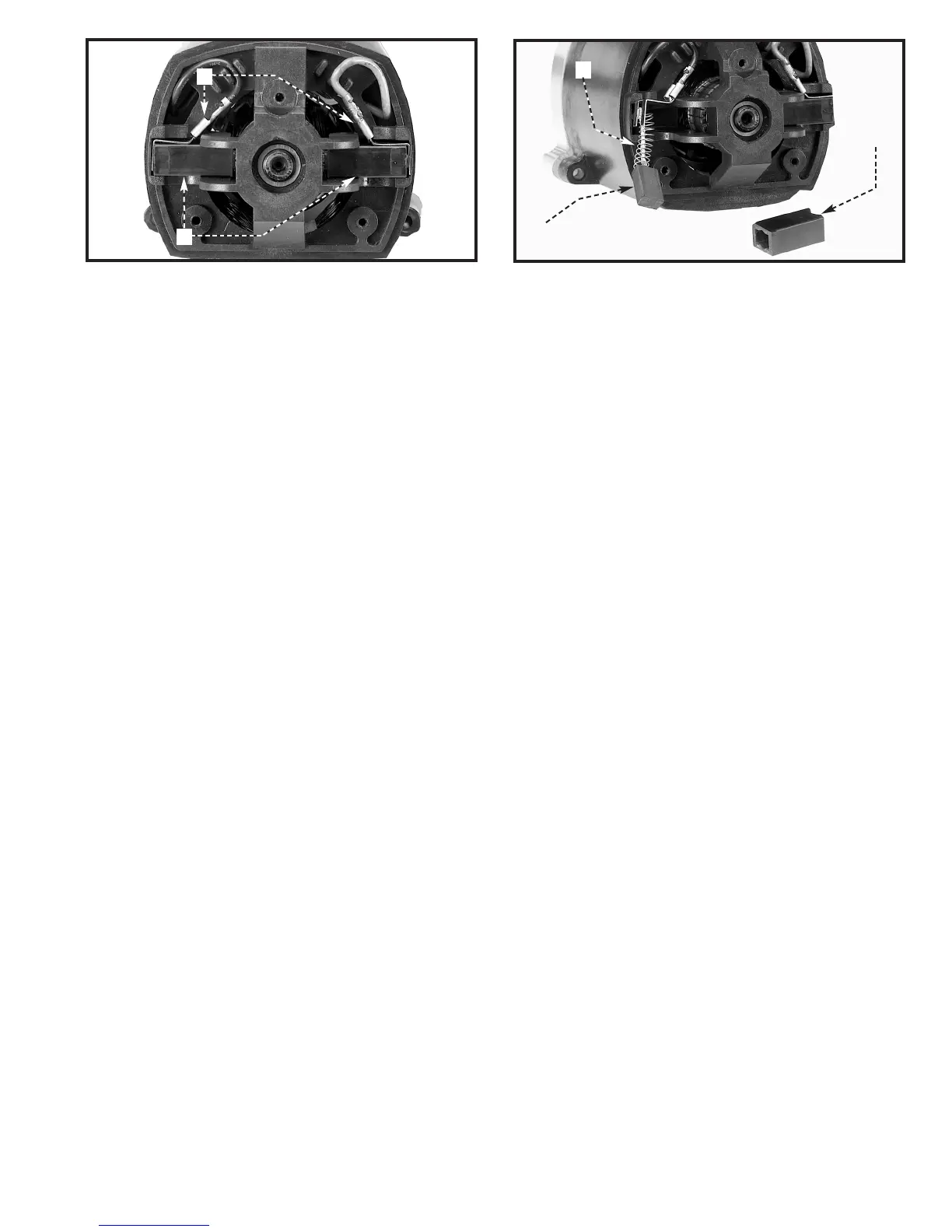
Fig. 55
Fig. 56
2. The brushes are located in two holders (C) Fig. 55. Remove the spade type terminal connectors (D) and pull the
brush holders (C) out.
3. Inspect the brush (E) Fig. 56 that was removed from the holder (C). When the carbon on either brush (E) is worn to
3/16″ or if either spring (F) or shunt wire is burned or damaged in any way, replace both brushes. If the brushes are
serviceable after removing, reinstall them in the same position.
C
E
C
D
F


 To Next Page