18
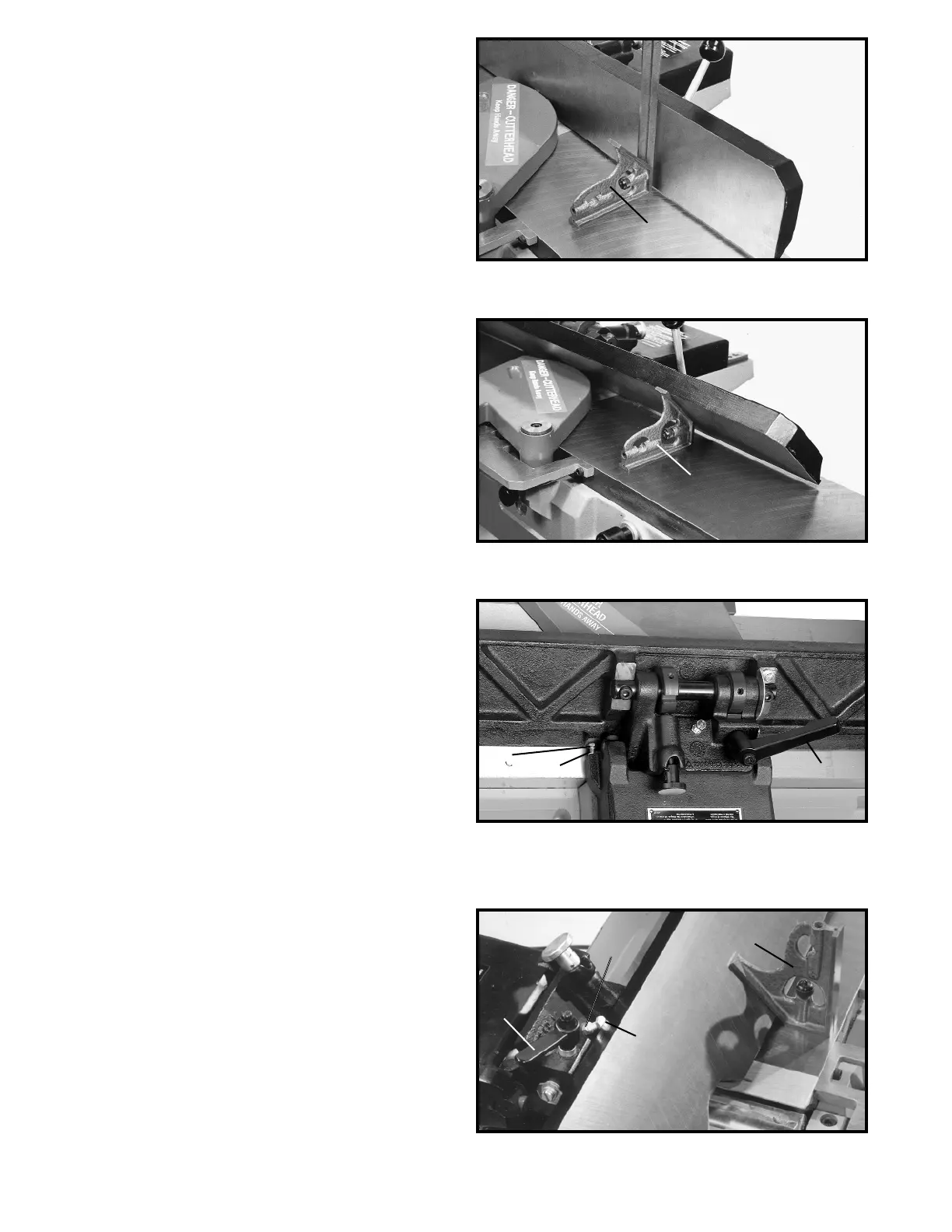
Fig. 34
2. Using a square (D) Fig. 34, check to see if the fence
is at 90 degrees to the table, as shown.
3. If the fence is not at 90 degrees to the table, loosen
set screw (E) in the index collar (B), Fig. 33, and
loosen the fence locking handle (C). Move the fence
until you are certain it is at 90 degrees to the table
and tighten locking handle (C) and set screw (E).
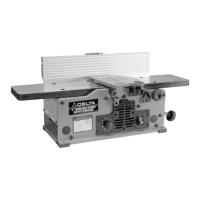
Fig. 35
4. Tilt the fence inward as far as possible and using a
combination square (F) Fig. 35, check to see if the
fence is tilted inward 45 degrees, as shown. If an
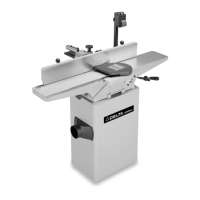
adjustment is necessary, loosen locknut (H) Fig. 36,
and turn adjusting screw (J) in or out until the fence
is 45 degrees to the table, and tighten locknut (H).
Then tighten lock handle (C).
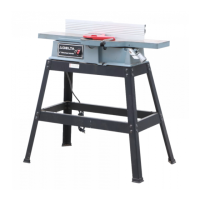
5. Tilt the fence outward as far as possible and using a
combination square (K) Fig. 37, check to see if the
fence is tilted outward 45 degrees, as shown. If an
adjustment is necessary, loosen lock handle (C) Fig.
37. Loosen locknut (L) and turn adjusting screw (M)
until the fence is at 45 degrees to the table. Then
tighten locknut (L) and lock handle (C).
Fig. 36
Fig. 37
D
F
K
M
L
C
J
H
C



 To Next Page