Ethernet Communication Module DVPEN01-SL
DVP-PLC Operation Manual
33
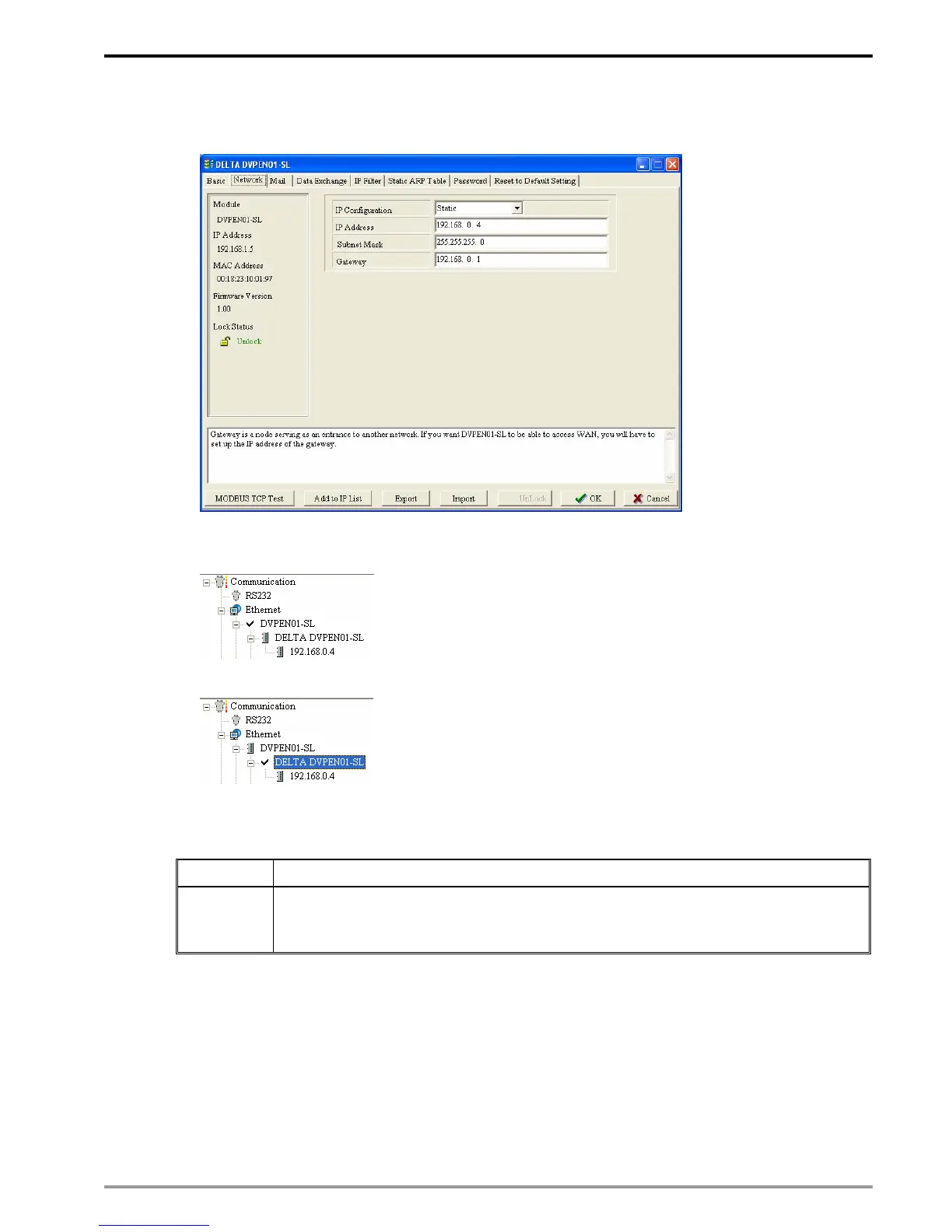
8. Enter IP address: 192.168.0.4; Netmask: 255.255.255.0; Gateway: 192.168.0.1. Press “OK” to
complete the setup, and WPLSoft will automatically search for DVPEN01-SL.
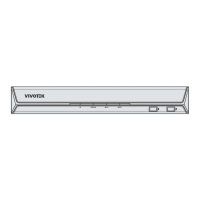
9. The IP of DVPEN01-SL has been modified into the new setting (DELTA DVPEN01-SL:
192.168.0.4).
10. Click on DELTA DVPEN01-SL, and WPLSoft will be able to communicate with the MPU.
6.2 Connecting the PC with DVPEN01-SL through LAN
Application Setting up network parameters of DVPEN01-SL by WPLSoft through LAN.
Network
requirement
(1) Connect the PC and DVPEN01-SL by using DHCP server through LAN.
(2) IP of DVPEN01-SL: 172.16.157.148
Note: DVPEN01-SL can use RJ-45 cable with/without jump wire.
1. The connection


 To Next Page