EasyManua.ls Logo

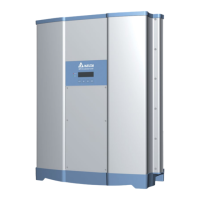
Delta RPI-H5 - User Manual

Delta RPI-H5
64 pages
Print Icon
To Next Page IconTo Next Page
Loading...
RPI-H3/H5
Operation and Installation Manual
Grid-tie Transformerless Solar Inverter
The power behind competitiveness
www.deltaww.com

Table of Contents

Questions and Answers

  • M
    markgordonSep 23, 2025
    What does E07:Grid Quality mean for my Delta Inverter?
    • J
      Jeffrey ThompsonSep 23, 2025
      The 'E07: Grid Quality' error on your Delta Inverter is due to a non-linear load in the Grid near the inverter. To fix this, ensure the inverter's grid connection is far away from any non-linear load.
  • D
    davidrobinsonAug 25, 2025
    Why does my Delta Inverter show 'Grid Volt Under Rating'?
    • J
      Jocelyn VaughnAug 25, 2025
      The 'Grid Volt Under Rating' error on your Delta Inverter can occur due to several reasons: the actual utility voltage being below the UVR setting, the utility voltage dropping below the Slow UVR setting during operation, an incorrect country or grid setting, or a detection circuit malfunction. To address this, check the utility voltage connection to the inverter terminal. Also, verify the country and grid settings. If the problem continues, have the detection circuit inside the inverter checked.
  • T
    Tammy OrtizAug 25, 2025
    How to fix 'Grid Volt Over Rating' on a Delta RPI-H5 Inverter?
    • L
      Leon RivasAug 26, 2025
      If your Delta Inverter is showing a 'Grid Volt Over Rating' error, it could be due to the actual utility voltage exceeding the OVR setting, the utility voltage surpassing the Slow OVR setting during operation, an incorrect country or grid setting, or a problem with the detection circuit. You should check the utility voltage at the inverter terminal. Also, verify the country and grid settings. If the issue remains, inspect the detection circuit inside the inverter.
  • M
    Melissa RobertsAug 27, 2025
    What causes 'Grid Freq. Over Rating' error on my Delta RPI-H5?
    • J
      Jessica GilesAug 27, 2025
      The 'Grid Freq. Over Rating' error on your Delta Inverter can be triggered by a few things: the actual utility frequency exceeding the OFR setting, an incorrect country setting, or a malfunction in the detection circuit. To troubleshoot, check the utility frequency at the inverter terminal. Also, verify the country setting. If the problem persists, inspect the detection circuit inside the inverter.
  • S
    Samantha KellerAug 27, 2025
    Why does my Delta RPI-H5 Inverter display 'Grid Freq. Under Rating'?
    • C
      courtneyholtAug 27, 2025
      The 'Grid Freq. Under Rating' error on your Delta Inverter can be caused by the actual utility frequency being below the UFR setting, an incorrect country or grid setting, or a detection circuit malfunction. You can resolve this by checking the utility frequency at the inverter terminal. Also, verify the country and grid settings. If the issue continues, check the detection circuit inside the inverter.
  • R
    Rebecca LaneSep 15, 2025
    What does E26: Slow Over Frequency Range mean on my Delta Inverter?
    • B
      Benjamin MooreSep 15, 2025
      The 'E26: Slow Over Frequency Range' error on your Delta Inverter indicates that the actual utility frequency is over the OFR setting, the country or grid setting is incorrect, or there's a detection circuit malfunction. To fix this, check the utility frequency on the inverter terminal and verify the country setting. Also, check the detection circuit inside the inverter.
  • L
    Leslie Baldwin MDSep 12, 2025
    What to do if Delta RPI-H5 Inverter shows E30: DC Volt Over Rating error?
    • A
      Alyssa SimmonsSep 13, 2025
      If your Delta Inverter shows an 'E30: DC Volt Over Rating' error, it could be due to the Solar1 voltage being over 550Vdc (RPI-H3) or 1000Vdc (RPI-H5), or a detection circuit malfunction. To solve this, modify the solar array setting to ensure the Voc is less than 550Vdc (RPI-H3) or 1000Vdc (RPI-H5). Also, check the detection circuit inside the inverter.
  • B
    Bruce YatesSep 14, 2025
    How to resolve E13: Slow Over Voltage Range error on Delta RPI-H5?
    • C
      Charles PotterSep 14, 2025
      To resolve the 'E13: Slow Over Voltage Range' error on your Delta Inverter, first check the utility voltage on the inverter terminal, as the actual utility voltage might be over the OVR setting. Also, verify the country and Grid settings. If the problem persists, inspect the detection circuit inside the inverter.
  • K
    Kelly WallsSep 5, 2025
    What can cause 'Grid Quality' issues on a Delta Inverter?
    • D
      dustincrawfordSep 5, 2025
      The 'Grid Quality' issue on your Delta Inverter is caused by a non-linear load in the Grid near to the inverter. The grid connection of the inverter needs to be far away from non-linear load if necessary.
  • C
    Cindy BradleySep 2, 2025
    What causes the 'DC Volt Over Rating' error on a Delta Inverter?
    • R
      Robert WatsonSep 3, 2025
      The 'DC Volt Over Rating' error on your Delta Inverter can arise if the actual Solar1 voltage exceeds 600Vdc (for RPI-H3) or 1000Vdc (for RPI-H5), or if there is a detection circuit malfunction. To resolve this, modify the solar array setting to ensure the Voc is less than 600Vdc (RPI-H3) or 1000Vdc (RPI-H5). If the issue persists, check the detection circuit inside the inverter.

Summary

General Information

About this Manual

Provides detailed information on specifications, installation, and settings for RPI-H3/RPI-H5 models.

Safety Symbol & Instruction

Explains safety symbols and provides essential instructions for safe operation and handling of the inverter.

Validity

Outlines the models covered by the manual and their validity for installation procedures and technical data.

Product Description

How It Works

Additional Information

Installation and Wiring

Instruction before Installation

Strongly recommends reading the manual thoroughly before installation for safety and proper procedures.

Unpacking

Illustrates the step-by-step process of unpacking the RPI-H3 and RPI-H5 inverter units.

Package Inspection

Identification Label

Product Overview

Dimensions

Provides detailed dimensional drawings and measurements for both RPI-H3 and RPI-H5 inverter models.

Function Introduction

LCD Display and Buttons

Inverter Input;Output Interface

Installation

Installation Location

Provides critical safety warnings and guidelines for selecting a suitable and safe installation location for the inverter.

Mounting

Describes the wall-mounting system, ensuring perpendicular installation, and the process of attaching the mounting plate.

Wiring

Preparation before Wiring

Covers essential pre-wiring checks, including voltage, polarity, grounding, and system wiring diagrams.

AC Grid Connection: L + N + PE

Required protective devices and cable cross-sections

DC Connection (from PV Array)

Communication Module

RS-485 Connection

Details the RS-485 pin definition and references tables for protocol settings and multi-inverter connections.

Active;Reactive Power Control and LVRT (Optional)

Active Power Control

Covers settings for active power control, including power limit and frequency-dependent power reduction.

Power Limit

Allows users to reduce inverter output power by setting a percentage of actual or rated power.

Power vs. Frequency

Explains how active power is adjusted based on grid frequency variations according to specific standards.

Reactive Power Control

Details the requirements and methods for controlling reactive power output, including fixed power factor and voltage characteristics.

Low Voltage Ride Through (LVRT)

Explains the LVRT requirements for generation systems over 6 kW to avoid disconnection during grid voltage dips.

Fixed Power Factor coso (VDE-AR-N 4105,CEI 0-21)

coso(P) (VDE-AR-N 4105,CEI 0-21)

Fixed Reactive Power In Var. (CEI 0-21)

Reactive Power; Voltage Characteristic Q(U)(CEI 0-21)

Turn PV inverter on;off

Start-up Procedures

Outlines the critical steps for safely starting up the PV inverter, including voltage checks and initial setup.

PV Array DC Voltage Checking

Details how to measure the open circuit DC voltage of the PV array before inverter startup.

AC Utility Voltage Checking

Explains how to check the AC utility voltage to ensure it is within the inverter's operating range.

Starting up the Inverter

Describes the final steps for switching on the inverter and navigating the initial setup screens.

Inverter Setting

Country Setting

Guides users through the process of selecting their country for proper inverter configuration and operation.

AC Configuration Setting

Connecting the Communication Wiring

Inverter ID Setting

LCD flowchart

Event List

Country Selection

Language Selection

Insulation Mode (Only useable for RPI-H5)

Settings

Cosphi Settings (Only useable for RPI-H3)

Italy Self-test

Maintenance

Measurement, Error Message and Trouble Shooting

Measurement

Explains the various measurements displayed by the inverter, such as output, voltage, current, and energy.

Error Message & Trouble Shooting

De-Commissioning

Technical Data

Specifications

Lists detailed technical specifications for RPI-H3 and RPI-H5 models, covering general, DC input, and AC output parameters.

Appendix A Multi-function Relay

Multi-function relay output connection

Appendix B Digital Input

Delta RPI-H5 Specifications

General IconGeneral
BrandDelta
ModelRPI-H5
CategoryInverter
LanguageEnglish

Related product manuals