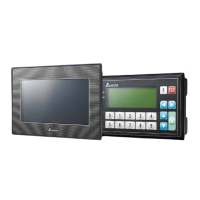
TP70P-211LC1T/TP04P-20EXL1T Operation Manual
5-26
Special
Item Description Attibutes Default
D4576
Y24 weight output setting
value (High word)
R/W
◎
K0
D4577
Y25 weight output setting
R/W
◎
K0
D4578
Y25 weight output setting
R/W
◎
K0
D4579
Y26 weight output setting
R/W
◎
K0
D4580
Y26 weight output setting
R/W
◎
K0
D4581
Y27 weight output setting
R/W
◎
K0
D4582
Y27 weight output setting
R/W
◎
K0
D4583 Y20 delay output time
Default: K0; setting range: K0 ~ K300;
unit: 10 ms
R/W
◎
K0
D4584 Y21 delay output time R/W
◎
K0
D4585 Y22 delay output time R/W
◎
K0
D4586 Y23 delay output time R/W
◎
K0
D4587 Y24 delay output time R/W
◎
K0
D4588 Y25 delay output time R/W
◎
K0
D4589 Y26 delay output time R/W
◎
K0
D4590 Y27 delay output time R/W
◎
K0
D4591 Current output mode
Weight value corresponding to a current output
K0: disable (default)
K1: IO1 weight value of the channel
corresponding to a current output
R/W
◎
K0
D4600
Commands
(ICT / for calibration)
Write H’5678: to write the data into Flash and
then the data is retentive after power-off.
Write H’55AA: reset to defaults and to write the
defaults into Flash and then the data is
retentive after power-off.
Write H’AA00: disable the calibration mode
Write H’AA01: enable the calibration mode
Message:
H’FFFF: failed to execute the instruction
H’AAAA: scueed to execute the instruction
R/W X H‘0
D4601 Calibrated weight 1 (Lo)
Calibrated weight of the zero point
R/W
◎
K0
D4602 Calibrated weight 1 (Hi) R/W
◎
D4603 Calibrated weight 2 (Lo)
Calibrated weight of the calibration point 2
R/W
◎
K100
D4604 Calibrated weight 2 (Hi) R/W
◎
D4605 Calibrated weight 3 (Lo) Calibrated weight of the calibration point 3 R/W
◎
K200


 To Next Page
 Loading...