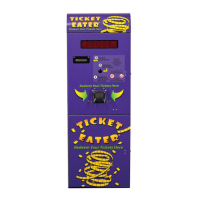
TT-2000 Ticket Eater™ by Deltronic Labs February 2013
A Ticket Eater configuration can exist in 3 places:
1. In a Deltronic Labs Ticket Eater
2. In a configuration file on your computer.
3. In the entry blanks of the software.
Using the software you can:
1. Transfer a configuration between the program entry blanks and a Ticket Eater.
2. Edit a configuration.
3. Save a configuration to a file and retrieve a configuration from a file.
4. Perform management functions.
5. Install updated programming in a Ticket Eater.
Transferring Configurations to and from a Ticket Eater
First, connect a USB cable as described above. Then use the commands on the Ticket
Eater menu or buttons on the toolbar to transfer the configuration.
Editing a Configuration
Use the entry blanks to edit a configuration. As you move to each entry blank,
instructions for that entry appear. Some entries are applicable only to certain hardware.
Save and Open Configuration Files
Use the commands on the File menu or buttons on the toolbar to save and open
configuration files. These operations transfer a configuration between the file and the
entry blanks.
Management Functions
Use commands on the Ticket Eater menu or buttons on the toolbar to:
1. Print a duplicate of the last receipt printed.
2. Print an audit report on the Ticket Eater's printer.
3. Print an options report on the Ticket Eater's printer.
4. Reset the audit counters.
5. Reset the bucket counter (when not using a full-bucket sensor).
Install Updated Programming
Use the Upload New Firmware command on the Firmware menu to install new
programming in the ticket eater logic board. You should do this only when instructed to
do so by Deltronic Labs tech support.


 To Next Page