TT-2000 Ticket Eater™ by Deltronic Labs February 2013
Changing Options Without Software
DL Ticket Eater Manager software is the
preferred way to manage your TT-2000
Ticket Eater with AP-100 main logic board.
The previous section of this manual covers
that. Some options can also be changed
without the software by using buttons inside
the TT-2000. This section covers those
procedures. Changing any of the words
printed on the receipt can only be done with
the software.
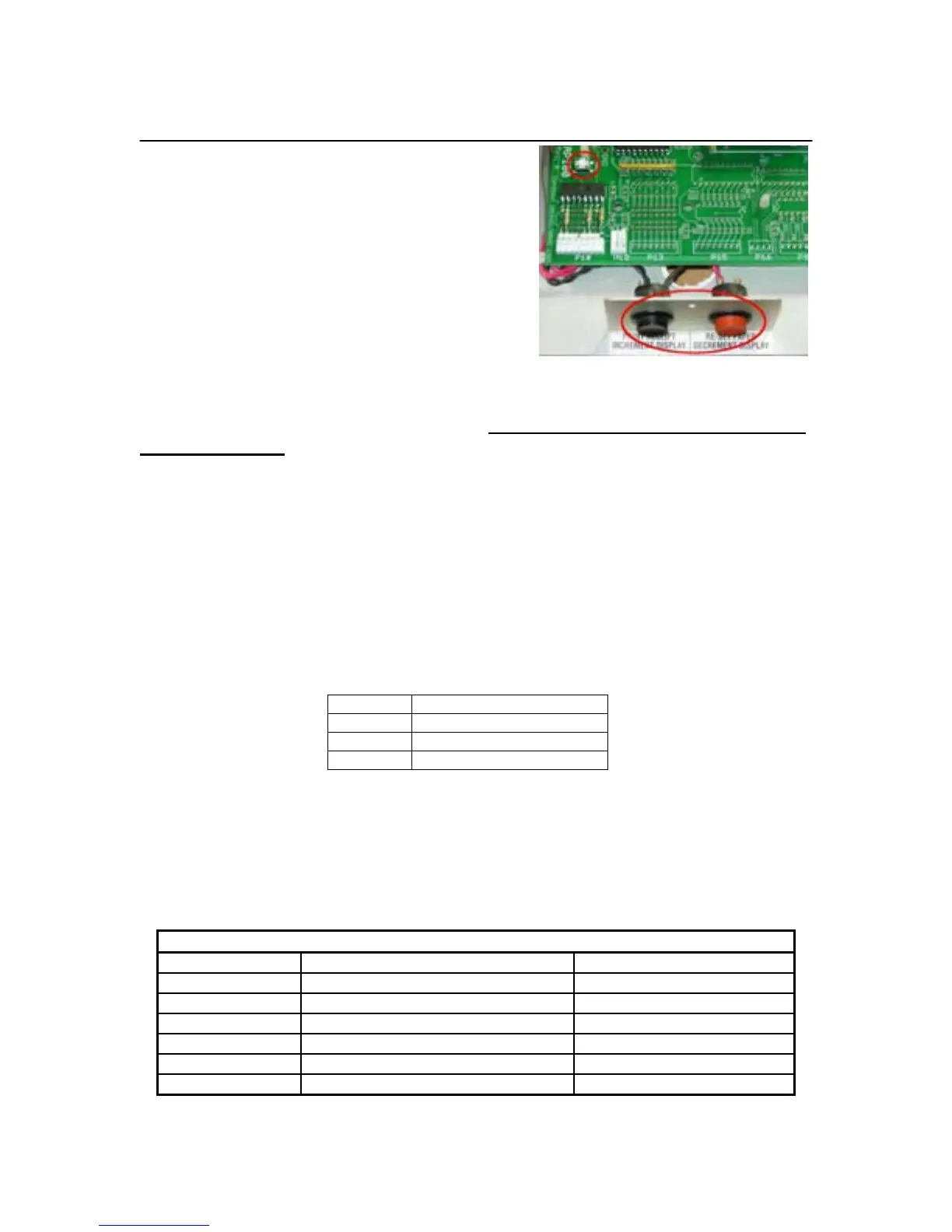
These procedures use the two buttons mounted in front of the logic board, the SW1
button on the logic board, and the 7 segment display on the door. The RUN/PRG jumper
is not used. It must stay in the RUN position. Leaving the jumper in the PRG position
will drain battery. To enter the options mode:
1. Open the top door of the Ticket Eater.
2. Pull out the safety switch. This turns the Ticket Eater on with the door open. The
red and green LED’s on the main logic board should be on.
3. Wait for the display to finish the power-up test and enter the “Snake” mode.
4. Push the SW1 button.
5. The display will show 99 0. You are now in Options Mode.
In Options Mode the first number (99 in this case) shows the number of the option that
you are working with. The second number (0 in this case) shows the option’s value.
Pressing the red or black button in front of the logic board changes the option’s value.
Pressing both buttons at the same time accepts the currently displayed value.
The options are organized into groups. 99 is a special number which indicates that you
are selecting a group of options to work with. When you select a group, the first option
in that group is displayed. As you accept each option by pressing both buttons together,
the next option is displayed. After the last option is accepted you are returned to 99 so
that you can select another group. If you turn off the machine before you finish viewing
a group, your changes to that group will be lost.
1 to 7(Sunday to Saturday)


 To Next Page